Implement Email Filtering: A Step-by-Step Guide for Secure Delivery
Email filtering fails when teams deploy rules before establishing baseline traffic patterns, causing legitimate mail to vanish without warning.
Build an email filtering strategy by defining policy, enabling logging, and deploying rules in test mode. Verify delivery with test accounts. Monitor false positives daily. Adjust thresholds based on observed traffic. Integrate with DMARC for sender validation. Review logs weekly to refine rules. Maintain a quarantine review process to catch misclassified messages.
Define the filtering policy before touching configuration
You must establish clear criteria for what constitutes a threat before configuring any technical controls. Without a written policy, administrators apply rules reactively, creating gaps that attackers exploit. Define acceptable risk levels for different user groups. Executive accounts require stricter filtering than general staff. Marketing teams need looser rules to avoid blocking campaign responses. Document these distinctions explicitly.
Policy documents should specify handling for unknown senders. Decide whether to reject, quarantine, or deliver messages from unverified domains. Quarantine offers the best balance between security and usability. It stops immediate harm while preserving evidence for analysis. Rejection provides stronger protection but increases the chance of losing legitimate business correspondence. Delivery with warning labels is the weakest option, often ignored by users.
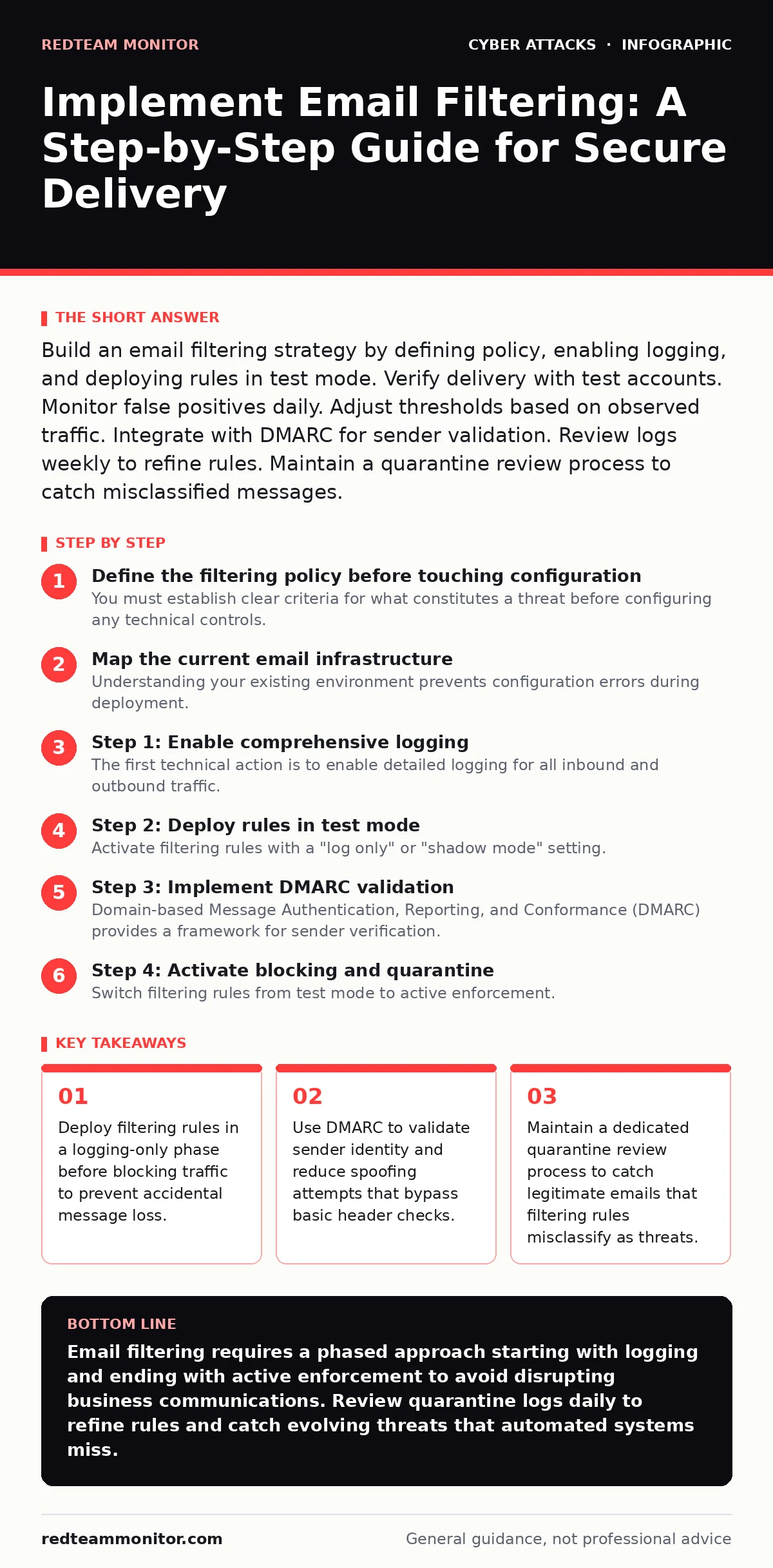
Map the current email infrastructure
Understanding your existing environment prevents configuration errors during deployment. Inventory all mail servers, gateways, and cloud services. Identify where messages enter and exit your network. Many organizations use hybrid environments that route traffic through multiple vendors. Each hop adds complexity and potential failure points.
Document the flow of message headers. Headers reveal the path a message takes from sender to recipient. They also show authentication results. Knowing this path helps you place filtering rules effectively. Rules placed too early may lack context. Rules placed too late may allow malicious content to reach endpoints. Position filters at the perimeter for maximum visibility.
Step 1: Enable comprehensive logging
The first technical action is to enable detailed logging for all inbound and outbound traffic. You cannot improve what you cannot measure. Logging captures metadata about every message, including sender IP, recipient, subject line, and attachment types. This data forms the baseline for normal behavior.
Configure logs to retain sufficient history. Short retention periods prevent you from spotting gradual changes in traffic patterns. Store logs securely and restrict access. Log data contains sensitive information about communication patterns. Ensure your logging solution supports export for analysis. You will need this data to tune rules and investigate incidents later.
Step 2: Deploy rules in test mode
Activate filtering rules with a "log only" or "shadow mode" setting. This configuration evaluates messages against your rules but does not block or quarantine them. It records what would have happened. Run this mode for at least two weeks. This period captures variations in traffic volume and types.
Review the logs daily. Look for patterns in flagged messages. Identify legitimate emails that the rules catch. These are false positives. They indicate rules that are too broad. Adjust thresholds or add exceptions for trusted domains. Do not block traffic until you are confident the rules work correctly. Blocking too early causes operational disruption and erodes trust in the security team.
Step 3: Implement DMARC validation
Domain-based Message Authentication, Reporting, and Conformance (DMARC) provides a framework for sender verification. It builds on SPF and DKIM records to tell receiving servers how to handle unauthenticated mail. Configure your domains to publish DMARC records with a policy of "none" initially. This allows you to monitor reports without affecting delivery.
Analyze DMARC aggregate reports. They show who is sending email on your behalf. Identify unauthorized sources. Update your SPF and DKIM records to include only authorized senders. Once verification is complete, change the DMARC policy to "quarantine" or "reject". This stops spoofed messages at the gateway. It reduces the volume of phishing attempts that reach user inboxes.
See also: DMARC for Small Business: Stop Email Fraud Without the Budget
Step 4: Activate blocking and quarantine
Switch filtering rules from test mode to active enforcement. Enable blocking for high-confidence threats. Use quarantine for uncertain cases. Quarantine gives users a chance to retrieve legitimate messages. It also provides a buffer for manual review. Configure alerts for high-volume quarantine events. Sudden spikes indicate potential attacks or misconfigurations.
Set up automated notifications for specific rule triggers. For example, alert when a message contains executable attachments. These are rare in legitimate business communication. Alert when a message comes from a new external sender with a large attachment. These patterns often indicate spear-phishing attempts. Ensure alerts go to a monitored channel, not just an inbox.
Step 5: Establish a quarantine review process
Automated filtering is never perfect. A manual review process catches errors the system misses. Assign staff to review quarantined messages daily. They should check for false positives and release legitimate mail. They should also analyze false negatives—threats that passed through.
Document the reasons for releasing or deleting messages. This data feeds back into rule tuning. If a specific vendor's invoices are constantly quarantined, add an exception. If a new phishing template bypasses filters, update the signature database. This feedback loop improves accuracy over time. Without it, rules stagnate and become less effective.
Verify the filtering implementation
Testing confirms that your configuration works as intended. Use a dedicated test account outside normal business hours. Send test messages with various characteristics. Include messages with known malicious signatures. Include messages with suspicious but benign content. Include messages from trusted partners.
Check the disposition of each test message. Did the system block the malware? Did it quarantine the suspicious link? Did it deliver the partner invoice? Document the results. Compare them against your expected outcomes. Discrepancies indicate configuration errors. Fix them before expanding the scope of filtering.
- Test with a known malicious attachment to verify blocking
- Test with a suspicious URL to verify quarantine
- Test with a trusted sender to verify delivery
- Review logs for all test messages to ensure accuracy
- Confirm alerts triggered for high-risk test messages
Maintain and update filtering rules
Email filtering requires ongoing attention. Threat tactics evolve rapidly. Static rules become obsolete quickly. Schedule weekly reviews of logs and quarantine data. Look for trends in blocked messages. Identify new attack vectors. Update rules to address these threats.
Monitor industry advisories for new phishing campaigns. Many attackers reuse templates. If you see a surge in messages with a specific subject line, investigate. Check if it matches known campaigns. Adjust your filters accordingly. Keep your signature databases updated. Most filtering solutions rely on external threat intelligence. Ensure your connection to these feeds is stable.
Review user feedback regularly. Users may report blocked legitimate emails. Investigate these reports promptly. They often reveal edge cases your automated rules missed. Add exceptions or refine rules based on this input. This collaboration between security and operations ensures the system remains effective without hindering productivity.
Key takeaways
- Deploy filtering rules in a logging-only phase before blocking traffic to prevent accidental message loss.
- Use DMARC to validate sender identity and reduce spoofing attempts that bypass basic header checks.
- Maintain a dedicated quarantine review process to catch legitimate emails that filtering rules misclassify as threats.
Email filtering requires a phased approach starting with logging and ending with active enforcement to avoid disrupting business communications. Review quarantine logs daily to refine rules and catch evolving threats that automated systems miss.
Frequently asked questions
How long should I run email filtering in test mode?
Run test mode for at least two weeks to capture normal traffic variations. This period ensures your rules account for different days of the week and seasonal changes in volume.
What is the difference between SPF and DMARC?
SPF verifies that an email comes from an authorized server for a domain. DMARC uses SPF and DKIM results to tell receivers how to handle unauthenticated mail, such as rejecting or quarantining it.
Can email filtering stop all phishing attempts?
No filtering system stops all phishing. Attackers constantly change tactics. Filtering reduces risk by blocking known threats and suspicious patterns. Users must still verify unexpected requests.
How do I handle false positives in email filtering?
Investigate false positives by checking message headers and content. Add exceptions for trusted senders or adjust rule thresholds. Document these changes to prevent recurrence.
How this guide was produced: written by the RedTeam Monitor editorial team with AI assistance, checked against the public references listed below, and reviewed when the facts change. See our editorial policy or report an error.