
DMARC for Small Business: Stop Email Fraud Without the Budget
Small teams can block most impersonation attempts by publishing a single text record in their DNS zone, requiring no new software or hardware purchases.
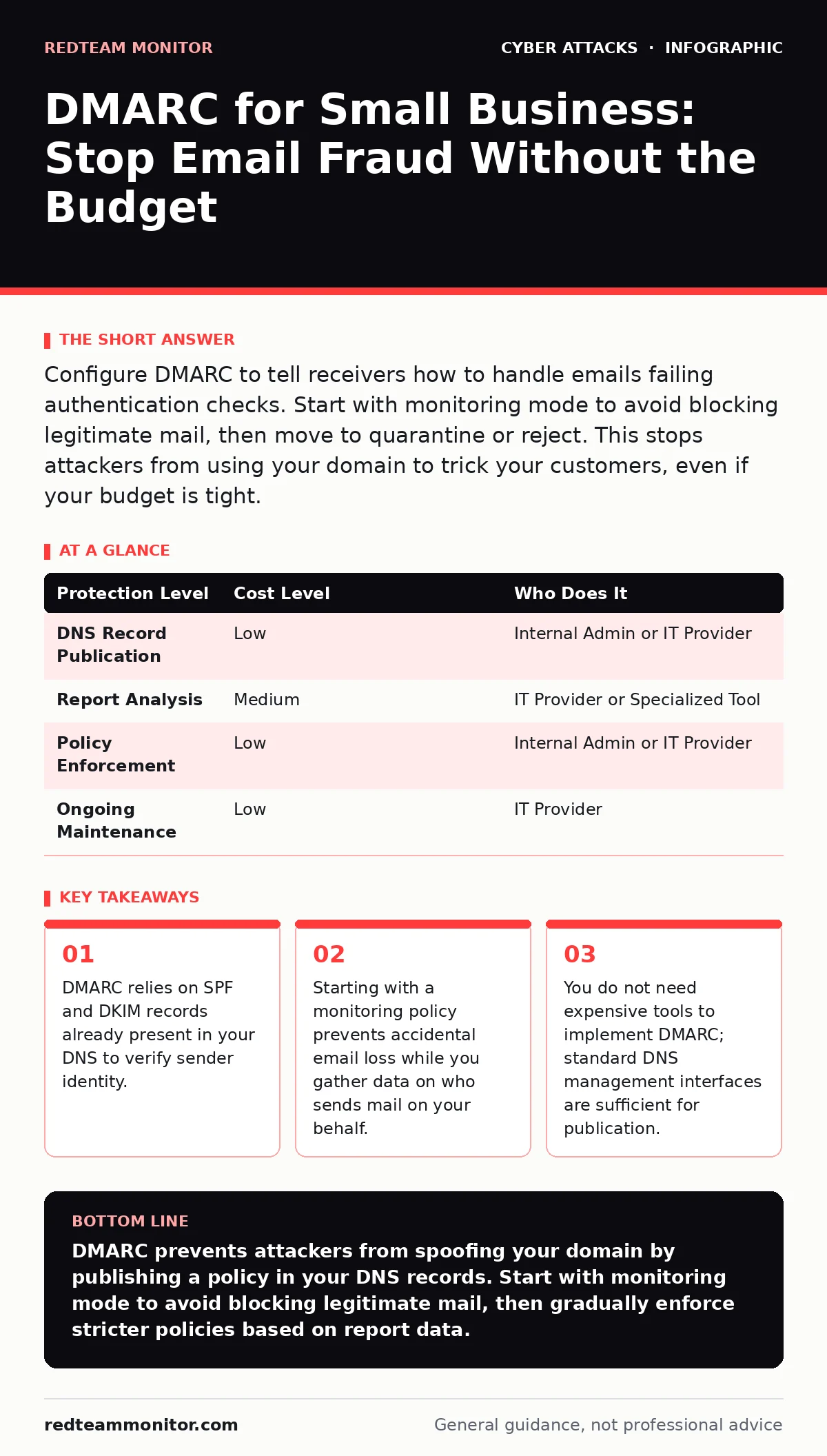
Configure DMARC to tell receivers how to handle emails failing authentication checks. Start with monitoring mode to avoid blocking legitimate mail, then move to quarantine or reject. This stops attackers from using your domain to trick your customers, even if your budget is tight.
The Mechanics of Domain Authentication
DMARC stands for Domain-based Message Authentication, Reporting, and Conformance. It is not a firewall or a scanning tool. It is a policy published in your Domain Name System (DNS) records. This policy instructs receiving mail servers on what to do when an email claims to be from your domain but fails authentication checks.
Authentication relies on two underlying protocols. SPF (Sender Policy Framework) lists the IP addresses authorized to send mail for your domain. DKIM (DomainKeys Identified Mail) adds a cryptographic signature to the email headers, proving the message was not altered in transit. DMARC ties these two together. It requires that the domain in the visible "From" address aligns with the domain authenticated by SPF or DKIM.
Without DMARC, a receiver has no standardized way to know if a mismatched header is a mistake or an attack. With DMARC, the receiver follows your explicit instructions. This shifts the burden of verification from the recipient’s guesswork to your published policy.
Why Small Scale Matters More Than You Think
Large enterprises have dedicated security operations centers. They have teams to analyze reports and manage complex routing rules. Small businesses often assume they are too small to be a primary target. This assumption is dangerous. Attackers often target small organizations because they lack these defensive layers.
Impersonation is the primary threat vector here. Phishing emails that appear to come from your domain damage your reputation and your clients’ trust. If a customer receives a malicious email that looks like it came from your support team, they blame you, not the attacker. DMARC protects your brand identity by making it technically difficult for attackers to successfully spoof your domain.
The cost of inaction is not just financial. It is reputational. Once your domain is blacklisted or associated with spam, getting delisted is difficult and time-consuming. Implementing DMARC is a proactive measure to maintain the integrity of your communications.
The Hidden Cost of Immediate Enforcement
A common mistake is setting the DMARC policy to "reject" immediately after publication. This assumes your SPF and DKIM records are perfect. They rarely are. You likely use third-party services for marketing, invoicing, or customer support. These services send email on your behalf. If they are not listed in your SPF record or configured to use your DKIM key, they will fail authentication.
If you reject immediately, you will block legitimate emails. Your clients will not receive invoices. Your marketing campaigns will bounce. You will spend days troubleshooting why your business communications have stopped. This is the hidden cost of rushing DMARC implementation.
Start with a monitoring policy. This setting, often denoted as "none," tells receivers to accept all emails but to send you reports about failures. This allows you to identify which services are sending mail and ensure they are properly authenticated. Only after you have reviewed these reports and fixed any misconfigurations should you move to enforcement.
Affordable Implementation Steps
You do not need specialized software to implement DMARC. You need access to your DNS provider’s control panel. This is usually included with your domain registration or hosting package. The steps are manual but straightforward.
- Verify your SPF record exists and includes all sending IP addresses.
- Verify your DKIM record is active for your primary mail server.
- Publish a DMARC record in your DNS zone. The record is a TXT record with a specific format.
- Start with a policy of "p=none" and a reporting address.
- Review reports for several weeks to identify legitimate senders.
- Update SPF or DKIM configurations for any missed senders.
- Change the policy to "p=quarantine" to send failing emails to spam.
- After a stable period, change the policy to "p=reject" to block failing emails entirely.
This process relies on standard DNS management. No additional licensing fees are required. The main investment is your time in reviewing reports and updating configurations.
What to Delegate to Providers
While you can manage DMARC records yourself, interpreting the reports can be complex. DMARC reports are XML files sent to a specified email address. They contain technical details about which IPs failed authentication and why. Reading hundreds of these files manually is inefficient.
Consider delegating the analysis of these reports to your IT provider or a managed service provider. Ask them to monitor the reports and alert you to unusual activity or persistent failures. You can also delegate the maintenance of SPF and DKIM records. When you add a new service, such as a new CRM or email marketing platform, ensure your provider updates the DNS records accordingly.
This division of labor keeps your internal team focused on business operations while ensuring your email security remains robust. It also provides a layer of expertise that might be missing in a small internal team.
| Protection Level | Cost Level | Who Does It |
|---|---|---|
| DNS Record Publication | Low | Internal Admin or IT Provider |
| Report Analysis | Medium | IT Provider or Specialized Tool |
| Policy Enforcement | Low | Internal Admin or IT Provider |
| Ongoing Maintenance | Low | IT Provider |
See also: Microsoft Exchange Vulnerabilities: Risks and Protection for Small Businesses
Questions for Your IT Provider
If you outsource this work, you need to ensure your provider understands the nuances of DMARC. Do not just ask if they "handle email security." Ask specific questions to verify their competency.
- How do you monitor DMARC reports for my domain?
- What is your process for updating SPF and DKIM records when I add new services?
- How do you handle false positives where legitimate emails are blocked?
- Can you provide a monthly summary of authentication failures?
- Do you recommend a quarantine or reject policy for my current setup?
These questions force a concrete discussion about their methodology. They reveal whether the provider is merely publishing records or actively managing the authentication ecosystem. A good provider will explain their approach to minimizing false positives while maximizing security.
Integration with Broader Security
DMARC is a single control in a larger security framework. It does not stop all email threats. It specifically addresses sender identity spoofing. It does not scan the content of emails for malware. It does not prevent users from clicking on malicious links in legitimate-looking emails.
You must combine DMARC with other defenses. For instance, firewalls protect your network perimeter from unauthorized access. DDoS protection ensures your services remain available during volumetric attacks. Brand impersonation awareness training helps users recognize social engineering attempts that bypass technical controls.
Consider how DMARC interacts with supply chain attacks. If a vendor you trust is compromised, their emails might still pass DMARC if they are properly authenticated. DMARC tells you the email came from the vendor, not that the vendor is safe. You need additional verification methods for high-value transactions.
The Long-Term Benefit
Implementing DMARC is not a one-time task. It is an ongoing process of verification and adjustment. As your business grows, you will add new services. Each new service requires configuration in your DNS records. Neglecting this leads to gaps in your authentication.
Regularly review your DMARC reports. Look for new IP addresses appearing in the failure logs. Investigate them. Ensure they are legitimate senders. If they are not, they may be attackers trying to probe your defenses.
The effort required is minimal compared to the damage of a successful impersonation attack. By maintaining strict authentication standards, you protect your clients and your reputation. You make it harder for attackers to use your domain as a cover. This is a fundamental hygiene practice for any organization that sends email.
Key takeaways
- DMARC relies on SPF and DKIM records already present in your DNS to verify sender identity.
- Starting with a monitoring policy prevents accidental email loss while you gather data on who sends mail on your behalf.
- You do not need expensive tools to implement DMARC; standard DNS management interfaces are sufficient for publication.
DMARC prevents attackers from spoofing your domain by publishing a policy in your DNS records. Start with monitoring mode to avoid blocking legitimate mail, then gradually enforce stricter policies based on report data.
Frequently asked questions
Does DMARC protect against phishing emails sent from other domains?
No, DMARC only protects your specific domain. It prevents attackers from pretending to be you, but it does not stop them from using other domains to target your users.
How long does it take to implement DMARC?
Publishing the record takes minutes. However, you should spend weeks in monitoring mode to review reports and fix authentication issues before enforcing strict policies.
How this guide was produced: written by the RedTeam Monitor editorial team with AI assistance, checked against the public references listed below, and reviewed when the facts change. See our editorial policy or report an error.