Supply Chain Attack Risks and Protection for Small Business
Your biggest security risk is not your firewall but the trusted third-party tools that bypass your perimeter checks to access your data.
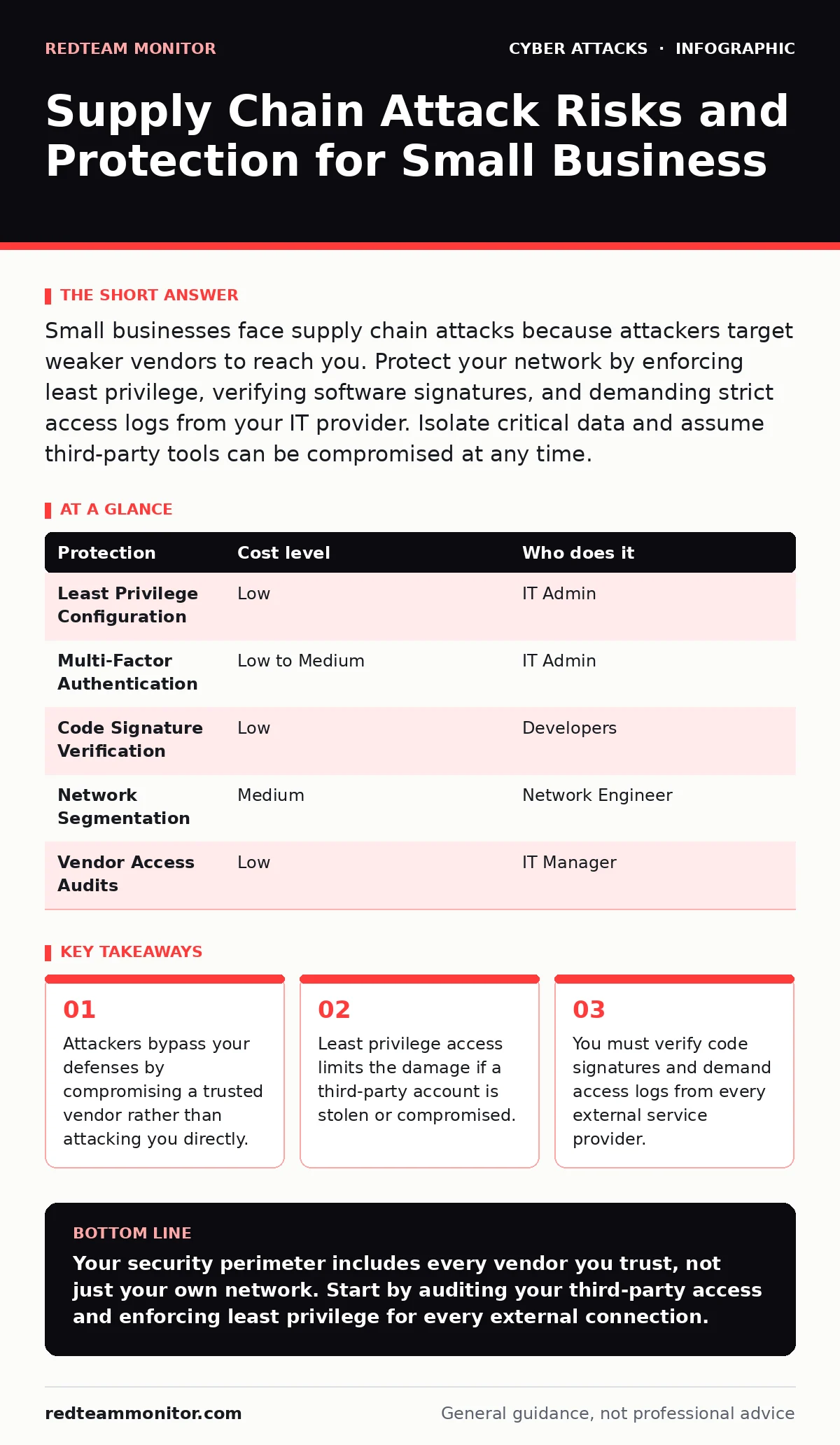
Small businesses face supply chain attacks because attackers target weaker vendors to reach you. Protect your network by enforcing least privilege, verifying software signatures, and demanding strict access logs from your IT provider. Isolate critical data and assume third-party tools can be compromised at any time.
The Hidden Entry Point
Most security teams focus on their own perimeter. They build walls around their servers and email systems. This approach fails because your security boundary extends to every vendor you trust. An attacker does not need to break into your office. They only need to break into a company you pay.
This is the core of a supply chain attack. The adversary compromises a software provider, a hardware manufacturer, or an IT service provider. Once inside that trusted entity, they gain a foothold in your environment. Your systems accept the connection because it comes from a known partner. The trust relationship becomes the vulnerability.
Small organizations are prime targets for this method. You likely lack the budget for deep security audits. You rely on standardized tools that thousands of other companies use. An attacker can compromise one vendor and affect hundreds of potential victims simultaneously. This efficiency makes small businesses attractive stepping stones.
Why Standard Defenses Fail
Traditional antivirus and firewalls struggle with supply chain threats. These tools look for known bad patterns. They block traffic from suspicious sources. A supply chain attack uses a legitimate source. The malicious code arrives via a signed update from a reputable developer. The firewall sees authorized traffic and lets it pass.
The malware looks like normal software. It uses the same digital signatures as the legitimate version. Your endpoint detection system may not flag it because the behavior mimics standard operations initially. The attacker waits. They move laterally through your network, escalating privileges slowly. By the time an anomaly appears, they have already reached sensitive data.
This delay is dangerous. The attacker operates under the guise of a trusted process. You cannot simply block the vendor. They provide essential services. Blocking them stops your business. You must find a way to monitor and restrict their access without breaking operations. This requires a shift from perimeter defense to internal verification.
The Cost of Trust
Trust is a liability if it is not verified. Every third-party connection is a potential breach point. You must treat external access with the same suspicion as external traffic. The assumption that a vendor is safe because they are large or well-known is incorrect. Large organizations are frequent targets due to the value of their customer base.
Imagine a managed service provider that handles your backups. They have root access to your servers. If their credentials are stolen, the attacker owns your data. You cannot see the theft happening because the access looks legitimate. The logs show authorized activity. The damage is done before you notice a missing file.
This scenario highlights the need for separation. You must limit what each vendor can do. Even if their account is compromised, the attacker should not be able to pivot to your entire network. This requires strict segmentation and least privilege. You give vendors only the access they need to perform their specific task. Nothing more.
Low-Cost Protections for Small Teams
You do not need expensive hardware to reduce risk. Configuration changes are often sufficient. Start by enforcing least privilege. This principle means users and systems only have the minimum permissions necessary. A helpdesk technician should not have admin rights to the database. A backup vendor should not have access to email servers.
Use multi-factor authentication for all accounts. This adds a second layer of verification. Even if an attacker steals a password, they cannot log in without the second factor. For high-risk accounts, consider phishing-resistant authentication. This method uses hardware keys or platform-specific credentials that cannot be phished or reused. It stops credential theft at the source.
Monitor your logs actively. Look for unusual access patterns. A vendor logging in at 3 AM on a Sunday is suspicious. An account accessing files it never touches before is an alert. Set up alerts for privilege escalation. If a standard user suddenly gains admin rights, investigate immediately. These signals are often the first sign of a supply chain compromise.
| Protection | Cost level | Who does it |
|---|---|---|
| Least Privilege Configuration | Low | IT Admin |
| Multi-Factor Authentication | Low to Medium | IT Admin |
| Code Signature Verification | Low | Developers |
| Network Segmentation | Medium | Network Engineer |
| Vendor Access Audits | Low | IT Manager |
Verifying Software Integrity
You must ensure the software you install is genuine. Attackers often distribute malware through fake updates or hijacked repositories. Always download software from the official vendor source. Never click links in email to download updates. Verify the digital signature of the installer. This signature proves the code has not been altered since the vendor signed it.
If you develop your own software, secure your build process. Attackers target build servers to inject malicious code into your releases. Keep build systems isolated. Use separate credentials for deployment. Verify the hash of the final artifact. This ensures the code running in production matches the code you tested.
Be wary of open-source dependencies. These libraries are widely used and rarely audited. An attacker can compromise a popular library and affect every project that uses it. Regularly update your dependencies. Monitor for known vulnerabilities. Use tools that scan your code for compromised components. This reduces the risk of inheriting a supply chain flaw.
What to Ask Your IT Provider
Your IT provider is a critical part of your supply chain. They have deep access to your systems. You must verify their security practices. Do not assume their reputation is enough. Ask specific questions about their access controls and monitoring.
- How do you manage credentials for client access?
- Do you use multi-factor authentication for all staff?
- Can you provide logs of all access to our systems?
- How do you detect and respond to unauthorized access?
- What is your process for patching third-party tools?
These questions reveal their maturity. A provider who cannot answer them clearly is a risk. They may lack the processes to protect your data. You need a partner who treats your security as their own. Demand transparency. Require regular access reviews. Ensure you can revoke access immediately if needed.
Managing Third-Party Risk
You cannot control your vendors. You can only influence them. Include security requirements in your contracts. Specify access levels and audit rights. Require them to notify you of any breach. This shifts some responsibility to them. It also gives you legal recourse if they fail.
Regularly review your vendor list. Remove unused services. Each active vendor increases your attack surface. Consolidate where possible. Fewer vendors mean fewer points of failure. Evaluate new vendors carefully. Check their security certifications. Ask about their incident response plan. Do not rush the onboarding process.
Stay informed about threats. Follow security news related to your vendors. If a vendor suffers a breach, act quickly. Change passwords. Revoke access. Scan your systems. Do not wait for the vendor to tell you what to do. Take control of your environment. Your security depends on your vigilance, not theirs.
Key takeaways
- Attackers bypass your defenses by compromising a trusted vendor rather than attacking you directly.
- Least privilege access limits the damage if a third-party account is stolen or compromised.
- You must verify code signatures and demand access logs from every external service provider.
Your security perimeter includes every vendor you trust, not just your own network. Start by auditing your third-party access and enforcing least privilege for every external connection.
Frequently asked questions
How do I know if my software update is safe?
Verify the digital signature of the update file. Ensure it matches the vendor’s public key. Download only from the official vendor website, not from email links.
Is multi-factor authentication enough to stop supply chain attacks?
It stops credential theft, which is a common entry point. It does not stop attacks that exploit software vulnerabilities or compromised build processes.
What is the least privilege principle?
It means giving users and systems only the minimum access needed to perform their tasks. This limits the damage if an account is compromised.
How often should I review my vendor list?
Review it quarterly. Remove unused services. Update security requirements for existing vendors. Ensure all active connections are necessary and monitored.
How this guide was produced: written by the RedTeam Monitor editorial team with AI assistance, checked against the public references listed below, and reviewed when the facts change. See our editorial policy or report an error.