How PyPI Package Vulnerabilities Spread and How to Stop Them
Supply chain attacks hide inside trusted code dependencies, exploiting the trust you place in automated installers rather than your application logic directly.
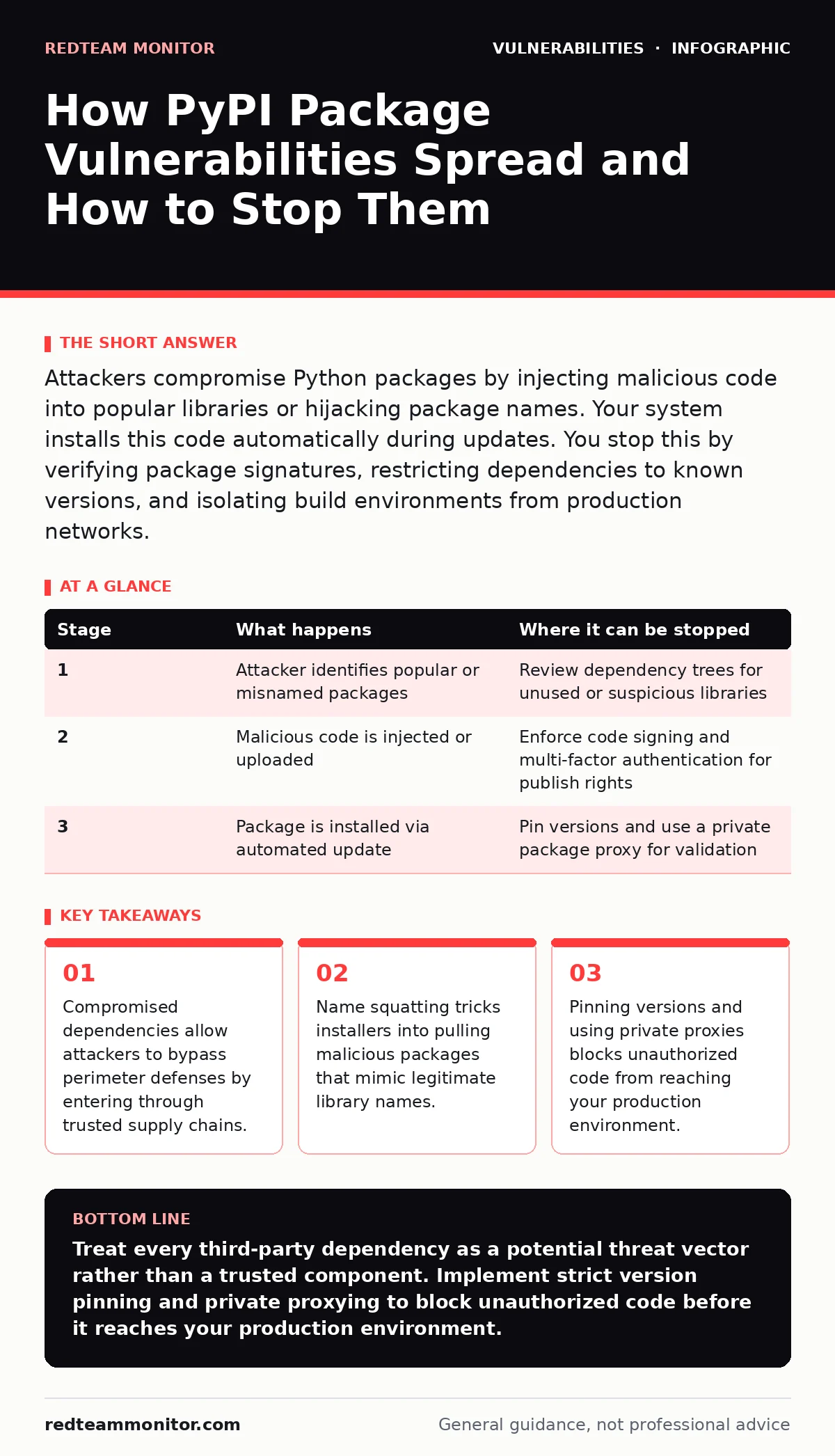
Attackers compromise Python packages by injecting malicious code into popular libraries or hijacking package names. Your system installs this code automatically during updates. You stop this by verifying package signatures, restricting dependencies to known versions, and isolating build environments from production networks.
The Supply Chain Attack Vector
Vulnerabilities in Python Package Index (PyPI) packages operate through supply chain compromise. Attackers do not target your application code directly. They target the libraries your application imports. This approach bypasses traditional perimeter defenses because the malicious code arrives inside a trusted dependency. Your build system installs it automatically. The attack relies on your trust in the upstream maintainer or the package repository itself.
Imagine a developer updates a logging library to fix a bug. The new version contains a script that exfiltrates environment variables. Your system installs this update without human review. The malicious code executes with the same permissions as your application. This mechanism turns your trust in open source into an attack surface.
Stage 1: Package Selection and Targeting
The attacker begins by identifying popular packages with high download counts. These packages are used by many downstream applications, maximizing the impact of a single compromise. Attackers look for maintainers with weak security hygiene. They target projects with single maintainers, inactive repositories, or those lacking automated security testing.
The attacker may also search for packages with similar names to popular libraries. This prepares for name squatting. The goal is to position malicious code where it will be consumed by automated dependency resolvers. The attacker studies the package ecosystem to find the path of least resistance.
| Stage | What happens | Where it can be stopped |
|---|---|---|
| 1 | Attacker identifies popular or misnamed packages | Review dependency trees for unused or suspicious libraries |
| 2 | Malicious code is injected or uploaded | Enforce code signing and multi-factor authentication for publish rights |
| 3 | Package is installed via automated update | Pin versions and use a private package proxy for validation |
Stage 2: Code Injection or Name Squatting
Two primary methods introduce the flaw. In code injection, the attacker gains access to the legitimate maintainer's account. They push a new version containing malicious payloads. This relies on credential theft or social engineering of the maintainer. The package name remains valid, so existing users receive the update automatically.
Name squatting is a different approach. The attacker registers a package with a name similar to a popular one. A typo in a requirements file causes the installer to pull the malicious package instead of the legitimate one. This relies on human error or fuzzy matching by dependency tools. The package looks correct but contains entirely different code.
Stage 3: Distribution and Hosting
The malicious package is uploaded to PyPI. The repository accepts it because it meets technical format requirements. PyPI does not scan for malicious logic by default. It relies on user reports and automated takedowns after detection. The package becomes available for global download.
The attacker may use social engineering to promote the package. They might post links on forums or GitHub issues related to the legitimate library. This drives initial downloads, creating a history of usage that makes the package look legitimate. The distribution phase is passive. The code sits in the repository until a victim pulls it.
Stage 4: Dependency Resolution and Installation
Your build system checks for updates. It queries the package index for the latest version matching your constraints. If you use flexible version pinning, the resolver selects the newest available version. This includes the compromised release. The installer downloads the package archive.
The package manager verifies the cryptographic hash if you have not pinned a specific commit or hash. Standard package managers do not verify the semantic intent of the code. They only ensure the file was not corrupted in transit. The installation proceeds without warning. The malicious code is now part of your local environment.
Stage 5: Execution and Persistence
When your application starts, it imports the compromised module. The malicious code executes immediately. It may establish a reverse shell, steal credentials, or install additional malware. The code runs with the privileges of your application process.
If the application runs with elevated privileges, the attacker gains significant control. The malicious code may modify system files to ensure persistence. It can also scan the local network for lateral movement opportunities. The initial compromise is silent. No user interaction is required beyond the automatic update process.
Interruption Points and Defense
You can interrupt this chain at multiple stages. The most effective defense is dependency pinning. Specify exact versions in your requirements file. This prevents automatic updates to compromised releases. Combine this with a private package proxy. The proxy mirrors PyPI and allows you to inspect packages before they reach your build systems.
Verify package signatures. Use tools that check for GPG signatures or other cryptographic proofs of authorship. This ensures the package comes from the expected maintainer. Isolate your build environment. Do not allow build servers to access the public internet directly. Use air-gapped proxies for package retrieval.
Beyond Package Vulnerabilities
Understanding package vulnerabilities complements other security practices. For instance, vulnerability scanning helps identify known flaws in your dependency graph. This is distinct from host header injection, which targets application logic rather than supply chain trust. Similarly, CRLF injection exploits protocol parsing, whereas package attacks exploit trust in code distribution.
You should also consider container escape vulnerabilities. If your application runs in a container, a compromised package could facilitate an escape attempt. This highlights the need for defense in depth. Firmware updates and firmware update management address hardware-level trust, while package security addresses software-level trust. Both require strict verification processes.
Operationalizing Supply Chain Security
Integrate security checks into your CI/CD pipeline. Reject builds that include packages with known vulnerabilities. Enforce a policy of least privilege for package installation. Limit what the installer can do. Disable network access during the installation phase if possible.
Regularly audit your dependency tree. Remove unused packages. Each package is a potential entry point. Minimize your attack surface by reducing the number of dependencies. Educate developers on the risks of name squatting. Encourage manual verification of new dependencies before adding them to production systems.
Maintaining Trust in Open Source
Open source software relies on community trust. You must verify that trust programmatically. Do not rely on manual reviews alone. Automated tools can check for suspicious imports, network calls, or file writes during installation. Configure alerts for unusual package activity.
Monitor for takedowns and advisories. When a package is compromised, the maintainers will release a patch. You need to apply this patch quickly. Pinning versions ensures you do not automatically receive the bad version, but you must still update to the good version. Balance security with maintainability.
Final Security Posture
Your security posture depends on how you manage trust. Every dependency is a third-party risk assessment. Treat each package as untrusted code until verified. Implement strict controls around who can publish packages and who can approve updates. Use multi-factor authentication for all accounts with publish rights.
Regularly review your security policies. Threats evolve. New attack vectors emerge. Stay informed about developments in the Python ecosystem. Participate in security communities. Share information about vulnerabilities you discover. Collective defense strengthens the entire supply chain.
Key takeaways
- Compromised dependencies allow attackers to bypass perimeter defenses by entering through trusted supply chains.
- Name squatting tricks installers into pulling malicious packages that mimic legitimate library names.
- Pinning versions and using private proxies blocks unauthorized code from reaching your production environment.
Treat every third-party dependency as a potential threat vector rather than a trusted component. Implement strict version pinning and private proxying to block unauthorized code before it reaches your production environment.
Frequently asked questions
How do I know if my Python package is compromised?
Check for unexpected network connections, file modifications, or new processes spawned by your application. Use dependency scanning tools to compare your packages against known vulnerability databases.
Can I use PyPI safely in production?
You can use PyPI safely by implementing strict access controls, version pinning, and private proxying. Never allow direct, unverified access to PyPI from production build systems.
What is the difference between a vulnerability and a malicious package?
A vulnerability is an unintended flaw in code that can be exploited. A malicious package contains intentionally harmful code inserted by an attacker. Both pose risks but require different detection methods.
Should I delete my requirements file to improve security?
No, you should maintain a strict requirements file with pinned versions. This ensures reproducibility and prevents automatic updates to potentially compromised newer versions.
How this guide was produced: written by the RedTeam Monitor editorial team with AI assistance, checked against the public references listed below, and reviewed when the facts change. See our editorial policy or report an error.