Firmware Update Management: Fixing 6 Common Misunderstandings
Treating firmware updates as simple patches ignores the deep hardware trust chain, allowing attackers to persist even after a full system wipe or network isolation.
Firmware updates do not just fix software bugs. They redefine the hardware trust root. Mismanaging them breaks boot integrity, bypasses application-layer security, and creates persistent backdoors that survive OS reinstalls. You must verify cryptographic signatures, manage rollback windows, and isolate update channels to prevent supply chain compromise.
Misreading: Updates are just software patches
Correct reading: Firmware updates modify the hardware’s initial trust state, not just application behavior. When you apply an operating system patch, you change code that runs after the hardware has already booted. Firmware runs before the operating system loads. It initializes hardware controllers, establishes memory maps, and validates the next stage of the boot chain.
If an attacker compromises the firmware, they control the hardware before your security software starts. This makes the compromise persistent. A standard disk wipe or operating system reinstall does not remove a firmware rootkit. The hardware still trusts the malicious code. You must treat firmware updates as changes to the hardware’s fundamental security posture, not as routine maintenance tasks.
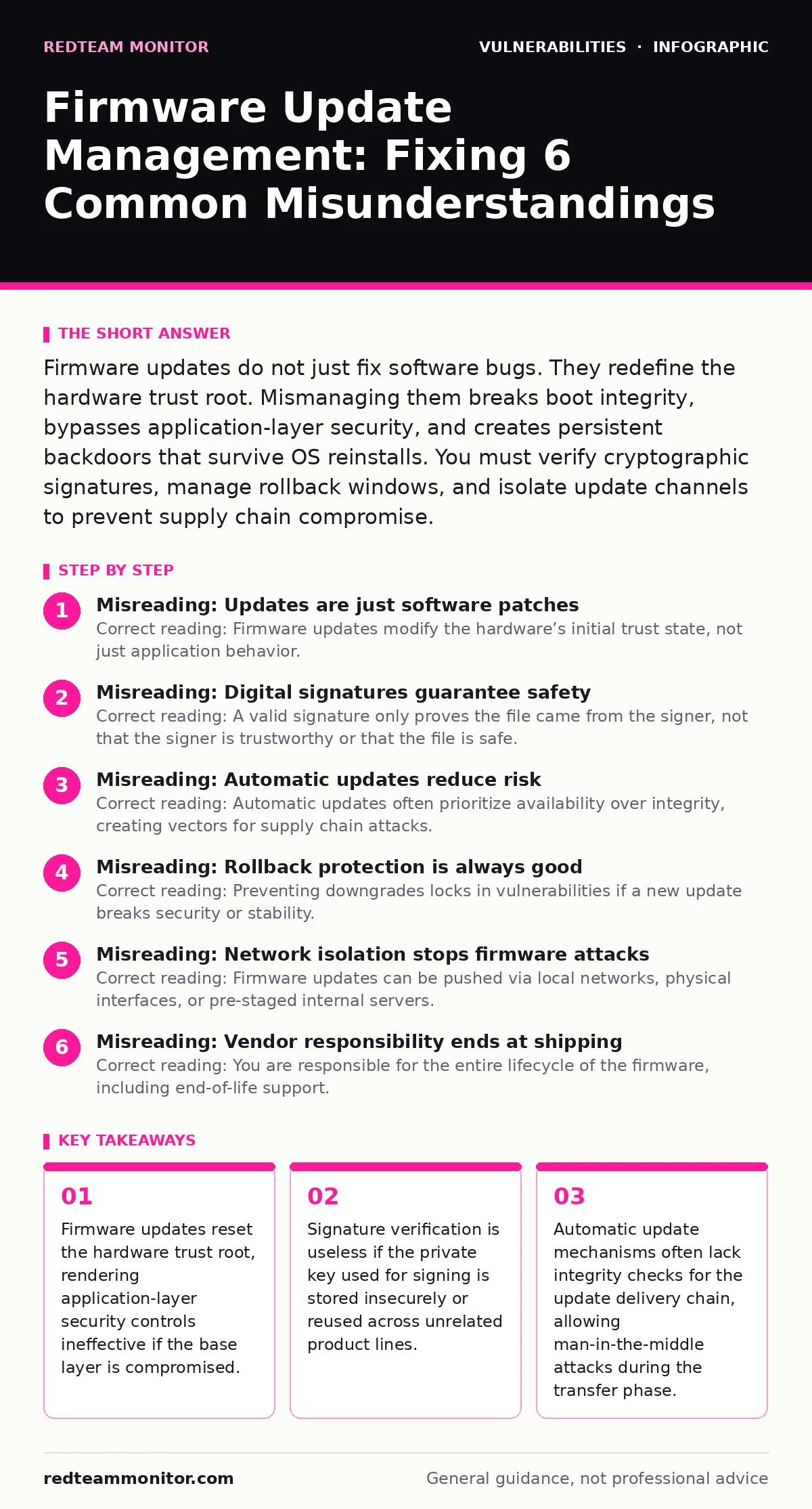
Misreading: Digital signatures guarantee safety
Correct reading: A valid signature only proves the file came from the signer, not that the signer is trustworthy or that the file is safe. Cryptographic signatures ensure integrity and authenticity. They confirm the firmware image has not been altered in transit and originates from the entity holding the private key. They do not analyze the code inside the image.
If the vendor’s signing key is stolen, an attacker can sign malicious firmware that passes all verification checks. If the vendor introduces a bug, that bug will be signed and verified. You must assume the signing process itself can be compromised. Relying solely on signature verification ignores the risk of a compromised build environment or a stolen key. You need additional checks, such as known-good hash comparisons and out-of-band verification, to mitigate this risk.
Misreading: Automatic updates reduce risk
Correct reading: Automatic updates often prioritize availability over integrity, creating vectors for supply chain attacks. Automated systems fetch updates from pre-configured servers. If an attacker compromises the update server or intercepts the network traffic, they can push malicious firmware to thousands of devices simultaneously. Automated systems typically lack human oversight for unusual update patterns.
They may apply updates without verifying that the update matches a known-good state for that specific device model and configuration. This speed enables rapid compromise but also rapid recovery if the system is designed correctly. However, most systems are not. You must secure the update channel with mutual authentication and encrypted tunnels. You must also validate the update against a local whitelist of approved versions before installation.
Misreading: Rollback protection is always good
Correct reading: Preventing downgrades locks in vulnerabilities if a new update breaks security or stability. Rollback protection stops attackers from reverting a device to a vulnerable state after a patch has been applied. This is a standard defense against downgrade attacks. However, if the new firmware contains a critical bug or a new vulnerability, you cannot revert to the previous safe version.
This forces you to live with the flaw until a new patch is released. In some cases, the vulnerability may be severe enough to require an immediate revert. You face a trade-off between preventing malicious downgrades and maintaining operational stability. You must have a secure, offline method to force a rollback in emergency situations. This method must be physically protected to prevent abuse by attackers with physical access.
Misreading: Network isolation stops firmware attacks
Correct reading: Firmware updates can be pushed via local networks, physical interfaces, or pre-staged internal servers. Isolating devices from the internet reduces the attack surface but does not eliminate it. Attackers can compromise internal update servers. They can use local network protocols to push updates. They can insert malicious firmware via USB drives or maintenance ports.
Many industrial control systems and embedded devices rely on local update mechanisms for maintenance. These mechanisms often lack the security controls found in internet-facing systems. You must assume that any device with physical access or local network access can be updated. You must enforce strict access controls on all update interfaces, including physical ports. You must monitor for unauthorized update attempts on internal networks.
Misreading: Vendor responsibility ends at shipping
Correct reading: You are responsible for the entire lifecycle of the firmware, including end-of-life support. Vendors often stop providing security updates after a device reaches end-of-life. This leaves devices running unpatched firmware with known vulnerabilities. You cannot rely on the vendor to fix issues that arise years after purchase. You must plan for firmware maintenance from day one.
This includes tracking update releases, testing updates in a controlled environment, and deploying them promptly. You must also plan for device replacement when support ends. Ignoring end-of-life devices creates a persistent security risk. These devices often have direct access to critical systems. They may be the weakest link in your security chain. You must have a process for identifying and mitigating risks from unsupported firmware.
Misreading: Application security covers firmware risks
Correct reading: Application-layer security controls cannot protect against compromises at the hardware level. Web application firewalls and runtime application self-protection (RASP) tools monitor traffic and behavior within the operating system. They assume the underlying hardware is trustworthy. If the firmware is compromised, it can manipulate memory, intercept hardware interrupts, or alter data before it reaches the operating system.
The application security tools see the manipulated data as legitimate. They cannot detect the tampering because it happens below their layer of operation. This is similar to how container escape vulnerabilities allow an attacker to break out of a sandbox. The sandbox is secure, but the host is compromised. You must secure the firmware to ensure the foundation is trustworthy. Application security is only effective if the hardware it runs on is secure.
Misreading: Testing is only for new features
Correct reading: Every firmware update must undergo rigorous security testing before deployment. Firmware updates often contain security patches, but they can also introduce new vulnerabilities. You must test updates for regression, stability, and security flaws. This includes static analysis, dynamic testing, and fuzz testing to uncover hidden bugs.
You should also check for known vulnerability patterns, such as integer overflow vulnerabilities or buffer overflows. Testing ensures that the update does not break existing functionality or introduce new attack vectors. Skipping testing saves time but increases risk. A single flawed update can compromise an entire fleet of devices. You must have a repeatable testing process that covers security, functionality, and compatibility.
Misreading: Physical security is separate from firmware security
Correct reading: Physical access to a device often bypasses remote firmware security controls. Attackers with physical access can connect to debug ports, use hardware emulators, or directly read and write firmware memory. Remote update controls cannot prevent this. You must treat physical security as part of your firmware security strategy.
This includes locking devices in secure enclosures, disabling unused physical ports, and monitoring for tampering. You must also consider the supply chain. Devices can be compromised before they reach you. You must verify the integrity of devices upon receipt. Physical security is not just about theft prevention. It is about preventing unauthorized modification of the hardware’s trust state.
Key takeaways
- Firmware updates reset the hardware trust root, rendering application-layer security controls ineffective if the base layer is compromised.
- Signature verification is useless if the private key used for signing is stored insecurely or reused across unrelated product lines.
- Automatic update mechanisms often lack integrity checks for the update delivery chain, allowing man-in-the-middle attacks during the transfer phase.
- Rollback protection prevents denial-of-service attacks but also locks in vulnerabilities if a patch introduces critical instability or security flaws.
Frequently asked questions
How do I verify a firmware update is safe before installing it?
Verify the cryptographic signature against a trusted public key. Compare the file hash against a known-good value from an out-of-band source. Test the update in a isolated environment before deploying to production.
What happens if I lose access to the firmware update server?
You may be unable to apply critical security patches. Ensure you have offline copies of approved firmware images. Maintain a process for distributing updates via secure physical media if the network channel fails.
Can I use third-party tools to manage firmware updates?
Third-party tools can help automate the process but introduce new dependencies. Ensure the tool itself is secure and trusted. Verify that it supports the necessary cryptographic checks and does not store private keys insecurely.
How often should I update firmware?
Update when critical security vulnerabilities are disclosed. Balance the risk of known vulnerabilities against the risk of introducing new bugs. Test updates thoroughly before deployment. Do not delay critical security patches.
How this guide was produced: written by the RedTeam Monitor editorial team with AI assistance, checked against the public references listed below, and reviewed when the facts change. See our editorial policy or report an error.