
7 Runtime Application Self-Protection Mistakes and How to Avoid Them
Runtime application self-protection fails when teams treat it as a silver bullet rather than a context-aware monitoring layer that requires careful tuning.
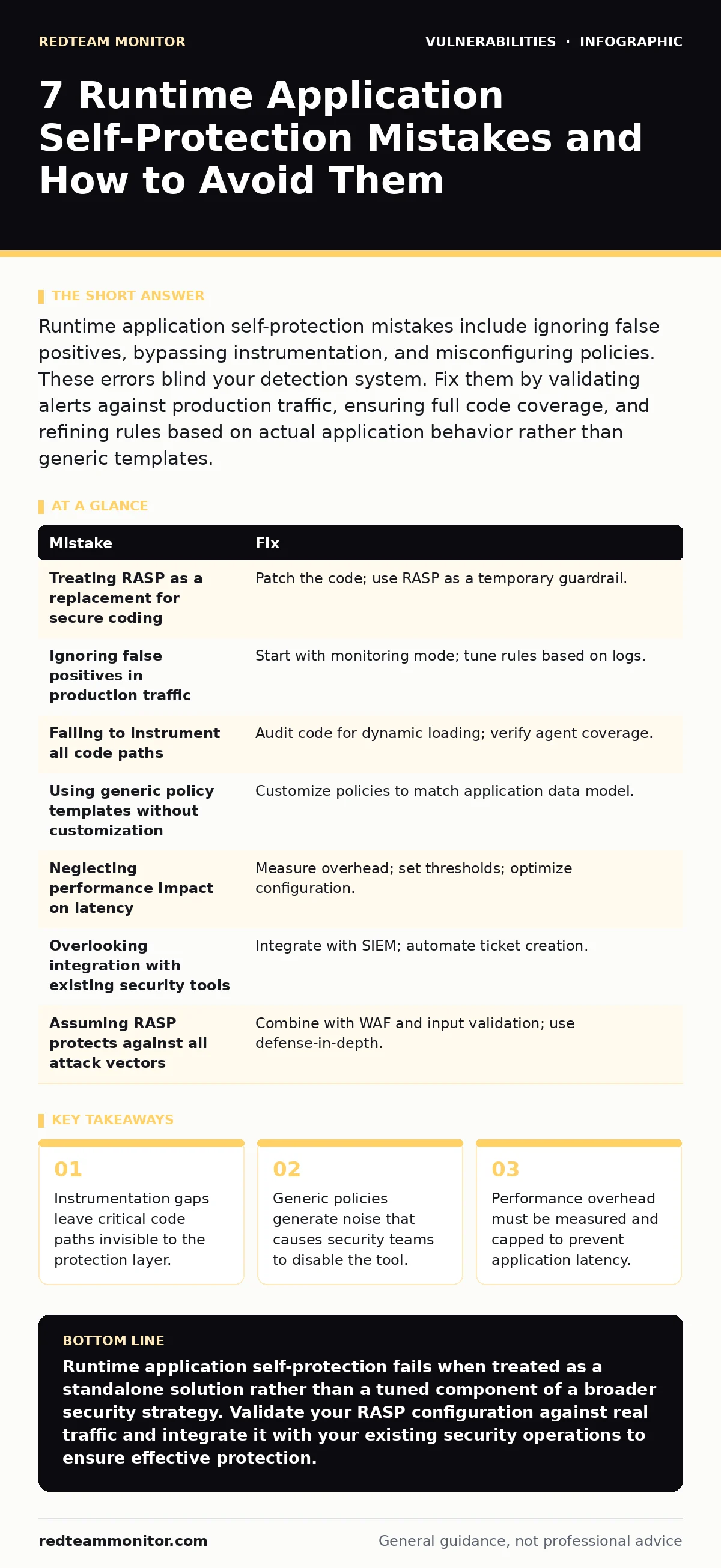
Runtime application self-protection mistakes include ignoring false positives, bypassing instrumentation, and misconfiguring policies. These errors blind your detection system. Fix them by validating alerts against production traffic, ensuring full code coverage, and refining rules based on actual application behavior rather than generic templates.
Mistake 1: Treating RASP as a replacement for secure coding
Why it hurts: Runtime application self-protection (RASP) monitors an application while it runs. It does not fix the underlying code flaw. Teams often assume that because RASP blocks an attack, the vulnerability no longer exists. This mindset creates a false sense of security. When the RASP agent fails or is bypassed, the original vulnerability remains exposed. You are relying on a runtime shield instead of removing the entry point.
The fix: Use RASP as a temporary guardrail while you patch the code. Every block event should trigger a ticket for the development team. Track these tickets to closure. If you see repeated blocks for the same vulnerability type, prioritize refactoring that module. This approach treats security as a code quality issue, not just a runtime monitoring problem.
Mistake 2: Ignoring false positives in production traffic
Why it hurts: RASP agents inspect internal data structures. They often struggle to distinguish between legitimate complex queries and malicious payloads. If you deploy strict rules without tuning, the agent blocks valid user actions. This causes application errors and frustrates users. Security operations teams eventually disable the agent to restore service. A disabled RASP agent provides zero protection. You trade security for availability without realizing the switch.
The fix: Start with a monitoring-only mode. Let the agent log violations without blocking traffic. Analyze the logs for patterns. Whitelist legitimate behaviors that the agent incorrectly flags. Only after you have a clean baseline should you enable blocking. This iterative process ensures that your rules match your application’s actual behavior, not just theoretical threats.
Mistake 3: Failing to instrument all code paths
Why it hurts: RASP works by injecting code into the application’s runtime environment. If your application uses dynamic code loading, reflection, or native libraries, the agent might miss these paths. Imagine an API endpoint that calls a legacy DLL. If the RASP agent cannot instrument that DLL, it cannot detect attacks there. Attackers exploit these blind spots. They route malicious payloads through uninstrumented code paths to bypass detection. Your coverage is incomplete.
The fix: Perform a thorough code audit to identify all entry points and dynamic loading mechanisms. Verify that the RASP agent can instrument these specific components. Some agents support native library instrumentation. Ensure your configuration includes these libraries. Regularly test your instrumentation coverage with internal penetration testing. This ensures that no critical path remains invisible to the protection layer.
Mistake 4: Using generic policy templates without customization
Why it hurts: Vendors provide default policies based on common vulnerability patterns. These templates are broad. They catch obvious attacks but miss application-specific logic flaws. Suppose your application uses a unique query format for search. A generic SQL injection rule might flag this as malicious. Conversely, a sophisticated attack that mimics normal traffic might slip through. Generic policies lack context. They increase noise and reduce signal. You end up chasing ghosts while real threats pass.
The fix: Customize policies to match your application’s data model and logic. Define what normal behavior looks like for each endpoint. Create specific rules for high-risk parameters. For example, if your app handles file uploads, create a rule that checks file content, not just extension. This tailored approach reduces false positives and increases detection accuracy. It turns RASP from a blunt instrument into a precise tool.
Mistake 5: Neglecting performance impact on latency
Why it hurts: RASP adds overhead to every request. It inspects data in memory. This inspection takes time. If you do not measure this impact, your application slows down. High latency degrades user experience. In extreme cases, it causes timeouts. Teams may blame the application code for slowness. They do not realize the RASP agent is the bottleneck. This hidden cost erodes trust in security tools. You sacrifice performance for security without understanding the trade-off.
The fix: Measure application latency before and after RASP deployment. Set strict thresholds for acceptable overhead. If latency exceeds these limits, optimize the agent’s configuration. Disable unnecessary checks for low-risk endpoints. Monitor resource usage continuously. This ensures that security does not become a performance liability. You maintain a balance between protection and speed.
See also: WordPress Plugin Vulnerability Prevention Checklist · Vulnerability Scanning in Cyber Security: What It Misses and How to Fix It
Mistake 6: Overlooking integration with existing security tools
Why it hurts: RASP generates alerts. If these alerts do not flow into your existing security information and event management (SIEM) system, they are siloed. Analysts must check multiple consoles. This fragmentation slows response times. Imagine a critical alert appears in the RASP dashboard but not in the SIEM. The analyst misses it. The incident escalates. Integration gaps create blind spots in your security operations. You have the data, but you cannot act on it quickly.
The fix: Integrate RASP with your SIEM and ticketing systems. Map RASP alerts to standard event formats. Ensure that high-severity alerts trigger immediate notifications. Automate response actions where possible. For example, auto-create a ticket for every blocked attack. This integration streamlines your workflow. It ensures that RASP data contributes to your broader security posture.
Mistake 7: Assuming RASP protects against all attack vectors
Why it hurts: RASP excels at detecting code execution vulnerabilities. It is less effective against logic flaws or business rule violations. Suppose an attacker exploits a host header injection flaw to bypass a security check. RASP might not see this as a code execution risk. It allows the request. The attacker achieves their goal. RASP is not a universal shield. It has specific strengths and weaknesses. Assuming total coverage leaves you vulnerable to non-execution attacks.
The fix: Combine RASP with other security layers. Use web application firewalls (WAF) for perimeter protection. Implement input validation in the code. Conduct regular penetration testing to find logic flaws. RASP should be one part of a defense-in-depth strategy. This layered approach ensures that weaknesses in one tool are covered by another. You create a resilient security architecture.
| Mistake | Fix |
|---|---|
| Treating RASP as a replacement for secure coding | Patch the code; use RASP as a temporary guardrail. |
| Ignoring false positives in production traffic | Start with monitoring mode; tune rules based on logs. |
| Failing to instrument all code paths | Audit code for dynamic loading; verify agent coverage. |
| Using generic policy templates without customization | Customize policies to match application data model. |
| Neglecting performance impact on latency | Measure overhead; set thresholds; optimize configuration. |
| Overlooking integration with existing security tools | Integrate with SIEM; automate ticket creation. |
| Assuming RASP protects against all attack vectors | Combine with WAF and input validation; use defense-in-depth. |
Key takeaways
- Instrumentation gaps leave critical code paths invisible to the protection layer.
- Generic policies generate noise that causes security teams to disable the tool.
- Performance overhead must be measured and capped to prevent application latency.
Runtime application self-protection fails when treated as a standalone solution rather than a tuned component of a broader security strategy. Validate your RASP configuration against real traffic and integrate it with your existing security operations to ensure effective protection.
Frequently asked questions
Does RASP replace the need for penetration testing?
No, RASP monitors runtime behavior but cannot find all logic flaws or business rule violations. Regular penetration testing is still required to identify vulnerabilities that RASP might miss.
How much performance overhead does RASP typically add?
Overhead varies by application and configuration. It can range from negligible to significant. You must measure the impact on your specific environment and optimize the agent settings to balance security and performance.
Can RASP detect zero-day vulnerabilities?
RASP can detect exploitation attempts of unknown vulnerabilities by monitoring runtime behavior. It does not need a signature for the specific flaw. However, it cannot prevent the exploitation if the code path is not instrumented.
Is RASP effective against API attacks?
Yes, RASP is effective against API attacks that involve code execution or data manipulation. It inspects the internal state of the application during API calls. Ensure your API endpoints are fully instrumented for maximum protection.
How this guide was produced: written by the RedTeam Monitor editorial team with AI assistance, checked against the public references listed below, and reviewed when the facts change. See our editorial policy or report an error.