Fuzz Testing for Small Businesses: Find Bugs Before Attackers Do
Automated input chaos exposes hidden logic errors that manual code reviews consistently miss, protecting lean teams from costly downtime.
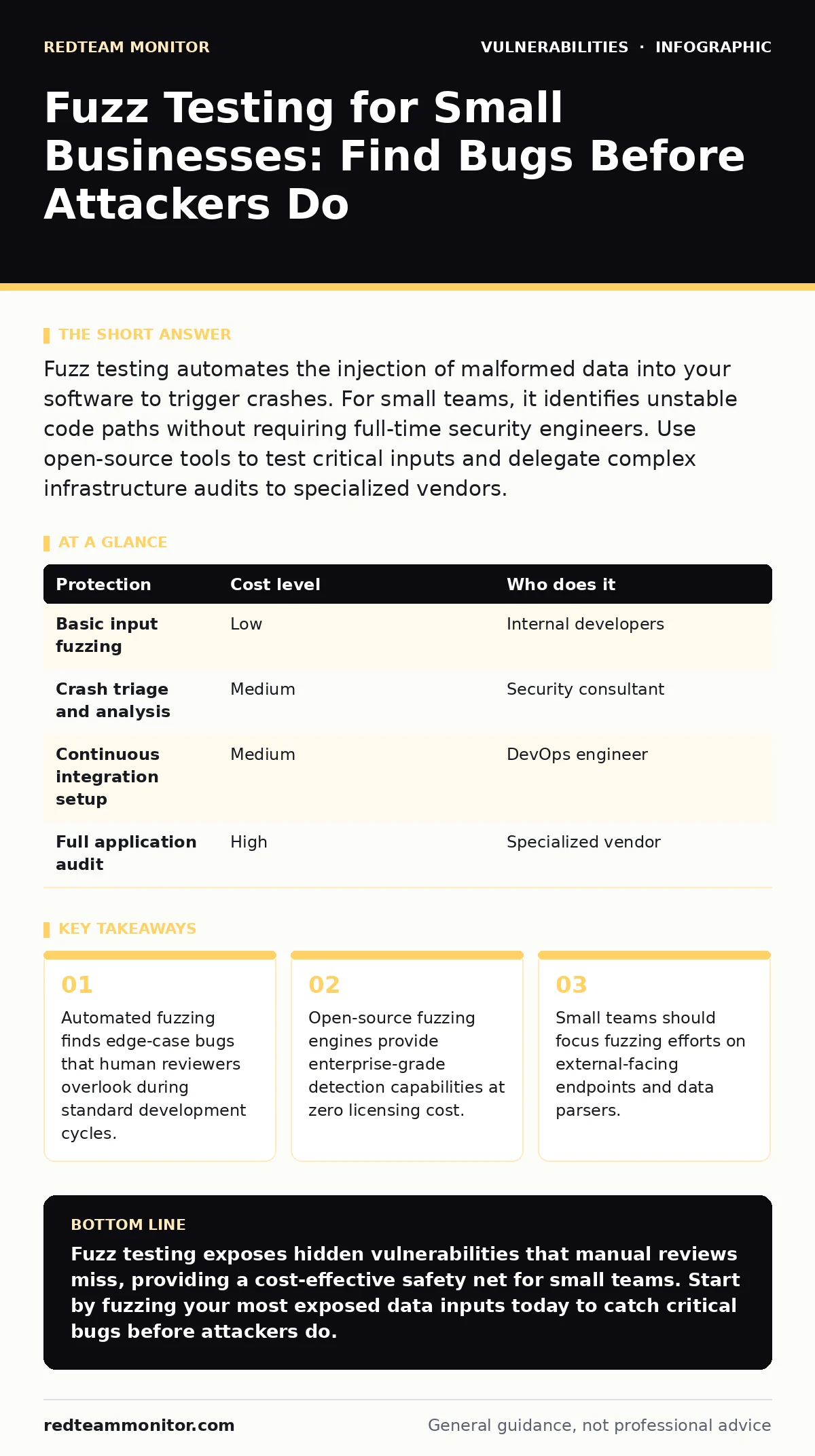
Fuzz testing automates the injection of malformed data into your software to trigger crashes. For small teams, it identifies unstable code paths without requiring full-time security engineers. Use open-source tools to test critical inputs and delegate complex infrastructure audits to specialized vendors.
Why Chaos Testing Matters for Lean Teams
Small organizations often skip rigorous testing to ship features faster. This speed creates a dangerous accumulation of technical debt. You assume your code handles bad input because it works in your controlled environment. Attackers do not care about your test environment. They probe your public interfaces with malformed data designed to break your application logic.
Fuzz testing, or fuzzing, automates this probing. It generates random, semi-random, or mutated inputs and feeds them into your software. The goal is to make the program crash, hang, or behave unexpectedly. When a fuzzing tool finds a crash, it saves the specific input that caused it. This input becomes a reproducible bug report for your developers.
Manual code review is effective for logic errors but poor at finding edge cases. A human might check if a field accepts letters. They rarely check if it accepts a null byte followed by a carriage return. Fuzzing tools check millions of these combinations. This brute-force approach reveals vulnerabilities that subtle code inspection misses. It provides a safety net for teams that cannot afford dedicated security researchers.
The Hidden Cost of Unchecked Inputs
The risk is not just a crashed server. It is what happens inside the crash. Many applications process data in memory. If a program does not handle an unexpected input correctly, it might write data to the wrong memory location. This is a buffer overflow. An attacker can exploit this to execute arbitrary code on your system.
Even without code execution, a crash is a denial of service. Your service becomes unavailable to legitimate users. For a small business, reputation damage from downtime can be fatal. Customers expect reliability. They do not understand the difference between a bug and a breach. They just see a broken site.
Fuzzing helps you find these instability points before they reach production. It shifts the discovery of bugs from your customers to your development cycle. This proactive stance reduces the mean time to resolution. You fix the bug when it is a minor inconvenience, not a critical incident.
Affordable Automation with Open Standards
You do not need expensive commercial software to start fuzzing. The open-source community has developed powerful fuzzing engines. These tools are free and widely supported. They integrate with standard build systems and version control platforms.
The most common approach is coverage-guided fuzzing. The tool monitors which parts of your code are executed during testing. It then mutates inputs to explore new code paths. This ensures the fuzzer is not just repeating the same errors but actively exploring the application’s logic.
You can run these tools on your existing hardware. A standard developer workstation can handle fuzzing for small to medium applications. Cloud computing instances offer scalable power for more intensive testing. You spin up a virtual machine, run the fuzzer for a few hours, and analyze the results. The cost is limited to compute time, which is minimal compared to hiring external auditors.
What to Delegate to Experts
While you can run fuzzing tools internally, some aspects require specialized knowledge. Interpreting crash reports is not always straightforward. A crash might be a simple assertion failure or a severe memory corruption. Distinguishing between noise and signal requires experience.
Consider delegating the analysis of complex crashes to a security consultant. They can triage the findings and prioritize fixes based on exploitability. This saves your development team from chasing false positives. It also ensures that critical vulnerabilities are addressed with proper mitigation strategies.
You should also delegate the setup of continuous fuzzing pipelines. Integrating fuzzing into your continuous integration and deployment workflow requires DevOps expertise. A misconfigured pipeline can slow down releases or miss critical tests. An external provider can build a robust pipeline that runs automatically on every code commit.
| Protection | Cost level | Who does it |
|---|---|---|
| Basic input fuzzing | Low | Internal developers |
| Crash triage and analysis | Medium | Security consultant |
| Continuous integration setup | Medium | DevOps engineer |
| Full application audit | High | Specialized vendor |
Focus on High-Risk Entry Points
You cannot fuzz everything. Resources are limited. Focus your efforts on the parts of your application that handle untrusted data. These are your entry points. They include web forms, API endpoints, file upload handlers, and network sockets.
Data parsers are particularly vulnerable. If your application reads JSON, XML, or CSV files, fuzz the parser. Parsers often have complex logic to handle various formats. A slight deviation from the expected format can cause unexpected behavior.
Do not fuzz internal libraries that do not process external input. The risk of exploitation is negligible. Focus on the boundary between your application and the outside world. This is where attackers interact with your system. Securing this boundary provides the highest return on investment.
See also: Stop Host Header Injection: Practical Fixes That Actually Work · SQL Injection Warning Signs: Detecting Data Breaches Early
Questions for Your IT Provider
If you outsource your testing, you need to verify their competence. Ask specific questions to gauge their understanding of fuzzing. Do not accept vague answers about "security testing."
- What fuzzing engines do you use, and why are they suitable for our technology stack?
- How do you distinguish between a crash caused by a bug and a crash caused by intentional error handling?
- What is your process for reporting and tracking vulnerabilities found through fuzzing?
- How do you ensure that fuzzing tests do not disrupt our production environment?
- Can you provide examples of previous fuzzing engagements for similar applications?
These questions reveal their methodology and experience. A provider who cannot answer them clearly may not have the depth required for effective testing.
Integrating Fuzzing into Development
Fuzzing is not a one-time activity. It is a continuous process. As you add features, you introduce new entry points. These new points need to be tested. Integrate fuzzing into your regular development workflow.
Run short fuzzing sessions on every pull request. This catches regressions early. If a new commit breaks a previously stable input, the build fails. This prevents bad code from merging into the main branch.
Schedule longer, intensive fuzzing sessions weekly. These sessions explore deeper code paths and find more subtle bugs. They provide a broader view of the application’s stability. Combine this with automatic software updates to ensure your dependencies do not introduce new vulnerabilities.
Beyond Basic Input Validation
Fuzzing complements other security measures. It does not replace web application firewalls or SQL injection prevention. These controls provide defense in depth. Fuzzing finds the bugs that bypass these controls.
It also works well with memory-safe programming languages. Languages like Rust or Go reduce the risk of memory corruption. However, they do not eliminate logic errors. Fuzzing helps find these logic errors. It ensures that your application behaves correctly even with malformed input.
Review security advisories regularly to stay informed about new vulnerabilities. Apply patches promptly. Use default credentials only in isolated test environments. Never expose them to the internet. Combine these practices with fuzzing for a layered defense.
Key takeaways
- Automated fuzzing finds edge-case bugs that human reviewers overlook during standard development cycles.
- Open-source fuzzing engines provide enterprise-grade detection capabilities at zero licensing cost.
- Small teams should focus fuzzing efforts on external-facing endpoints and data parsers.
Fuzz testing exposes hidden vulnerabilities that manual reviews miss, providing a cost-effective safety net for small teams. Start by fuzzing your most exposed data inputs today to catch critical bugs before attackers do.
Frequently asked questions
Does fuzzing replace code reviews?
No, fuzzing complements code reviews by finding edge-case bugs that human reviewers often overlook due to cognitive bias or fatigue.
How long should I run a fuzzing test?
Run short tests on every code change and longer, intensive tests weekly to balance speed with depth of coverage.
Can fuzzing break my production system?
Never run fuzzing against production systems. Always use isolated staging environments to prevent accidental downtime or data corruption.
What is the difference between fuzzing and penetration testing?
Fuzzing is automated and focuses on input validation, while penetration testing is manual and explores broader attack vectors and logic flaws.
How this guide was produced: written by the RedTeam Monitor editorial team with AI assistance, checked against the public references listed below, and reviewed when the facts change. See our editorial policy or report an error.