
Automatic Updates Mistakes That Leave Systems Exposed
Treating patching as a background chore often breaks system dependencies and introduces new configuration errors that attackers exploit.
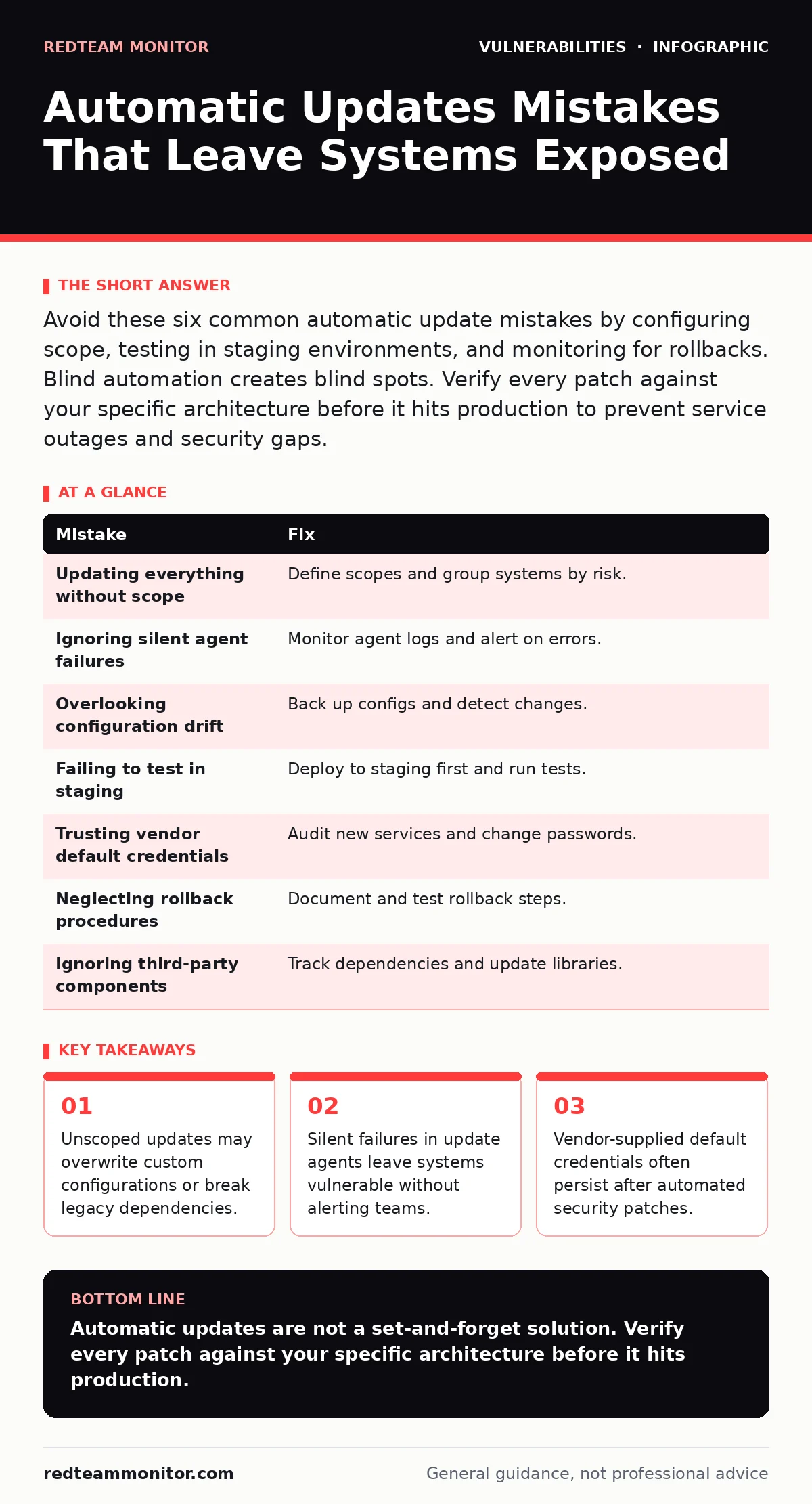
Avoid these six common automatic update mistakes by configuring scope, testing in staging environments, and monitoring for rollbacks. Blind automation creates blind spots. Verify every patch against your specific architecture before it hits production to prevent service outages and security gaps.
Mistake 1: Updating Everything Without Scope
Imagine a server that hosts a critical legacy application. An automatic update pushes a new version of a shared library. The application crashes because the new library dropped support for the old API. The system goes offline.
Why it hurts:
Broad automation treats all software as equal. It ignores the dependency graph. A minor update to a background service might conflict with a foreground application. This causes downtime that outweighs the security benefit of the patch.
The fix:
Define strict scopes for automatic updates. Group systems by function and risk. Critical production servers should receive only security patches, not feature updates. Non-critical workstations can handle broader updates. Use group policy or configuration management tools to enforce these boundaries.
Mistake 2: Ignoring Silent Agent Failures
Suppose your update agent runs on a schedule. The agent attempts to download a patch but fails due to a network timeout. The agent logs the error locally and moves on. No alert is sent to your monitoring system. The vulnerability remains.
Why it hurts:
Silent failures create a false sense of security. You assume the patch applied because the job ran. In reality, the patch is missing. Attackers scan for known vulnerabilities. They find your system unpatched and exploit it.
The fix:
Monitor the update agent itself. Ensure it reports success and failure codes to your central logging system. Set alerts for any non-zero exit code. If the agent fails to report in within a set window, trigger a manual check. Do not rely on the agent’s local log file.
Mistake 3: Overlooking Configuration Drift
Imagine a firewall that receives an automatic configuration update. The update resets all rules to default. Your custom allow-list for a specific application is gone. Traffic stops. The application becomes unreachable.
Why it hurts:
Many vendors bundle configuration resets with software updates. Automatic updates apply the new binary and sometimes the default config. This erases your hardening efforts. Your system reverts to a less secure state.
The fix:
Back up configurations before allowing automatic updates. Use configuration management tools that detect drift. If a file changes unexpectedly, the tool should alert you or revert the change. Verify that the update mechanism preserves custom settings.
Mistake 4: Failing to Test in Staging
Suppose a new patch introduces a memory leak. The patch deploys to all production servers automatically. Within hours, the servers run out of memory and crash. The service is down for days.
Why it hurts:
Vendors test patches in ideal environments. Your environment is unique. A patch might interact poorly with your specific hardware or software stack. Automatic updates bypass this validation step. The cost of a broken production environment is high.
The fix:
Deploy updates to a staging environment first. Run automated tests against the new version. If the tests pass, deploy to production. This adds time but prevents catastrophic failures. See our guide on fuzz testing for more on validating software integrity.
Mistake 5: Trusting Vendor Default Credentials
Imagine a network device receives an automatic firmware update. The update includes a new web interface. The interface uses the vendor’s default username and password. An attacker discovers the new interface and logs in.
Why it hurts:
Automatic updates often include new components. These components may have their own credentials. If the update does not force a credential change, the system remains vulnerable. Attackers scan for default credentials on new ports.
The fix:
Audit new services after every update. Change default credentials immediately. Disable unused services. Check for new open ports. Refer to our guide on default credentials for best practices in credential management.
Mistake 6: Neglecting Rollback Procedures
Suppose a patch corrupts the database schema. The automatic update completes. The application can no longer read the data. You must revert the patch to restore service. The rollback process is not documented.
Why it hurts:
Not all patches can be reversed cleanly. Some changes are destructive. If you cannot roll back, you must manually fix the system. This takes time and expertise. Downtime extends.
The fix:
Document rollback procedures for every critical system. Test the rollback process regularly. Ensure you have backups that can be restored quickly. Verify that the update mechanism supports clean reversals.
Mistake 7: Ignoring Third-Party Components
Imagine a web application uses a third-party library. The library has a known vulnerability. Your automatic updates only cover the operating system. The library remains vulnerable. An attacker exploits the library.
Why it hurts:
Most systems use third-party components. Operating system updates do not patch these components. You must manage these dependencies separately. Ignoring them leaves a large attack surface.
The fix:
Use a software bill of materials to track all components. Subscribe to security advisories for these components. Update libraries as soon as patches are available. See our guide on web cache poisoning for related application-layer risks.
| Mistake | Fix |
|---|---|
| Updating everything without scope | Define scopes and group systems by risk. |
| Ignoring silent agent failures | Monitor agent logs and alert on errors. |
| Overlooking configuration drift | Back up configs and detect changes. |
| Failing to test in staging | Deploy to staging first and run tests. |
| Trusting vendor default credentials | Audit new services and change passwords. |
| Neglecting rollback procedures | Document and test rollback steps. |
| Ignoring third-party components | Track dependencies and update libraries. |
Key takeaways
- Unscoped updates may overwrite custom configurations or break legacy dependencies.
- Silent failures in update agents leave systems vulnerable without alerting teams.
- Vendor-supplied default credentials often persist after automated security patches.
Automatic updates are not a set-and-forget solution. Verify every patch against your specific architecture before it hits production.
Frequently asked questions
How do I handle automatic updates for legacy systems?
Isolate legacy systems from automatic update streams. Apply patches manually after testing in a staging environment.
What is the risk of silent update failures?
Silent failures leave systems vulnerable without alerting teams. Attackers exploit the known vulnerabilities.
Should I disable automatic updates entirely?
Disabling updates increases risk. Instead, restrict updates to security patches only and test in staging.
How often should I test rollback procedures?
Test rollback procedures at least quarterly. Ensure you can restore service quickly if a patch fails.
How this guide was produced: written by the RedTeam Monitor editorial team with AI assistance, checked against the public references listed below, and reviewed when the facts change. See our editorial policy or report an error.