Web Application Firewalls: How They Filter Traffic and Where They Fail
Web application firewalls inspect application-layer data to block attacks that network firewalls cannot see, but they often miss logic flaws that require business context to detect.
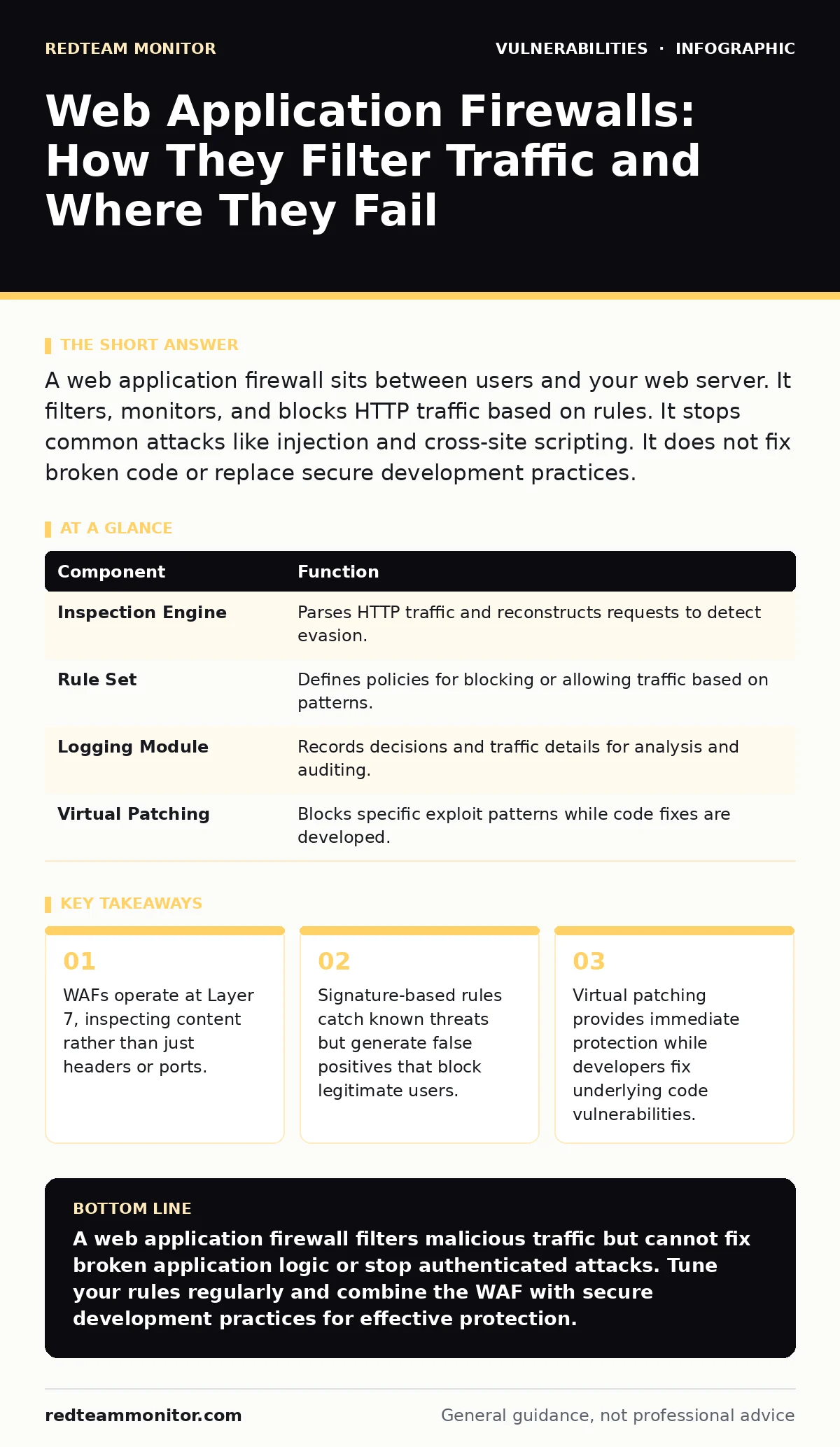
A web application firewall sits between users and your web server. It filters, monitors, and blocks HTTP traffic based on rules. It stops common attacks like injection and cross-site scripting. It does not fix broken code or replace secure development practices.
The Gatekeeper Analogy
Imagine a bouncer at a exclusive club. The bouncer checks IDs and ensures guests are on the list. This is like a traditional network firewall. It checks who you are and where you are coming from. It does not care what you say once you are inside.
A web application firewall is different. It is like a security guard who listens to every conversation. If someone tries to talk to the bartender using a code word that signals a robbery, the guard intervenes. The guard understands the language of the interaction, not just the identity of the speaker.
This distinction matters. Network firewalls look at packets. They check source and destination addresses. They ensure traffic enters through allowed ports. They are blind to the meaning of the data inside those packets.
Web application firewalls read the payload. They understand HTTP methods like GET and POST. They parse headers and body content. They look for patterns that indicate malicious intent. This deeper inspection allows them to stop attacks that look like normal traffic to a network firewall.
What Problem It Solves
Web applications are complex. They take input from users and process it. If the application does not validate that input correctly, attackers can manipulate it. They can inject commands to steal data or take control of the server.
The core problem is that applications are constantly changing. New features introduce new entry points for attackers. Developers may overlook edge cases in input validation. A web application firewall adds a layer of defense in depth. It catches mistakes before they become breaches.
It solves the speed problem. Fixing code takes time. An attacker finds a vulnerability and exploits it immediately. A WAF can block the exploit pattern instantly. This buys time for the development team to write a proper fix.
It also solves the visibility problem. Without a WAF, you only see successful attacks or system crashes. A WAF logs every attempt. You can see what attackers are trying. You can adjust your defenses based on real traffic patterns.
Main Components
A web application firewall consists of several parts. Each part plays a specific role in inspecting and filtering traffic. Understanding these parts helps you tune the system effectively.
The first part is the inspection engine. It parses incoming HTTP requests. It breaks them down into components like headers, parameters, and body content. It reconstructs the request to detect evasion techniques.
The second part is the rule set. These are the policies that define what is allowed and what is blocked. Rules can be based on signatures. They match known attack patterns like specific SQL injection strings.
Rules can also be based on anomaly detection. They establish a baseline of normal behavior. Requests that deviate significantly from this baseline are flagged. This helps catch new or unknown attacks.
The third part is the logging module. It records every decision the WAF makes. It stores details about blocked requests and allowed traffic. This data is critical for analysis and tuning.
| Component | Function |
|---|---|
| Inspection Engine | Parses HTTP traffic and reconstructs requests to detect evasion. |
| Rule Set | Defines policies for blocking or allowing traffic based on patterns. |
| Logging Module | Records decisions and traffic details for analysis and auditing. |
| Virtual Patching | Blocks specific exploit patterns while code fixes are developed. |
How Rules Work
Rules are the heart of a web application firewall. They determine what traffic passes and what gets blocked. There are two main types of rules: signature-based and anomaly-based.
Signature-based rules look for specific strings or patterns. For example, a rule might block any request containing "UNION SELECT". This is a common part of SQL injection attacks. These rules are precise. They have a low false positive rate for known attacks.
However, they fail against new attacks. If an attacker uses a new technique, there is no signature for it. The attack passes through. Signature-based rules require constant updates to stay effective.
Anomaly-based rules look for deviations from the norm. They might block requests that are unusually large. They might block requests with excessive parameters. These rules catch unknown attacks.
The trade-off is accuracy. Anomaly detection often generates false positives. Legitimate users might trigger these rules. For instance, a user uploading a large file might look like a buffer overflow attempt. Tuning these rules requires careful monitoring and adjustment.
Where It Fits in Defense
A web application firewall is not a standalone solution. It is one layer in a broader security strategy. It works best when combined with other controls.
It sits behind the network firewall. The network firewall blocks unauthorized access at the perimeter. The WAF inspects the traffic that gets through. This layered approach ensures that even if one layer fails, the other may stop the attack.
It complements secure development practices. Developers should write code that is resistant to attacks. References to SQL injection prevention in code are ideal. But human error happens. The WAF catches the errors that slip through.
It also works with security advisories. When a new vulnerability is disclosed, you can update WAF rules to block it. This provides immediate protection. You do not have to wait for a software patch.
However, it does not replace automatic software updates. Patches fix the root cause. WAF rules only mask the symptom. Keeping software updated is still necessary for long-term security.
See also: Stop Host Header Injection: Practical Fixes That Actually Work · How Bot Protection Works: The Hidden Mechanics of Web Traffic Filtering
What People Get Wrong
Many organizations treat web application firewalls as a silver bullet. They install the WAF and assume they are safe. This is a dangerous misconception.
A WAF cannot fix broken logic. If your application allows users to view other users' data due to poor access controls, a WAF will not stop it. The traffic looks legitimate. The WAF sees a valid user making a valid request.
It also cannot stop attacks that use valid credentials. If an attacker steals a user's session cookie, the WAF sees normal activity. The attacker is effectively impersonating a real user. The WAF has no way to know the user is not who they claim to be.
Another common mistake is relying too heavily on default rules. Default rule sets are broad. They block many legitimate requests. This leads to business disruption. Users get blocked when trying to perform normal actions.
You must tune the WAF to your specific application. This takes time and expertise. You need to understand your application's traffic patterns. You need to adjust rules to minimize false positives.
The Hidden Costs
There is a performance cost to using a web application firewall. Every request must be inspected. This adds latency. The delay is usually small, but it can add up.
High-traffic sites may see noticeable slowdowns. The WAF becomes a bottleneck. You may need to scale the WAF infrastructure. This increases hardware or cloud costs.
There is also an operational cost. You need staff to manage the WAF. They must monitor logs. They must tune rules. They must investigate false positives. This requires skilled security engineers.
If you lack this expertise, the WAF may be misconfigured. It may block too much traffic or too little. You pay for the tool but do not get the protection.
Beyond the Firewall
A web application firewall is a tool. It is not a strategy. To truly secure your web applications, you must look beyond the WAF.
You should practice memory-safe programming languages where possible. This prevents entire classes of vulnerabilities. It reduces the attack surface that the WAF must protect.
You should perform fuzz testing regularly. This helps find edge cases in your code. It identifies issues that manual testing might miss.
You should also monitor for web cache poisoning. Attackers can manipulate cached content to serve malicious data. A WAF may not catch this if the cache is poisoned at the edge.
By combining a WAF with these practices, you create a stronger defense. The WAF handles the immediate threats. The other practices reduce the likelihood of vulnerabilities existing in the first place.
Key takeaways
- WAFs operate at Layer 7, inspecting content rather than just headers or ports.
- Signature-based rules catch known threats but generate false positives that block legitimate users.
- Virtual patching provides immediate protection while developers fix underlying code vulnerabilities.
- WAFs cannot stop attacks that exploit business logic or authenticated user sessions.
A web application firewall filters malicious traffic but cannot fix broken application logic or stop authenticated attacks. Tune your rules regularly and combine the WAF with secure development practices for effective protection.
Frequently asked questions
Does a web application firewall replace secure coding?
No. A WAF blocks known attack patterns but cannot fix underlying code vulnerabilities. Secure coding is necessary to prevent vulnerabilities from existing in the first place.
Can a WAF stop zero-day attacks?
It can sometimes stop zero-day attacks if they use known techniques that trigger anomaly detection rules. However, it cannot stop novel attacks that do not match any existing patterns or baselines.
How do I reduce false positives in my WAF?
Analyze blocked requests to identify legitimate traffic. Create exceptions for specific users or actions. Tune anomaly thresholds to better match your application's normal behavior.
Is a cloud-based WAF better than an on-premise one?
Cloud-based WAFs offer easier updates and global protection. On-premise WAFs offer more control and data privacy. The best choice depends on your specific security and compliance requirements.
How this guide was produced: written by the RedTeam Monitor editorial team with AI assistance, checked against the public references listed below, and reviewed when the facts change. See our editorial policy or report an error.