
How Exposed .git Directories Leak Source Code and Credentials
Misconfigured web servers expose version control metadata, allowing attackers to reconstruct entire repositories and steal secrets without exploiting software bugs.
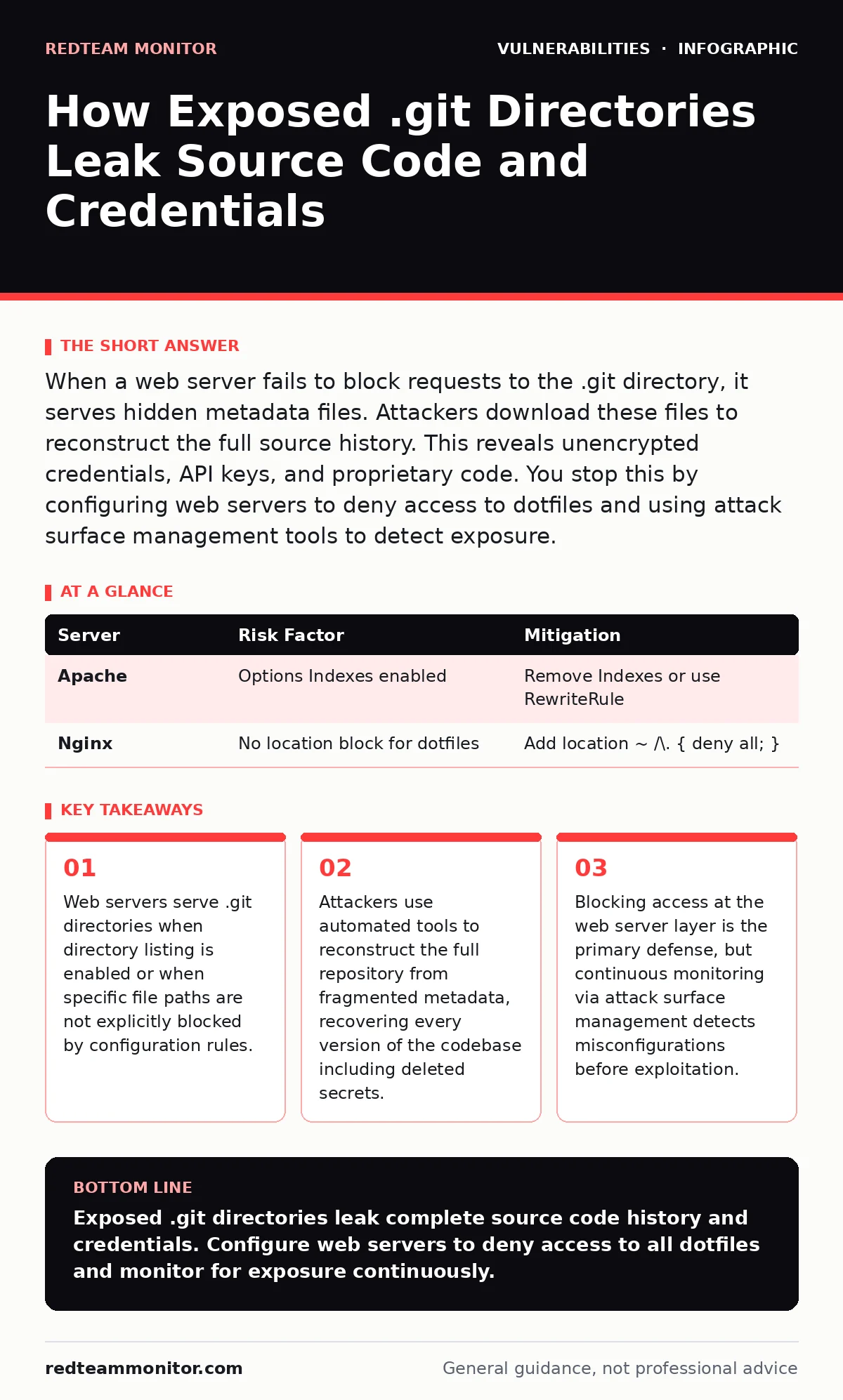
When a web server fails to block requests to the .git directory, it serves hidden metadata files. Attackers download these files to reconstruct the full source history. This reveals unencrypted credentials, API keys, and proprietary code. You stop this by configuring web servers to deny access to dotfiles and using attack surface management tools to detect exposure.
The Hidden Metadata Structure
Version control systems store more than just your current files. They maintain a complete history of every change, including deletions. This history lives in a hidden directory named .git. Web developers often overlook this directory when configuring web servers. The server sees the directory but does not know how to render it. By default, many servers treat unknown directory structures as static content.
If the server is configured to allow directory listing, an attacker can view the contents. Even without listing, the server may serve individual files if the path is guessed correctly. This exposure turns a development tool into a data leak. The .git directory contains objects, refs, and config files. These components map the entire project structure. An attacker needs only read access to this directory to begin reconstruction.
Stage 1: Discovery of the Endpoint
The attack begins with reconnaissance. Security scanners and manual testers probe web applications for common paths. The .git directory is a standard target because it exists in nearly every web project. Scanners send HTTP requests to /git/, /git/config, or /.git/HEAD. A successful response indicates exposure. A 200 OK status code confirms the server serves the file.
A 403 Forbidden status might still leak information about the directory's existence. Attackers look for specific files like HEAD or config. These files are small and often overlooked by basic filters. If the server returns the content of HEAD, the attacker knows the repository structure is accessible. This stage relies on the web server's failure to deny access to dotfiles.
Stage 1: Identification
Stage 2: Metadata Extraction
Once the endpoint is confirmed, the attacker downloads key metadata files. The HEAD file points to the current branch. The config file reveals remote repository URLs and user details. The objects directory contains compressed data blobs. These blobs hold the actual file contents and commit history. Attackers do not need to understand Git internals immediately. Automated tools handle the parsing.
The attacker downloads the HEAD file first. This file contains a reference to a SHA-1 hash. This hash identifies the current commit. The attacker then requests the file at that hash path. The server serves the compressed object. This process repeats for many objects. The attacker builds a local copy of the repository structure. This stage exploits the server's willingness to serve arbitrary file paths.
Stage 2: Extraction
Stage 3: Repository Reconstruction
The downloaded fragments are incomplete. The attacker uses specialized tools to reconstruct the full repository. These tools automate the process of fetching missing objects. They resolve references and decompress data blobs. The tool rebuilds the commit history graph. It restores every file version, including those deleted in later commits. This is the most dangerous phase.
Developers often commit credentials, API keys, or private keys. They then remove these files in a subsequent commit. The removal only hides the file from the current view. The history still contains the secret. Reconstruction reveals these deleted secrets. The attacker now has a complete copy of the source code. They can analyze it for further vulnerabilities. This stage demonstrates why version history is a liability when exposed.
Stage 3: Reconstruction
Stage 4: Credential Harvesting
With the full repository restored, the attacker searches for sensitive data. They look for environment variables, database passwords, and API tokens. These secrets are often stored in configuration files. They may be hardcoded in source files. Automated scanners parse the code for patterns matching known secret formats. The attacker extracts these values.
They then attempt to use them against the target infrastructure. If the secrets are valid, the attacker gains access. This access may lead to deeper penetration. The attacker might use stolen credentials to access cloud storage. They might use API keys to query internal services. This stage converts a passive information leak into active compromise. The value of the .git exposure is the credentials it contains.
Stage 4: Harvesting
See also: Cross Site Scripting vs CSRF: How to Tell Them Apart and Stop Both · OWASP Top 10 Explained: The Broken Lock Metaphor for Web Security
Web Server Configuration Risks
The root cause is web server misconfiguration. Apache and Nginx have default behaviors that can expose dotfiles. In Apache, the Options directive controls directory listing. If Indexes is enabled, the server lists directory contents. Attackers can see the .git folder. Even if listing is disabled, the server may still serve files if requested directly.
The server does not distinguish between a valid webpage and a Git object. It serves any file it can read. Nginx has similar risks. If the server is not explicitly told to deny access to dotfiles, it may serve them. This is a common oversight in deployment scripts. Developers assume hidden files are safe. They are not safe on a public web server.
Configuration Check
| Server | Risk Factor | Mitigation |
|---|---|---|
| Apache | Options Indexes enabled | Remove Indexes or use RewriteRule |
| Nginx | No location block for dotfiles | Add location ~ /\. { deny all; } |
Defense via Access Control
You must block access to the .git directory at the web server level. This is the most effective defense. Configure the server to return a 403 Forbidden response for any request containing a dotfile path. For Apache, use RewriteRules to redirect or block requests. For Nginx, use location blocks to deny access. This prevents the initial discovery and extraction stages.
It stops the attack before metadata is leaked. This measure does not protect against other vulnerabilities. It only addresses the exposure of version control data. You should combine this with regular audits. Use attack surface management tools to scan for exposed directories. These tools detect misconfigurations before attackers do. This proactive approach reduces the window of exposure.
Access Control Rules
- Block requests to paths starting with a dot
- Disable directory listing on all public directories
- Test configuration with automated scanners
Integrating Security Practices
Preventing exposure requires more than server tweaks. You must integrate security into the development workflow. Use pre-commit hooks to scan for secrets. These hooks check code before it is committed. They prevent credentials from entering the repository. This reduces the impact if exposure occurs. You should also consider memory-safe programming languages for critical components.
These languages reduce the risk of buffer overflows and other bugs. While not directly related to .git exposure, they improve overall security. Regular penetration testing can identify misconfigurations. Testers simulate the attack steps described here. They verify that access controls are effective. This testing provides confidence in your defenses. Do not rely solely on automated tools. Human review catches context-specific issues.
Workflow Integration
| Practice | Benefit | Frequency |
|---|---|---|
| Pre-commit hooks | Prevents secret storage | Every commit |
| Penetration testing | Validates access controls | Quarterly |
| Secret scanning | Detects accidental leaks | Continuous |
Monitoring and Response
Continuous monitoring is necessary. Misconfigurations can reappear after updates. Deployment scripts may reset server settings. Use automated tools to scan your public endpoints. These tools check for exposed .git directories and other common leaks. If an exposure is detected, respond immediately. Rotate any credentials that might have been in the repository. Even if you believe no secrets were committed, assume they were.
History is permanent. Delete the exposed directory on the server. Verify that the access control rules are in place. Document the incident. Analyze how the misconfiguration occurred. Update deployment scripts to prevent recurrence. This response process limits damage. It ensures that exposure does not lead to long-term compromise. Vigilance is required because the attack surface changes constantly.
Key takeaways
- Web servers serve .git directories when directory listing is enabled or when specific file paths are not explicitly blocked by configuration rules.
- Attackers use automated tools to reconstruct the full repository from fragmented metadata, recovering every version of the codebase including deleted secrets.
- Blocking access at the web server layer is the primary defense, but continuous monitoring via attack surface management detects misconfigurations before exploitation.
Exposed .git directories leak complete source code history and credentials. Configure web servers to deny access to all dotfiles and monitor for exposure continuously.
Frequently asked questions
Can I hide the .git directory with a robots.txt file?
No, robots.txt is a courtesy for search engines, not a security control. Attackers ignore it and will still access the directory if the server allows it.
Does removing the .git folder from the server fix the issue?
Removing the folder stops the leak but does not address the misconfiguration. If the folder is recreated during deployment, the exposure returns. You must fix the server rules.
Are .svn directories also a risk?
Yes, Subversion uses a .svn directory with similar metadata. The same exposure risks apply. Block access to all hidden directories, not just .git.
How do I check if my server is vulnerable?
Use a browser or command-line tool to request /.git/HEAD. If you receive a 200 OK response or file content, your server is vulnerable. A 403 or 404 is expected.
How this guide was produced: written by the RedTeam Monitor editorial team with AI assistance, checked against the public references listed below, and reviewed when the facts change. See our editorial policy or report an error.