Drive-by Downloads Explained: How Silent Infections Work
Drive-by downloads install software without your permission by exploiting browser vulnerabilities, meaning you can be compromised just by viewing a page.
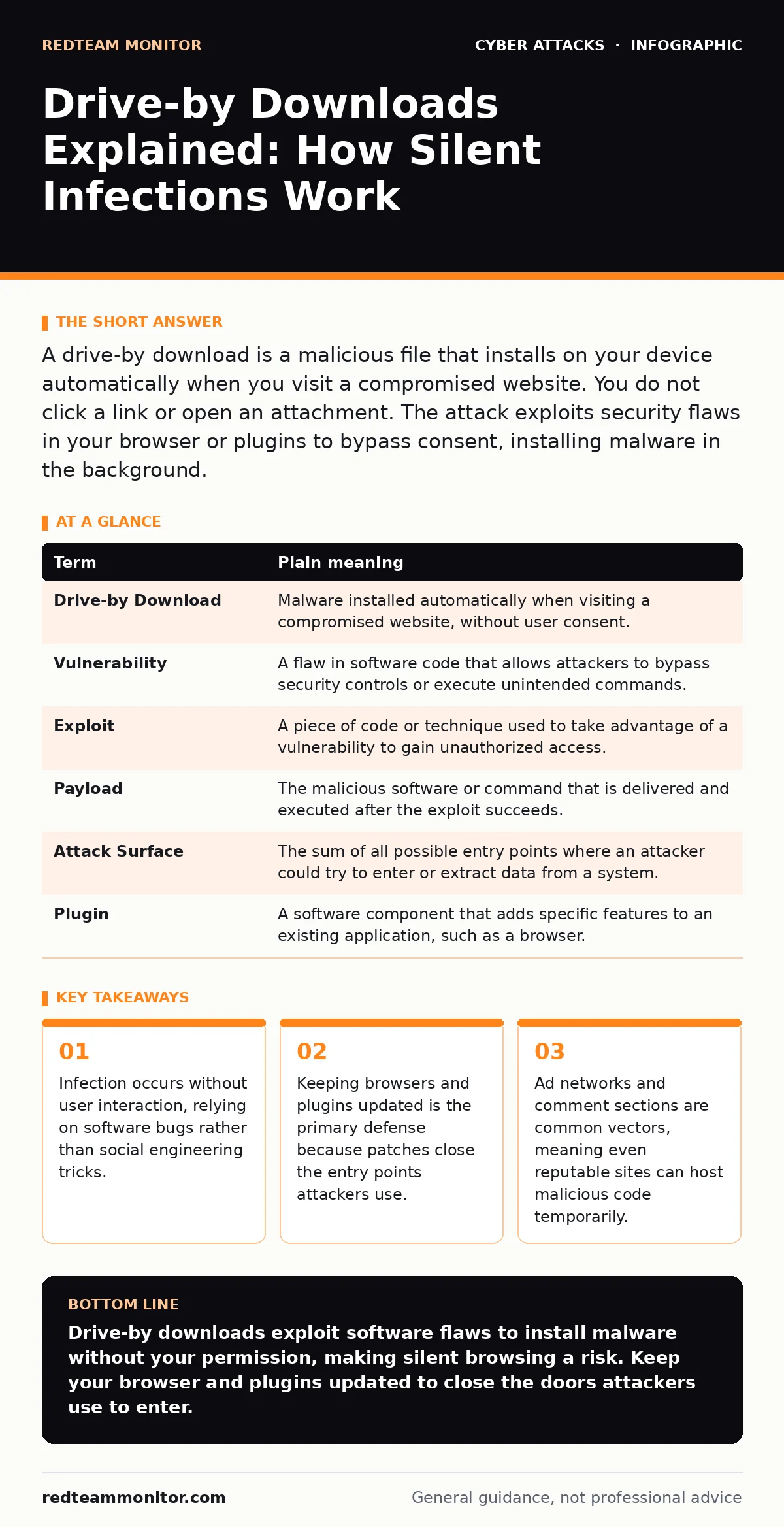
A drive-by download is a malicious file that installs on your device automatically when you visit a compromised website. You do not click a link or open an attachment. The attack exploits security flaws in your browser or plugins to bypass consent, installing malware in the background.
The Uninvited Guest
Imagine you invite a friend over for dinner. You expect a pleasant conversation. Instead, they sneak into your kitchen while you are in the garden, rearrange your pantry, and hide a note in your fridge. You never saw them enter. You never offered them a seat. The breach happened because the door was unlocked, not because you handed them the key.
Drive-by downloads operate on this same principle of silent entry. Most malware requires you to take a specific action. You must click a link, open a file, or enter credentials. This is active infection. Drive-by downloads remove the requirement for your participation. The malicious payload executes simply because your browser rendered the web page. The attack targets the software you use to view the internet, not the human decisions you make while using it.
How the Mechanism Works
The attack relies on a vulnerability, which is a flaw in code that allows unintended behavior. Attackers scan the web for sites with weak security. Once they find a target, they inject malicious JavaScript or other executable code into the site’s structure. This code sits quietly until a visitor arrives.
When your browser loads the page, it processes the code. If your browser or a plugin like a PDF reader has an unpatched vulnerability, the malicious code exploits it. This exploit allows the attacker to run commands on your system. The command downloads and installs the malware. This happens in milliseconds. You see the webpage load normally. You feel no lag. You notice no warning dialog. The infection is complete before you realize the page has finished loading.
The Role of Third-Party Content
Websites rarely host all their content directly. They pull images, scripts, and ads from third-party providers. This creates a chain of trust. You trust the site you visit. The site trusts the ad network. The ad network may trust a lower-tier vendor. If any link in this chain is compromised, the entire page becomes a potential delivery vector.
This is why drive-by downloads often occur on legitimate, high-traffic sites. The site owner may have strong security. However, an ad provider serving a banner on that page might be hacked. The malicious code travels through the ad network to the main site. This mirrors the concept of supply chain attacks, where compromising a trusted supplier allows attackers to reach the final customer. The victim site is not the root cause; it is merely the delivery mechanism.
What This Means for Your Device
For an ordinary user, the threat model shifts from "what I click" to "what I view." You cannot inspect the code of every website you visit. You cannot verify the security posture of every ad provider. The risk is ambient. It exists in the background of your daily browsing habits.
The malware installed via this method varies. It might be spyware that records keystrokes. It might be ransomware that encrypts files. It might be a bot that uses your computing power for mining. The specific payload depends on the attacker’s goal. The delivery method remains the same: silent, automatic, and invisible. This makes detection difficult. By the time you notice unusual behavior, the malware has likely established persistence, meaning it can restart itself after a reboot or system update.
The Hidden Cost of Convenience
We often trade security for convenience. We disable pop-up blockers to watch videos. We allow cookies to personalize shopping experiences. We install plugins to view specialized document formats. Each permission expands the attack surface, which is the total number of entry points available to an attacker.
Drive-by downloads exploit this trade-off. They target the features you enable for ease of use. A plugin that renders PDFs natively in the browser is convenient. It also provides a larger code base for vulnerabilities to hide in. If that plugin is not updated, it becomes a back door. The convenience of instant document viewing comes with the hidden cost of increased exposure to silent infection. This is similar to phishing-resistant authentication, where the goal is to reduce the attack surface by removing passwords entirely. In the case of drive-by downloads, the goal is to reduce the attack surface by minimizing the software that can execute code.
Mini Glossary
| Term | Plain meaning |
|---|---|
| Drive-by Download | Malware installed automatically when visiting a compromised website, without user consent. |
| Vulnerability | A flaw in software code that allows attackers to bypass security controls or execute unintended commands. |
| Exploit | A piece of code or technique used to take advantage of a vulnerability to gain unauthorized access. |
| Payload | The malicious software or command that is delivered and executed after the exploit succeeds. |
| Attack Surface | The sum of all possible entry points where an attacker could try to enter or extract data from a system. |
| Plugin | A software component that adds specific features to an existing application, such as a browser. |
Simple Safety Habits
You cannot block every drive-by download. New vulnerabilities are discovered constantly. However, you can make your system a harder target. The goal is not perfect security, but increased friction for the attacker.
- Keep software updated automatically. Enable automatic updates for your browser, operating system, and all plugins. Updates contain patches that fix known vulnerabilities. If the door is locked, the sneaky guest cannot enter. This is the single most effective defense.
- Use a reputable browser with built-in protection. Modern browsers include sandboxing, which restricts what code can do on your system. They also block known malicious domains. Do not disable these protections for convenience.
- Minimize active plugins. Disable any browser extensions or plugins you do not use daily. Fewer plugins mean fewer vulnerabilities to exploit. If you need to view a PDF, use the browser’s built-in viewer rather than a third-party plugin.
Try This Now
- Check your browser’s extension list. Remove any tool you do not recognize or use regularly.
- Verify that automatic updates are enabled for your operating system and web browser.
- Review your browser’s security settings. Ensure that pop-up blockers and malicious site warnings are turned on.
The Bigger Picture
Drive-by downloads are just one method of initial access. Attackers use many techniques to bypass defenses. Understanding how silent infections work helps you appreciate the need for layered security. If one layer fails, another must hold.
For example, if a drive-by download installs malware, DDoS protection will not help. That protects against traffic floods, not software installation. However, if the malware tries to communicate with a command-and-control server, network monitoring might detect it. Similarly, DMARC helps protect your email domain from spoofing, reducing the chance of angler phishing attempts that trick you into resetting passwords. While these are different threats, they all rely on trust and access. Reducing your attack surface in one area often strengthens your position in others.
Key takeaways
- Infection occurs without user interaction, relying on software bugs rather than social engineering tricks.
- Keeping browsers and plugins updated is the primary defense because patches close the entry points attackers use.
- Ad networks and comment sections are common vectors, meaning even reputable sites can host malicious code temporarily.
Drive-by downloads exploit software flaws to install malware without your permission, making silent browsing a risk. Keep your browser and plugins updated to close the doors attackers use to enter.
Frequently asked questions
Can a virus infect my computer just by visiting a website?
Yes, if the website contains malicious code that exploits a vulnerability in your browser or plugins, it can install malware without you clicking anything.
Do ad blockers prevent drive-by downloads?
Ad blockers can reduce risk by blocking malicious ads, but they do not stop all drive-by downloads. Attacks can come from the site’s own code or other sources.
Is there a difference between a drive-by download and a phishing email?
Yes. Phishing requires you to take action, like clicking a link. Drive-by downloads happen automatically when you load a page, relying on software bugs rather than deception.
How do I know if I have been infected by a drive-by download?
Signs include slow performance, unexpected pop-ups, or new toolbars. Run a full system scan with updated security software if you suspect an infection.
How this guide was produced: written by the RedTeam Monitor editorial team with AI assistance, checked against the public references listed below, and reviewed when the facts change. See our editorial policy or report an error.