
Mobile Malware Prevention Checklist for Secure Device Management
Standard mobile security apps often miss zero-day exploits because they rely on known signatures rather than behavioral analysis of app permissions.
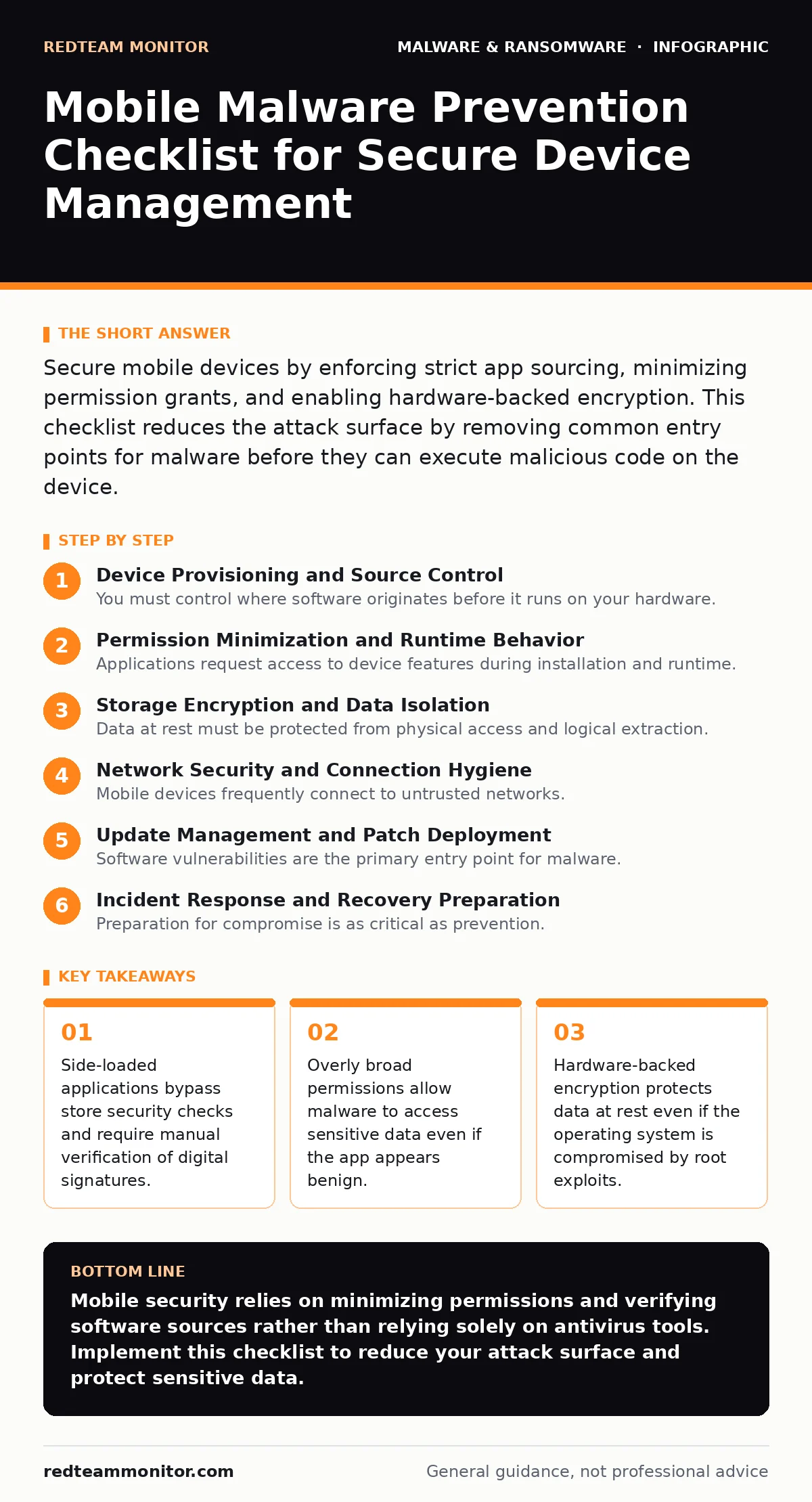
Secure mobile devices by enforcing strict app sourcing, minimizing permission grants, and enabling hardware-backed encryption. This checklist reduces the attack surface by removing common entry points for malware before they can execute malicious code on the device.
Device Provisioning and Source Control
You must control where software originates before it runs on your hardware. Untrusted sources introduce code that has never undergone automated or manual security review. This section covers the initial setup steps that prevent the installation of unverified binaries.
- Enable "Unknown Sources" restriction: Blocking installs from outside official app stores prevents users from running unsigned or modified applications that bypass security screening.
- Verify digital signatures for enterprise apps: Checking cryptographic signatures ensures the application has not been tampered with since the developer released it to your organization.
- Disable USB debugging in production: Keeping this developer interface off stops attackers from interacting with the device via ADB commands when connected to a malicious charger or computer.
Permission Minimization and Runtime Behavior
Applications request access to device features during installation and runtime. Granting unnecessary permissions creates pathways for data exfiltration or surveillance. You must audit these requests against the app’s stated purpose to identify anomalies.
- Audit camera and microphone access: Restricting these sensors prevents spyware from recording audio or video without visible indicators like status bar icons.
- Limit background location tracking: Disabling precise location for apps that only need coarse data reduces the ability of malware to build detailed movement profiles.
- Review overlay permissions carefully: Apps with overlay capabilities can draw over other applications, enabling clickjacking attacks that trick users into authorizing actions they did not intend.
Imagine an app that requests access to your contacts but also asks for overlay permissions. This combination often indicates a malicious intent to harvest data while displaying fake login screens. Understanding these interactions helps you spot malicious mobile apps before they compromise your data.
Storage Encryption and Data Isolation
Data at rest must be protected from physical access and logical extraction. Modern operating systems provide hardware-backed encryption that ties data decryption to the device’s secure hardware. This prevents attackers from reading files even if they bypass the lock screen.
- Enforce full-disk encryption: Encrypting the entire storage volume ensures that no data is readable without the correct cryptographic keys derived from the user’s passcode.
- Use containerization for work data: Separating personal and professional data into isolated containers prevents cross-contamination if one profile is compromised by malware.
- Disable cloud backup for sensitive files: Preventing automatic backups of encrypted or sensitive data reduces the risk of exposure through compromised cloud credentials or server breaches.
This approach complements endpoint detection and response (EDR) strategies by ensuring that even if detection fails, the stolen data remains unreadable. It also supports business continuity planning by allowing secure remote wiping of lost devices without data recovery.
Network Security and Connection Hygiene
Mobile devices frequently connect to untrusted networks. These connections expose traffic to interception and man-in-the-middle attacks. You must configure network settings to minimize exposure and validate the integrity of communications.
- Disable automatic Wi-Fi joining: Preventing automatic connections to open networks stops devices from connecting to rogue access points designed to capture traffic.
- Verify certificate pinning in apps: Ensuring apps validate server certificates prevents attackers from intercepting and modifying data in transit using fake certificates.
- Disable Bluetooth discovery when unused: Turning off visibility prevents nearby attackers from discovering your device and attempting pairing exploits or data theft.
Update Management and Patch Deployment
Software vulnerabilities are the primary entry point for malware. Delaying updates leaves known weaknesses exposed to exploitation. You must maintain a rigorous schedule for applying security patches to the operating system and installed applications.
- Enable automatic OS updates: Automating the installation of security patches ensures that critical vulnerabilities are fixed as soon as vendors release them.
- Monitor for outdated libraries: Identifying apps that use deprecated or vulnerable third-party libraries helps you prioritize their replacement or removal.
- Test updates in a sandbox environment: Verifying that updates do not break critical functionality before wide deployment prevents operational disruptions.
This process mitigates risks associated with sandbox evasion techniques where attackers exploit known vulnerabilities in outdated components. It also helps identify malware families that target specific version ranges of operating systems.
Incident Response and Recovery Preparation
Preparation for compromise is as critical as prevention. When malware is detected, rapid response limits damage. You must have clear procedures for isolating infected devices and restoring data from clean backups.
- Define isolation procedures: Establishing steps to disconnect infected devices from networks prevents lateral movement and further data exfiltration.
- Maintain offline backups: Keeping backups disconnected from the network ensures they remain clean and available for recovery after a ransomware or malware incident.
- Document recovery steps: Clear documentation speeds up the restoration process and reduces the likelihood of human error during high-stress incidents.
This checklist aligns with mobile security apps that monitor for suspicious behavior, but it emphasizes foundational controls that do not rely on software alone. It also addresses scareware tactics by ensuring users know how to verify legitimate security alerts versus fake pop-ups. Understanding signature-based detection limitations helps you appreciate why behavioral monitoring and strict permissions are necessary complements.
Key takeaways
- Side-loaded applications bypass store security checks and require manual verification of digital signatures.
- Overly broad permissions allow malware to access sensitive data even if the app appears benign.
- Hardware-backed encryption protects data at rest even if the operating system is compromised by root exploits.
Mobile security relies on minimizing permissions and verifying software sources rather than relying solely on antivirus tools. Implement this checklist to reduce your attack surface and protect sensitive data.
Frequently asked questions
Can mobile malware steal data from encrypted storage?
Only if the device is unlocked when the malware is active; encryption protects data at rest, not data in use by compromised applications.
Do official app stores guarantee safety?
No, stores use automated scanning that can miss sophisticated malware; manual permission review remains necessary for high-risk apps.
How often should I check for updates?
Enable automatic updates to ensure patches are applied immediately; manual checks should occur at least weekly for critical devices.
Is disabling USB debugging safe for developers?
It is safe for production devices; developers should enable it only on test devices and disable it before deploying to users.
How this guide was produced: written by the RedTeam Monitor editorial team with AI assistance, checked against the public references listed below, and reviewed when the facts change. See our editorial policy or report an error.