
How Malicious Mobile Apps Work: The Hidden Lifecycle
Malware often survives initial scans by hiding inside legitimate app code, waiting for specific device actions to activate its payload.
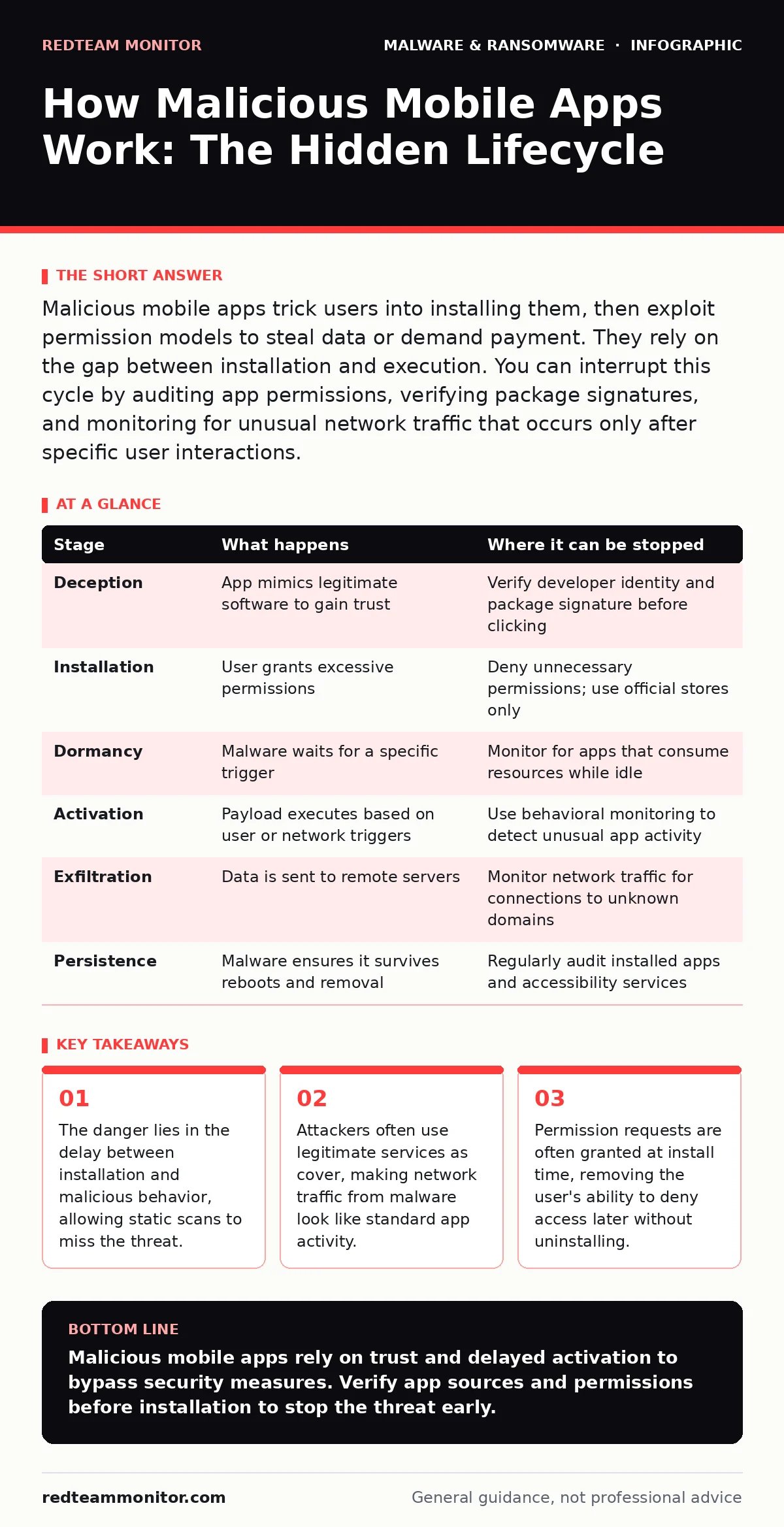
Malicious mobile apps trick users into installing them, then exploit permission models to steal data or demand payment. They rely on the gap between installation and execution. You can interrupt this cycle by auditing app permissions, verifying package signatures, and monitoring for unusual network traffic that occurs only after specific user interactions.
The Deception Phase
The lifecycle begins before the user ever clicks install. Attackers craft apps that mimic popular utilities or games, often using stolen assets from legitimate developers. This is not just about a convincing icon. The metadata, including the package name and developer identity, is forged to appear trustworthy.
You encounter this in unofficial app stores or through social engineering links. The attacker relies on your trust in familiar branding. They may create a slightly misspelled URL or a landing page that looks identical to the official site. The goal is to bypass your initial skepticism.
This stage exploits the gap between visual recognition and technical verification. You see a logo you know, so you assume the code is safe. The attacker does not need to hide the app’s presence; they need you to believe it is benign. This is where the first line of defense fails. Visual inspection is insufficient against sophisticated forgery.
Distribution and Installation
Once you click the link, the download begins. On Android, this often involves sideloading, which means installing an application package outside of the official store. The system will warn you about installing unknown sources. You are likely to dismiss this warning because you believe the source is safe.
The app installer then requests permissions. Modern operating systems ask for these permissions before the app runs. You grant access to contacts, storage, or location because the app claims it needs them for core functionality. For example, a flashlight app should not need access to your SMS messages.
This is a critical handoff. By granting permissions, you are giving the app legal access to sensitive data. The operating system treats your consent as absolute. The attacker relies on your willingness to trade privacy for convenience. This mirrors the risks seen in malicious PyPI packages, where trust in a repository leads to the installation of compromised code.
Dormancy and Evasion
After installation, the app may appear inactive. This is a deliberate design choice. Many security tools perform static analysis, scanning the code for known malicious patterns. If the code looks clean, the app passes. The malware sits dormant, waiting for a trigger.
This dormancy allows the app to evade sandbox evasion techniques that rely on immediate behavior. The app does not execute its malicious payload until specific conditions are met. These conditions might include the device being connected to a specific Wi-Fi network, the time of day, or a command from a remote server.
This delay is the attacker’s greatest advantage. By the time you notice unusual behavior, the app has already established persistence. It may have copied itself to system directories or disabled security updates. The window for easy removal has passed. This behavior is similar to how zero-day malware exploits vulnerabilities before patches are available, relying on the surprise element.
Activation and Execution
The trigger event activates the payload. The app may begin harvesting data, recording audio, or capturing screenshots. It operates within the permissions you granted earlier. Because it is running as a legitimate app, the operating system does not block its actions.
The malware might inject code into other running applications. This technique, known as code injection, allows the malicious app to piggyback on trusted processes. It can intercept keystrokes or manipulate data in banking apps. The user sees the legitimate app interface, unaware that the data is being diverted.
This stage relies on the complexity of modern operating systems. With thousands of apps running simultaneously, tracing the source of a data leak is difficult. The attacker hides in plain sight. This is where endpoint detection and response (EDR) systems face challenges on mobile devices, as they must monitor numerous processes without draining the battery.
Data Exfiltration
The stolen data must leave the device. The malware encrypts the data and sends it to a command-and-control server. To avoid detection, it often uses common protocols like HTTPS. This makes the traffic look like normal web browsing.
The attacker may use data compression to reduce the size of the transmission. This minimizes the network footprint. The app might wait for the device to be on a Wi-Fi connection to avoid using cellular data, which could alert you to high usage.
This exfiltration can happen in small bursts over time. This technique, known as low-and-slow exfiltration, avoids triggering bandwidth alerts. The data might include credentials, personal identifiers, or financial information. Once the data is out, the attacker has achieved their goal. This process is distinct from ransomware, which typically encrypts data on the device itself and demands payment for restoration.
Persistence and Cleanup
To ensure long-term access, the malware establishes persistence mechanisms. It may create a background service that restarts if killed. It might add itself to the list of accessibility services, which grants it high-level control over the device.
The app may also disable security features. It could block updates to the operating system or other security apps. This ensures that the vulnerability it exploits remains open. The malware might also delete its installation logs to hide its presence.
This stage makes removal difficult. Simply uninstalling the app may not remove the background services or modified system files. The attacker relies on your lack of technical expertise to clean the device thoroughly. This persistence is akin to how computer worms replicate and spread, ensuring that the infection survives initial removal attempts.
| Stage | What happens | Where it can be stopped |
|---|---|---|
| Deception | App mimics legitimate software to gain trust | Verify developer identity and package signature before clicking |
| Installation | User grants excessive permissions | Deny unnecessary permissions; use official stores only |
| Dormancy | Malware waits for a specific trigger | Monitor for apps that consume resources while idle |
| Activation | Payload executes based on user or network triggers | Use behavioral monitoring to detect unusual app activity |
| Exfiltration | Data is sent to remote servers | Monitor network traffic for connections to unknown domains |
| Persistence | Malware ensures it survives reboots and removal | Regularly audit installed apps and accessibility services |
Interrupting the Cycle
You can interrupt this lifecycle at multiple points. The most effective point is during installation. By carefully reviewing permission requests, you can deny access to sensitive data. If an app requests more permissions than necessary, do not install it.
Another point of interruption is during the dormant phase. Behavioral monitoring tools can detect apps that wake up unexpectedly or consume battery while idle. These tools look for patterns rather than specific signatures. This approach helps catch malware that changes its code frequently.
Network monitoring is also vital. If an app begins communicating with unknown servers, block the connection. This prevents data exfiltration even if the malware has activated. Regularly updating your operating system and apps also closes known vulnerabilities that malware might exploit.
Key takeaways
- The danger lies in the delay between installation and malicious behavior, allowing static scans to miss the threat.
- Attackers often use legitimate services as cover, making network traffic from malware look like standard app activity.
- Permission requests are often granted at install time, removing the user's ability to deny access later without uninstalling.
Malicious mobile apps rely on trust and delayed activation to bypass security measures. Verify app sources and permissions before installation to stop the threat early.
Frequently asked questions
Can mobile antivirus detect all malicious apps?
No. Antivirus relies on known signatures and behavioral patterns. Dormant malware or apps that mimic legitimate behavior may evade detection until they activate.
How do I know if an app is stealing my data?
Look for unusual battery drain, increased data usage, or apps running in the background when you are not using them. These are common signs of data exfiltration.
Is sideloading always dangerous?
Sideloading bypasses the security checks of official app stores. While not all sideloaded apps are malicious, the risk is significantly higher. Only sideload from trusted sources.
Can ransomware affect mobile devices?
Yes. Mobile ransomware can lock your device or encrypt files, demanding payment for restoration. Using **ransomware decryption tools** is rarely effective on mobile; backups are the best defense.
How this guide was produced: written by the RedTeam Monitor editorial team with AI assistance, checked against the public references listed below, and reviewed when the facts change. See our editorial policy or report an error.