
Sandbox Evasion: How Malware Hides and What to Do About It
Modern malware detects analysis environments by checking for virtual hardware signatures and user interaction patterns, allowing it to remain dormant until it reaches a real target.
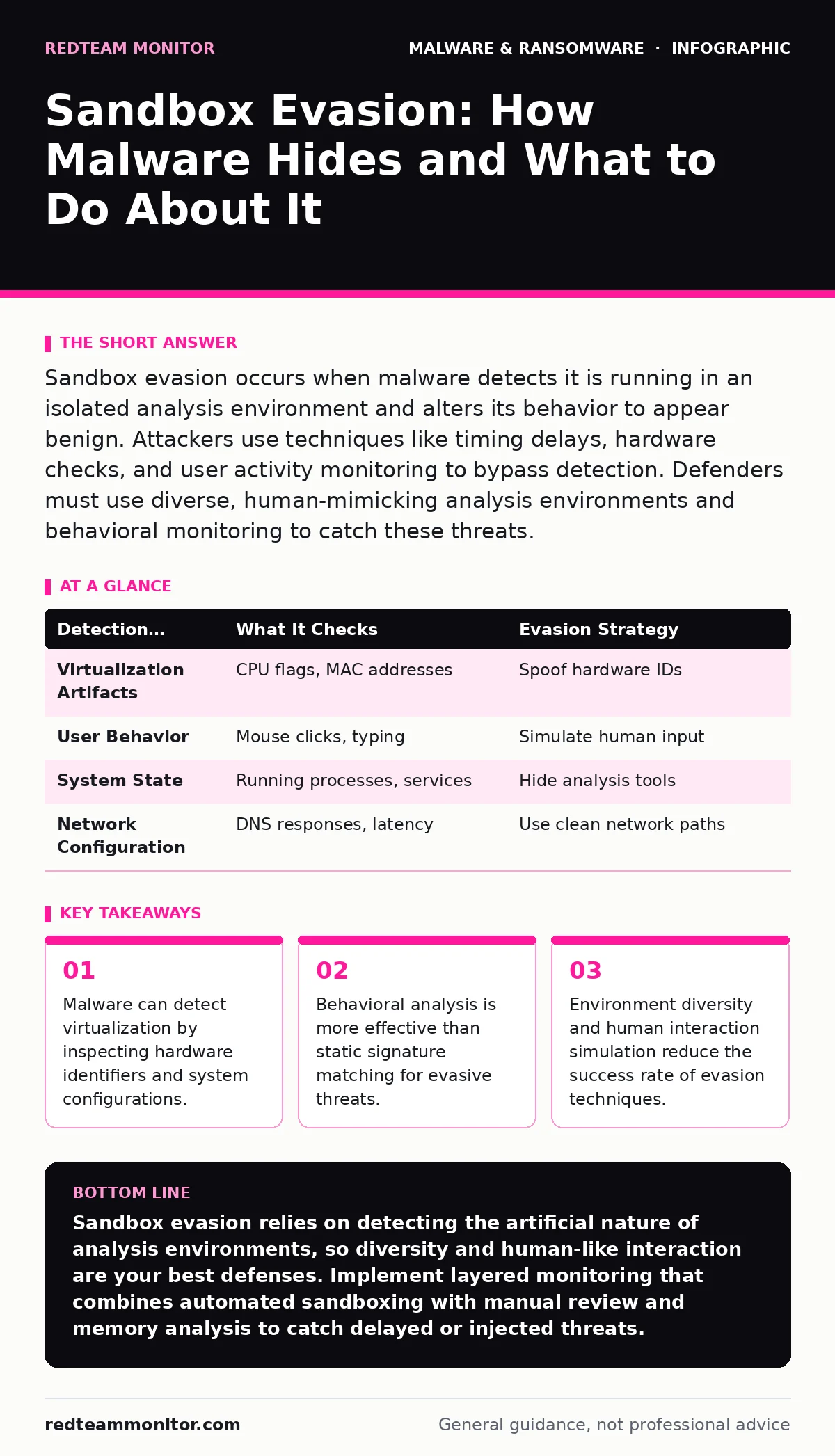
Sandbox evasion occurs when malware detects it is running in an isolated analysis environment and alters its behavior to appear benign. Attackers use techniques like timing delays, hardware checks, and user activity monitoring to bypass detection. Defenders must use diverse, human-mimicking analysis environments and behavioral monitoring to catch these threats.
How does malware detect a sandbox environment?
Malware detects a sandbox by examining system characteristics that differ between a virtual machine and physical hardware. It checks for specific hardware identifiers, such as CPU vendor strings or MAC address prefixes, that are unique to virtualization platforms. The code may also look for the presence of analysis tools or specific service names that analysts commonly use.
Why does malware delay its execution?
Delaying execution allows malware to wait out the limited runtime of many automated analysis systems. Sandboxes often terminate processes after a set period to save resources, so the malware sleeps for hours or days before activating. This ensures the malicious payload only runs on a persistent, real-world system where the analyst is no longer watching.
This timing attack is a common feature in ransomware, which needs time to map network drives before encrypting files.
What is user interaction detection?
User interaction detection involves the malware checking for mouse movements, keystrokes, or window focus changes. Automated sandboxes rarely simulate human input, so the absence of these signals suggests an analysis environment. If the malware detects no user activity, it may remain dormant or execute a harmless decoy routine to avoid triggering alerts.
How do process injection techniques help evade detection?
Process injection allows malware to execute its malicious code within the memory space of a legitimate system process. This hides the malicious activity under the guise of a trusted application, such as a web browser or system utility. Security tools that monitor process creation may miss the injection if they do not inspect memory dumps.
This technique shares similarities with DLL sideloading, where attackers exploit legitimate applications to load malicious code.
Why does malware check for internet connectivity?
Malware checks for internet connectivity to determine if it can communicate with its command and control server. Some sandboxes block external network traffic or route it through monitored proxies that the malware recognizes. If the expected network path is missing, the malware assumes it is in a restricted environment and halts execution.
See also: Attacker Dwell Time: How to Detect and Reduce Intrusion Duration · Indicators of Compromise Examples and How to Use Them
What is hardware fingerprinting?
Hardware fingerprinting involves collecting detailed information about the physical components of the system. Malware queries the BIOS, disk geometry, and GPU details to identify virtualization artifacts. Physical systems have unique, complex configurations, while virtual machines often present standardized or simplified hardware profiles that are easy to spot.
| Detection Method | What It Checks | Evasion Strategy |
|---|---|---|
| Virtualization Artifacts | CPU flags, MAC addresses | Spoof hardware IDs |
| User Behavior | Mouse clicks, typing | Simulate human input |
| System State | Running processes, services | Hide analysis tools |
| Network Configuration | DNS responses, latency | Use clean network paths |
How does malware detect debugging tools?
Malware uses system calls to check for the presence of debuggers or memory inspection tools. Functions like IsDebuggerPresent in Windows APIs reveal if a process is being monitored. If a debugger is detected, the malware may crash, delete itself, or execute a different code path that avoids the monitored functions.
This level of scrutiny is often seen in zero-day malware, which relies on stealth to exploit vulnerabilities before patches are available.
What is the impact of environment diversity?
Environment diversity reduces the effectiveness of evasion techniques by presenting different system profiles to the malware. If you use multiple sandbox types with varying hardware configurations and software versions, the malware cannot rely on a single detection method. This forces the attacker to write more complex code, which increases the likelihood of errors that reveal their presence.
How can defenders improve sandbox detection?
Defenders improve detection by combining automated sandboxing with manual analysis and behavioral monitoring. Automated systems provide speed, while human analysts can detect subtle anomalies that algorithms miss. Behavioral monitoring tracks actions over time, catching threats that delay execution or require specific user interactions.
What is the role of memory analysis?
Memory analysis examines the contents of a system's RAM to find traces of malware that do not write to disk. Many evasive threats reside only in memory to avoid file-based detection. By analyzing memory dumps, analysts can identify injected code, hidden processes, and strings that reveal the malware's intent.
This approach is critical for detecting malicious mobile apps that operate entirely in memory to bypass app store reviews.
Key takeaways
- Malware can detect virtualization by inspecting hardware identifiers and system configurations.
- Behavioral analysis is more effective than static signature matching for evasive threats.
- Environment diversity and human interaction simulation reduce the success rate of evasion techniques.
Sandbox evasion relies on detecting the artificial nature of analysis environments, so diversity and human-like interaction are your best defenses. Implement layered monitoring that combines automated sandboxing with manual review and memory analysis to catch delayed or injected threats.
Frequently asked questions
Can malware detect if it is being recorded?
Yes, malware can detect screen recording software by checking for specific processes or hooks that recording tools install in the system.
Does antivirus quarantine stop sandbox evasion?
Antivirus quarantine isolates the file, but if the malware was already analyzed in a sandbox, it may have already evaded detection before quarantine occurred.
Are cloud sandboxes less secure than local ones?
Cloud sandboxes offer scalability but may have standardized configurations that are easier for malware to detect and evade compared to customized local environments.
How do ransomware decryption tools relate to sandboxing?
Ransomware decryption tools are used after an attack, while sandboxing is a preventive measure; however, both require careful handling to avoid triggering the malware's defenses.
How this guide was produced: written by the RedTeam Monitor editorial team with AI assistance, checked against the public references listed below, and reviewed when the facts change. See our editorial policy or report an error.