
Mobile Security Apps: 6 Common Misunderstandings and Fixes
Mobile security apps often monitor system behavior rather than scanning files, changing how you evaluate their effectiveness against modern threats.
People often treat mobile apps like desktop antivirus, expecting file scans that rarely happen. These tools focus on app permissions and network traffic. Understanding this shift prevents false confidence. Misconfiguration creates blind spots that attackers exploit.
Misreading: The app scans every file on my device
Correct reading: Mobile operating systems enforce strict sandboxing, meaning apps cannot freely read the file systems of other applications. This architectural constraint prevents traditional file-scanning antivirus methods used on desktop computers. Instead of reading every file, mobile security apps monitor application behavior and system calls. They look for suspicious patterns, such as an app attempting to access contacts without permission or sending large data packets to unknown servers.
This limitation is a feature, not a bug. Sandboxing prevents malicious code from spreading laterally across the device. If you expect a mobile app to find hidden malware by scanning every byte of storage, you will be disappointed. The app only sees what the operating system allows it to see. It relies on the OS to report anomalies. This model reduces false positives but requires the underlying platform to be secure. If the OS has a vulnerability, the security app may not detect the exploit until it manifests as abnormal behavior.
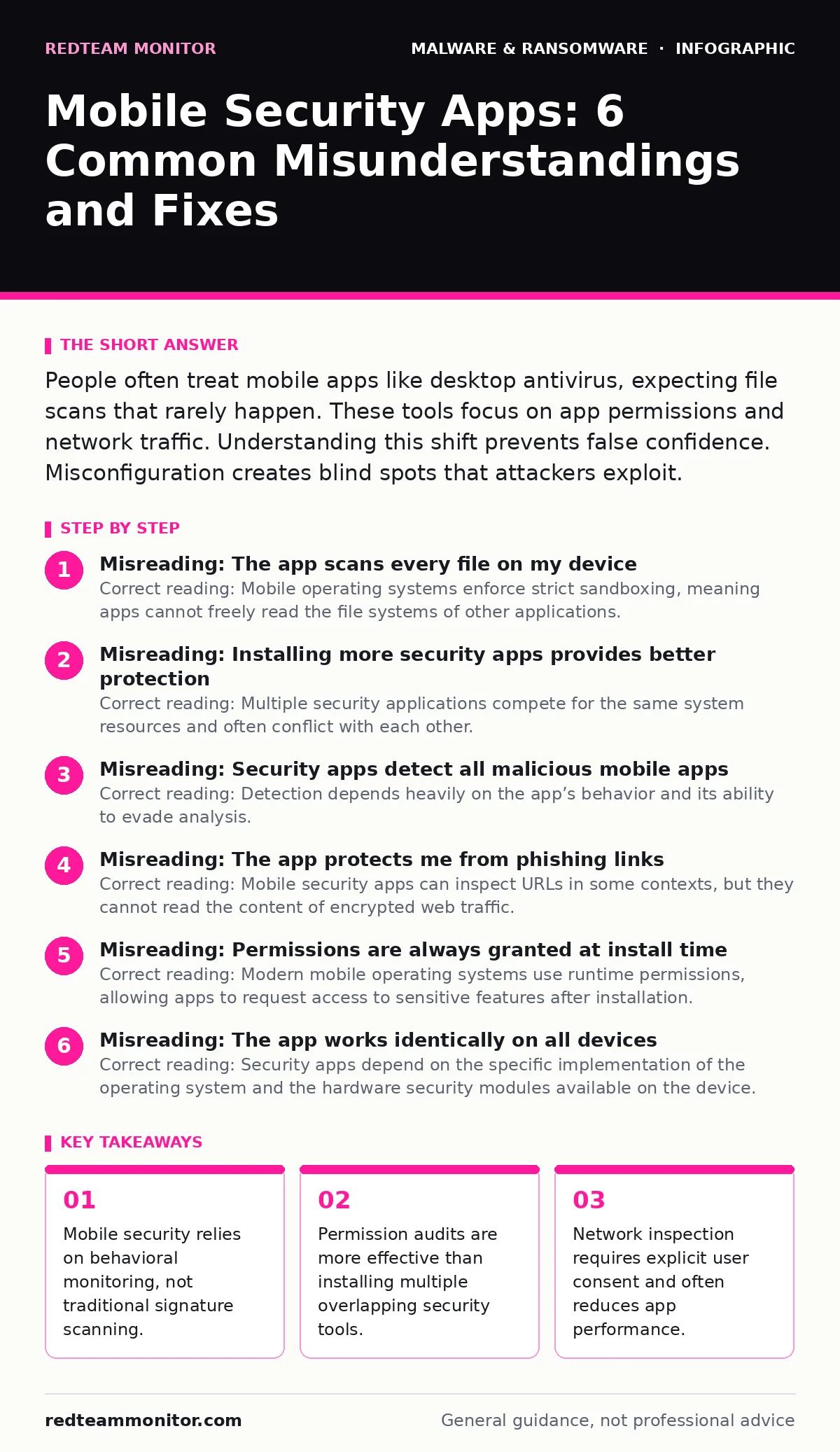
Misreading: Installing more security apps provides better protection
Correct reading: Multiple security applications compete for the same system resources and often conflict with each other. Each app requires access to sensitive system events, such as network connections or install events. When two apps try to intercept the same event, one may fail or crash. This conflict creates gaps in coverage rather than layers of defense. Security operations teams observe that devices with three or more security tools often have lower detection rates due to these interference issues.
Imagine a device with two apps trying to block a malicious network request. One app may flag the traffic while the other allows it, causing confusion for the user. The operating system may also throttle one app to preserve battery life, effectively disabling its monitoring capabilities. You gain no additional security from redundancy because the monitoring mechanisms are not independent. They both rely on the same OS APIs. Consolidating to one well-configured tool is more effective than layering multiple lightweight scanners.
Misreading: Security apps detect all malicious mobile apps
Correct reading: Detection depends heavily on the app’s behavior and its ability to evade analysis. Many malicious mobile apps use obfuscation techniques to hide their code structure. They may only activate under specific conditions, such as when the device is connected to a particular Wi-Fi network. Static analysis, which examines the code without running it, often misses these conditional threats. Dynamic analysis, which runs the app in a controlled environment, is more effective but resource-intensive.
Some attackers use sandbox evasion techniques to detect if their code is being analyzed. If the app senses it is running in a security app’s test environment, it may remain dormant. This means the security app reports the app as clean, while the app waits for deployment on a real device. You must understand that no tool catches every variant. The effectiveness of detection correlates with the diversity of the threat intelligence feed and the sophistication of the behavioral analysis engine.
Misreading: The app protects me from phishing links
Correct reading: Mobile security apps can inspect URLs in some contexts, but they cannot read the content of encrypted web traffic. Most modern websites use HTTPS, which encrypts the data between the browser and the server. The security app sees the destination domain but not the specific page or the text of the link. It relies on reputation databases to flag known malicious domains. If a phishing site is new, the database may not list it yet.
The app may warn you if you visit a domain with a poor reputation. It cannot verify if a login page is legitimate if the domain itself is valid. You must still verify the URL manually. Some apps use machine learning to analyze visual patterns of phishing pages, but this requires rendering the page, which consumes significant battery and data. This trade-off means many users disable real-time web protection to preserve performance. Phishing remains a primary vector because technical controls cannot fully replace user verification.
Misreading: Permissions are always granted at install time
Correct reading: Modern mobile operating systems use runtime permissions, allowing apps to request access to sensitive features after installation. An app may install cleanly with no permissions, then request camera or location access later. This delayed request catches users off guard because they assume the initial install was safe. Security apps can monitor these runtime requests and alert you to unusual patterns. However, they cannot block the request without your explicit approval.
If you grant permission to a legitimate app, that app retains access until you revoke it. Malicious apps often mimic legitimate functionality to justify permission requests. For example, a flashlight app requesting access to your contacts is a clear red flag. Security tools can highlight these mismatches between app function and requested permissions. You must regularly review granted permissions in the system settings. Relying solely on the security app’s initial scan misses these later-stage privilege escalations.
Misreading: The app works identically on all devices
Correct reading: Security apps depend on the specific implementation of the operating system and the hardware security modules available on the device. Older devices may lack the necessary APIs for modern behavioral monitoring. Manufacturers also customize the operating system, which can interfere with security app functionality. Some manufacturers block background processes aggressively to save battery, causing the security app to miss real-time threats.
Imagine a device with a customized OS that restricts network monitoring. The security app may fail to detect data exfiltration because it cannot see the network traffic. This inconsistency means you cannot assume uniform protection across a fleet of devices. You must verify that the security app is compatible with the specific OS version and manufacturer skin. Endpoint detection and response (EDR) solutions often require specific OS versions to function correctly. Understanding these dependencies prevents false assumptions about coverage.
Misreading: The app replaces the need for system updates
Correct reading: Security apps operate at the application layer, while system updates patch vulnerabilities in the operating system kernel and core libraries. A security app cannot fix a buffer overflow vulnerability in the OS. If an attacker exploits a kernel vulnerability, they can bypass the security app entirely. System updates are the primary defense against zero-day exploits in the operating system.
Neglecting system updates leaves the foundation of your security compromised. The security app may detect the result of an exploit, but it cannot prevent the initial compromise. You must prioritize OS updates over third-party security tools. Some devices delay updates to maintain stability, which extends the window of vulnerability. Security operations teams track the age of OS versions to assess risk. A device running an outdated OS is a high-risk target regardless of installed security software.
Misreading: The app detects all forms of data theft
Correct reading: Security apps focus on known malicious behaviors and applications. They may not detect data theft via legitimate apps that share data with third-party analytics services. Many free apps collect usage data and send it to external servers. This data sharing is often legal and permitted by the app’s privacy policy. The security app cannot distinguish between malicious exfiltration and legitimate data collection.
You must review the privacy settings of each app individually. The security app can alert you to excessive data usage, but it cannot interpret the intent behind the data transfer. Understanding the difference between malware and privacy invasion is key. Malware steals data without consent. Privacy invasion shares data with consent. Both result in data loss, but only one is detected by traditional security tools.
Key takeaways
- Mobile security relies on behavioral monitoring, not traditional signature scanning.
- Permission audits are more effective than installing multiple overlapping security tools.
- Network inspection requires explicit user consent and often reduces app performance.
Frequently asked questions
Can a mobile security app remove malware?
Most apps can quarantine or uninstall malicious applications, but they cannot repair damage caused by the malware. You may need to factory reset the device to ensure complete removal.
Do security apps drain battery life?
Yes, continuous monitoring of system events and network traffic consumes significant power. Balancing security settings with battery life is a necessary trade-off for most users.
How this guide was produced: written by the RedTeam Monitor editorial team with AI assistance, checked against the public references listed below, and reviewed when the facts change. See our editorial policy or report an error.