Phishing in video meeting invitations and how to block them
Video conferencing calendar invites bypass traditional email filters by weaponizing trusted meeting platforms.
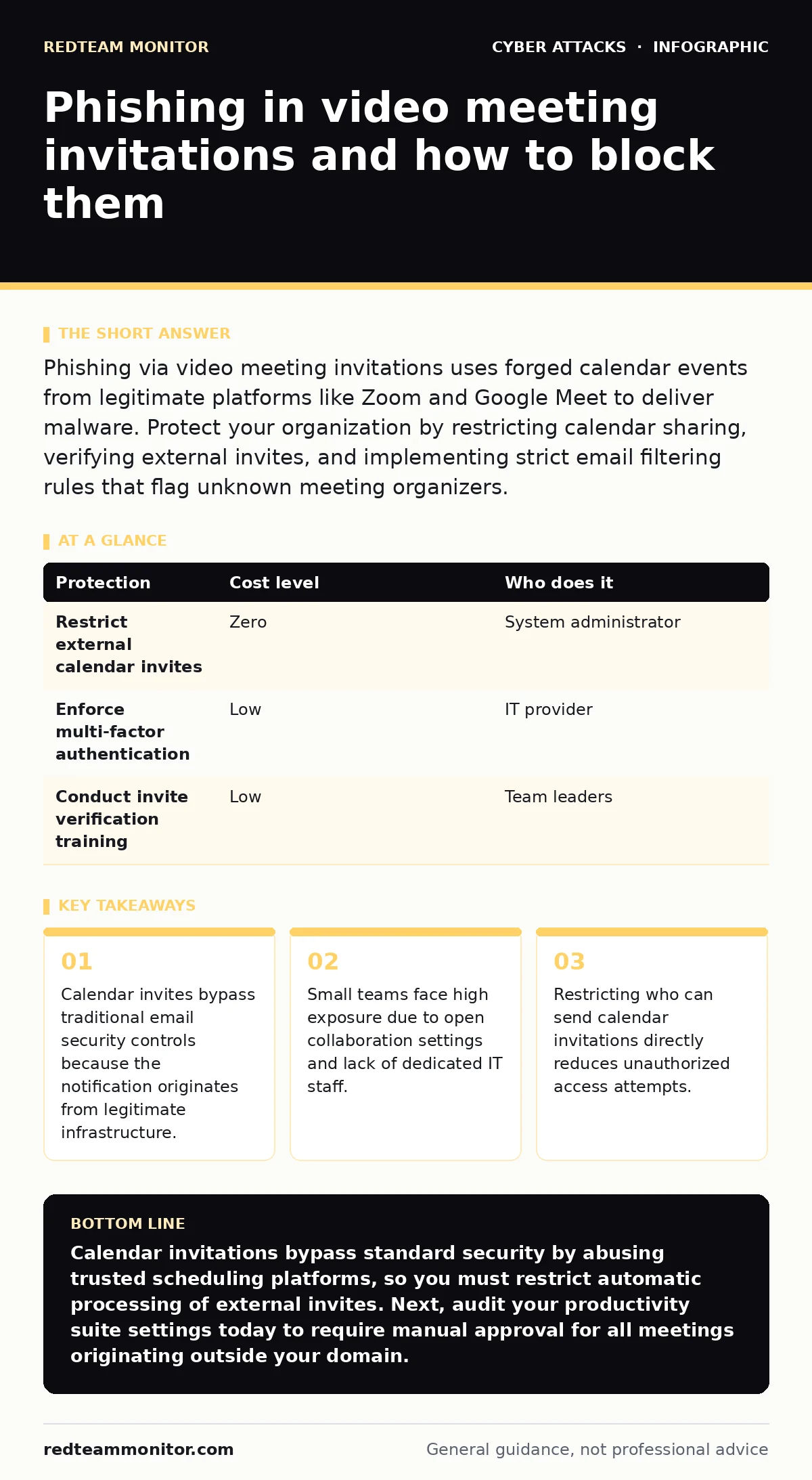
Phishing via video meeting invitations uses forged calendar events from legitimate platforms like Zoom and Google Meet to deliver malware. Protect your organization by restricting calendar sharing, verifying external invites, and implementing strict email filtering rules that flag unknown meeting organizers.
Why Video Meeting Invitations Bypass Standard Defenses
Calendar applications automatically parse incoming invitations and display them directly on user schedules without traditional email inspection. Attackers exploit this automation by generating malicious meeting links inside legitimate scheduling systems, turning a routine collaboration tool into a delivery vector. Your email filtering system often misses these threats because the notification arrives via trusted API endpoints belonging to the meeting provider.
Imagine a ten-person design agency receiving a calendar invite for a project kickoff from an unfamiliar prospective client. The notification lands cleanly on employee calendars, complete with authentic branding and a clickable video link. Clicking that link directs the user to a credential harvesting page rather than a conference room. This mechanism exploits the psychological conditioning that treats calendar notifications as scheduling admin rather than hostile communication.
Exposure Risks for Small Organizations
Small organizations lack dedicated security operations personnel, making behavioral monitoring nearly impossible across distributed teams. Open calendars represent standard practice for client acquisition, meaning employees frequently accept invitations from completely unknown external parties. Attackers rely on this permissive environment to inject malicious URLs directly into active workflows without raising internal suspicion.
Team members often use personal devices or shared corporate accounts, creating visibility gaps that attackers exploit during initial access phases. When an employee falls for a calendar-based lure, the resulting compromise frequently mirrors brand impersonation tactics designed to harvest single sign-on tokens. Small teams also suffer from flattened internal networks, allowing a single compromised endpoint to access shared document repositories instantly.
Low-Cost Protection Strategies
Defending against calendar-based attacks requires altering default platform settings rather than purchasing expensive software licenses. You must configure your calendar applications to block automatic invitation creation from unknown senders. Employees should manually review and approve every external meeting request before it populates their active schedules.
| Protection | Cost level | Who does it |
|---|---|---|
| Restrict external calendar invites | Zero | System administrator |
| Enforce multi-factor authentication | Low | IT provider |
| Conduct invite verification training | Low | Team leaders |
Restricting calendar sharing permissions stops unauthorized entities from stuffing your employees' schedules with malicious links. Multi-factor authentication adds a barrier against credential theft, though sophisticated attackers can bypass basic prompts using real-time interception techniques. Pair these technical adjustments with regular reviews of connected third-party applications authorized to access your calendar ecosystem.
Hidden Costs of Calendar Compromise
Successful calendar phishing yields persistent access because malicious entries remain hidden inside historical meeting logs long after initial remediation. Attackers leverage compromised accounts to schedule future meetings with your clients and suppliers using your own trusted infrastructure. This secondary propagation damages external relationships and forces costly forensic investigations to trace every corrupted calendar event.
Recovering from an incident involving video meeting links often requires resetting all active directory tokens and auditing every integration linked to your productivity suite. Employees waste productive hours untangling fraudulent meetings from legitimate client engagements, resulting in measurable operational downtime. The invisible tax of these attacks lies in the erosion of trust regarding routine digital communications.
Questions to Ask Your IT Provider
Managing external access vectors requires specific technical inquiries to ensure your managed service provider actively defends against calendar threats. You must evaluate how your provider handles API integrations and external scheduling permissions across your productivity ecosystem.
- How do you restrict external calendar invitations from unknown senders across our domain?
- What monitoring controls exist for detecting unauthorized third-party application access to our scheduling tools?
- Can you configure our email filtering to quarantine calendar notifications containing external URLs?
- What protocol do you follow when an employee reports a suspicious meeting link?
Asking these specific questions clarifies whether your outsourced support treats calendar security as a priority or merely leaves default configurations untouched. Vague assurances regarding general security posture are insufficient when defending against application-layer abuse. Demand concrete details on how calendar APIs are monitored for anomalous invitation volumes.
Edge Cases Where Standard Advice Fails
Standard security advice emphasizes treating links with suspicion, but this guidance breaks down when an invitation arrives via a known partner's compromised account. If a trusted vendor's system sends a legitimate meeting platform link manipulated with malicious parameters, traditional heuristics fail completely. Employees cannot reasonably verify whether an internal account belonging to a partner has fallen under external control.
Another failure point occurs when organizations disable external calendar invites entirely, causing legitimate business friction with new clients who cannot schedule discovery sessions. Balancing usability with security requires granular exception rules rather than blanket blocks that halt revenue generation. You must weigh the administrative overhead of manual verification against the potential impact of a successful credential harvest.
Key takeaways
- Calendar invites bypass traditional email security controls because the notification originates from legitimate infrastructure.
- Small teams face high exposure due to open collaboration settings and lack of dedicated IT staff.
- Restricting who can send calendar invitations directly reduces unauthorized access attempts.
Calendar invitations bypass standard security by abusing trusted scheduling platforms, so you must restrict automatic processing of external invites. Next, audit your productivity suite settings today to require manual approval for all meetings originating outside your domain.
Frequently asked questions
Can attackers spoof official Zoom or Google Meet links inside calendar invites?
Attackers cannot forge official domain infrastructure, but they easily generate valid meeting room links from free tier accounts and embed them inside calendar payloads.
Why do traditional email security tools fail to catch malicious calendar invites?
Security gateways often treat calendar notifications as trusted system traffic because the delivery mechanism originates from legitimate productivity APIs.
Should small businesses completely disable external calendar invitations?
Disabling external invites entirely stops legitimate client acquisition, so instead configure your system to hold external requests in a review queue.
What happens if an employee clicks a malicious video meeting link?
Clicking the link frequently directs the user to a cloned login portal designed to capture credentials and session tokens instantly.
How this guide was produced: written by the RedTeam Monitor editorial team with AI assistance, checked against the public references listed below, and reviewed when the facts change. See our editorial policy or report an error.