Cloud Account Hijacking Explained: Stop Credential Theft Now
Attackers rarely break encryption; they simply trick you into handing over the digital keys that grant them full administrative control over your cloud environment.
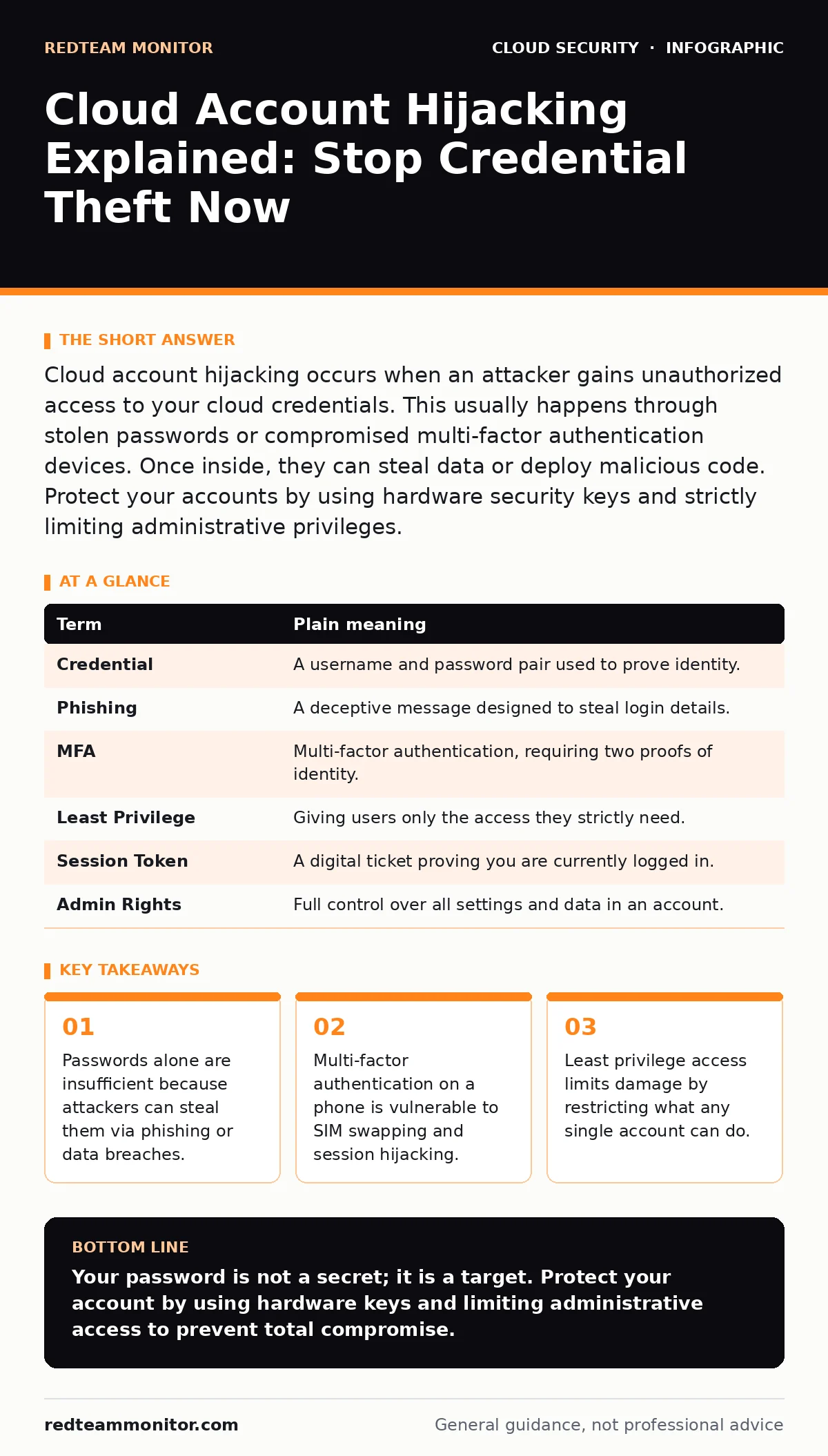
Cloud account hijacking occurs when an attacker gains unauthorized access to your cloud credentials. This usually happens through stolen passwords or compromised multi-factor authentication devices. Once inside, they can steal data or deploy malicious code. Protect your accounts by using hardware security keys and strictly limiting administrative privileges.
The Digital House Key Analogy
Imagine your cloud account is a high-security apartment building. The password is the front door key. Most people think that having a key is enough to keep intruders out. But in the cloud, that key opens every door, not just yours.
If a thief steals your key, they do not just enter your apartment. They can access the roof, the basement, and the neighbors' units. This is why cloud account hijacking is so dangerous. The attacker does not need to pick locks. They just need to copy your key.
How the Theft Happens
Attackers rarely hack the cloud provider directly. Those systems are fortified. Instead, they target you. They send a fake login page that looks identical to the real one. This is called phishing.
When you type your credentials, you are giving them directly to the attacker. They now possess your key. They log in as you. The cloud provider sees a valid login from a known user. It trusts the session. The attacker is now inside.
Why Your Phone Is Not Enough
Many users believe multi-factor authentication (MFA) makes them safe. MFA requires a second proof of identity, like a code sent to your phone. This is better than nothing, but it has a hidden flaw.
If the attacker steals your password and your phone number, they can reset your MFA. This is known as SIM swapping. The attacker tricks your carrier into moving your number to a new SIM card. You lose service. They receive the codes.
Even if they cannot swap your SIM, they can steal your session. If you log in on a public computer and do not log out, the attacker inherits your active session. They bypass the MFA check entirely because you already passed it.
The Damage Inside
Once inside, the attacker moves quickly. They do not always steal data immediately. First, they look for administrative rights. If your account has full control, they can create new accounts. These new accounts belong to them.
They can also modify security settings. They might disable logging or delete audit trails. This hides their presence. Then they exfiltrate data or deploy cryptocurrency miners. You may not notice until your bill spikes or a customer complains.
The damage is often irreversible if the attacker deletes backups. They know you rely on those backups for recovery. Destroying them forces you to pay or rebuild from scratch.
The Mini Glossary
| Term | Plain meaning |
|---|---|
| Credential | A username and password pair used to prove identity. |
| Phishing | A deceptive message designed to steal login details. |
| MFA | Multi-factor authentication, requiring two proofs of identity. |
| Least Privilege | Giving users only the access they strictly need. |
| Session Token | A digital ticket proving you are currently logged in. |
| Admin Rights | Full control over all settings and data in an account. |
See also: Implement Single Sign-On: A Step-by-Step Rollout Plan · Stop Denial-of-Wallet Attacks: Response and Recovery Steps
Better Safety Habits
You must change how you protect your keys. Passwords are the weakest link. They are reused, guessed, or stolen. You need a stronger second factor than a text message.
Use a hardware security key. This is a physical USB device you plug in or tap against your phone. It cannot be phished because it requires physical presence. It also cannot be intercepted like a text message. This is the gold standard for personal accounts.
Limiting the Blast Radius
Even with perfect security, mistakes happen. You might click a bad link. You might lose your key. You must limit what the attacker can do if they get in. This is the principle of least privilege.
Never use your main account for daily tasks. Create a separate account for routine work. Keep the main account locked down for emergencies only. If the daily account is compromised, the attacker cannot change core settings.
Review your access lists regularly. Remove old accounts. Disable unused permissions. This reduces the number of doors the attacker can try. It also helps you spot anomalies faster.
Try This Now
- Enable hardware-based multi-factor authentication on all critical accounts. Use a YubiKey or similar FIDO2 device. If you cannot afford one, use an authenticator app, but never SMS.
- Audit your active sessions. Log out of all devices. Check for unknown login locations in your security dashboard. Revoke any sessions you do not recognize.
- Create a separate administrative account. Use it only for changing security settings. Use a different account for daily email and browsing. This isolates risk.
Key takeaways
- Passwords alone are insufficient because attackers can steal them via phishing or data breaches.
- Multi-factor authentication on a phone is vulnerable to SIM swapping and session hijacking.
- Least privilege access limits damage by restricting what any single account can do.
Your password is not a secret; it is a target. Protect your account by using hardware keys and limiting administrative access to prevent total compromise.
Frequently asked questions
Can a strong password prevent cloud account hijacking?
No. Strong passwords resist guessing, but they can still be stolen via phishing or keyloggers. You need multi-factor authentication to add a layer of protection that passwords alone cannot provide.
Is SMS multi-factor authentication safe enough?
It is better than nothing, but it is vulnerable to SIM swapping and interception. Attackers can trick mobile carriers into transferring your phone number to a device they control, allowing them to receive your codes.
How do I know if my account has been hijacked?
Check your login history for unfamiliar locations or devices. Look for unexpected changes to security settings, such as new recovery emails or disabled logging. Unusual network activity or resource usage can also be a sign.
Does zero trust network access help with account hijacking?
Yes. Zero trust network access verifies every request as if it comes from an open network. It ensures that even with valid credentials, an attacker cannot move laterally without repeated verification.
How this guide was produced: written by the RedTeam Monitor editorial team with AI assistance, checked against the public references listed below, and reviewed when the facts change. See our editorial policy or report an error.