
How Credential Dumps Work: From Memory to Exfiltration
Attackers do not need to crack encrypted databases to steal secrets, because credentials often sit in plain text within volatile system memory long after login occurs.
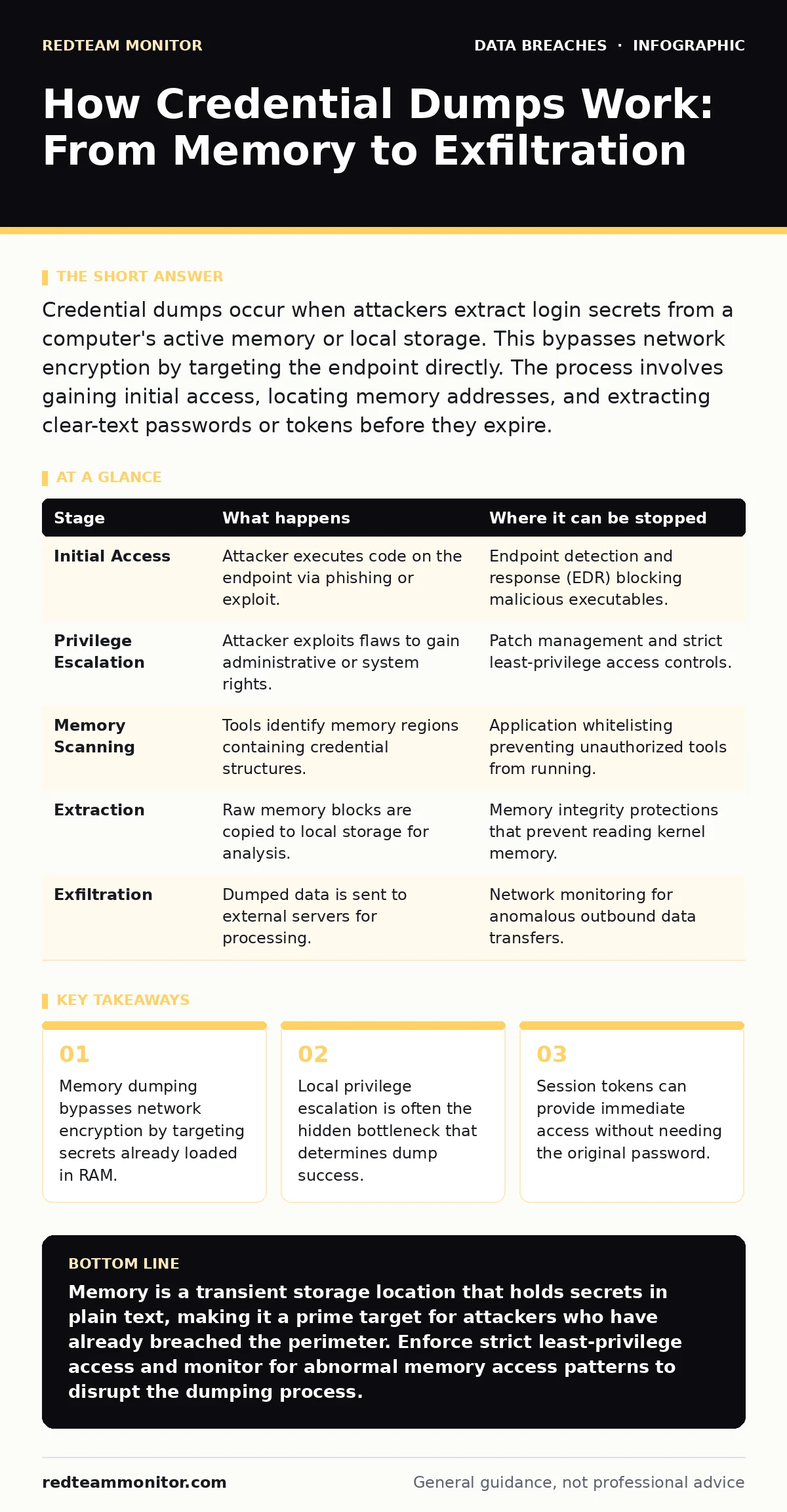
Credential dumps occur when attackers extract login secrets from a computer's active memory or local storage. This bypasses network encryption by targeting the endpoint directly. The process involves gaining initial access, locating memory addresses, and extracting clear-text passwords or tokens before they expire.
The Memory Attack Surface
Most security planning focuses on data at rest or data in transit. You secure databases with encryption and use TLS for network traffic. This leaves a blind spot: data in use. When a user logs into an application, the system decrypts the credentials or tokens and loads them into volatile memory. This memory, or RAM, holds the secrets in a readable format so the application can function. If an attacker gains execute rights on that machine, they can read this memory directly. They do not need to break encryption algorithms. They simply read the file the operating system has already prepared for use. This makes the endpoint itself the primary store of value for the attacker.
Stage 1: Initial Foothold
The process begins with access. An attacker must first execute code on the target system. This rarely happens through a direct memory attack. It usually starts with a phishing email, a vulnerable service, or a compromised remote desktop session. The goal here is not yet to steal data, but to establish a presence. Once inside, the attacker runs with the privileges of the user who opened the file or connected to the service. If that user is a standard account, the attacker is limited. They can only read memory belonging to processes owned by that user. This limitation defines the scope of the initial breach.
Stage 2: Privilege Escalation
To access the most valuable secrets, the attacker needs higher privileges. System-level processes, such as those handling domain authentication, often run with administrative rights. These processes hold cached credentials for multiple users or services. A standard user cannot read the memory of an administrative process due to operating system protection mechanisms.
The attacker must exploit a flaw to elevate their status. This could be a misconfigured service, an unpatched kernel vulnerability, or a credential reuse issue that allows them to log in as an admin. Without this step, the dump will be incomplete and limited to the initial user's session. This escalation is the critical bottleneck. If you stop privilege escalation, you stop the mass credential dump.
Stage 3: Memory Scanning and Extraction
With sufficient privileges, the attacker scans the system's address space. They look for specific patterns that indicate stored secrets. Modern operating systems do not store passwords in simple, labeled variables. The secrets are scattered across memory blocks. Attackers use tools to search for known structures, such as the format used by the Local Security Authority Subsystem Service on Windows systems.
They identify memory regions that belong to high-value processes. Once identified, they copy these regions to a local file. This file is the raw dump. It contains a mixture of code, data, and secrets. The attacker does not need to understand the entire file, only the parts that match cryptographic structures or known credential formats.
Stage 4: Parsing and Credential Recovery
The raw memory dump is useless without parsing. The attacker uses specialized software to analyze the copied data. This software looks for specific headers and structures that indicate where credentials are stored. It extracts hashes, which are one-way mathematical representations of passwords. In some cases, it finds plaintext passwords if the application failed to handle secret data correctly. For older protocols, the attacker may even recover the password directly from the memory stream. This stage converts raw bytes into usable authentication material. The success of this stage depends on the quality of the initial dump and the specific security features enabled on the operating system.
See also: Endpoint Detection and Response: Benefits, Limits, and Real Value
Stage 5: Exfiltration and Lateral Movement
The extracted credentials are now off the target machine. The attacker sends them to a command and control server. This transfer often happens over encrypted channels to avoid detection by network monitoring tools. Once the credentials are in the attacker's possession, they are tested. This testing can happen against other systems in the network.
If the credentials work elsewhere, the attacker moves laterally. They repeat the process, moving from one machine to the next, escalating privileges and dumping more memory. This chain reaction can compromise an entire organization from a single initial foothold. The speed of this movement often exceeds the detection capabilities of traditional signature-based defenses.
Where Interruption Occurs
You can interrupt this chain at several points. The most effective intervention is before Stage 3. If the attacker cannot escalate privileges, they cannot access system-level secrets. Implementing strict least-privilege policies ensures that even if a user is compromised, the attacker remains confined. Another interruption point is during Stage 5. Monitoring for unusual outbound connections can detect the exfiltration of dump files. However, the hardest point to defend is Stage 1. If you allow untrusted code to run, the memory is already exposed. This is why securing the execution environment is as important as securing the network.
Broader Security Implications
Credential dumps highlight the fragility of relying on passwords alone. Even with strong hashing, the exposure of tokens and sessions remains a risk. This connects to the issue of stolen session tokens, where attackers hijack active sessions rather than stealing passwords. It also relates to breach dwell time, as attackers may wait weeks to dump memory while avoiding detection.
Understanding this flow helps in designing defenses that assume memory is compromised. You must limit what any single process can do. This aligns with the principles of digital forensics, where memory analysis is a key technique for understanding past intrusions. By treating memory as a hostile environment, you reduce the impact of a successful breach.
| Stage | What happens | Where it can be stopped |
|---|---|---|
| Initial Access | Attacker executes code on the endpoint via phishing or exploit. | Endpoint detection and response (EDR) blocking malicious executables. |
| Privilege Escalation | Attacker exploits flaws to gain administrative or system rights. | Patch management and strict least-privilege access controls. |
| Memory Scanning | Tools identify memory regions containing credential structures. | Application whitelisting preventing unauthorized tools from running. |
| Extraction | Raw memory blocks are copied to local storage for analysis. | Memory integrity protections that prevent reading kernel memory. |
| Exfiltration | Dumped data is sent to external servers for processing. | Network monitoring for anomalous outbound data transfers. |
Key takeaways
- Memory dumping bypasses network encryption by targeting secrets already loaded in RAM.
- Local privilege escalation is often the hidden bottleneck that determines dump success.
- Session tokens can provide immediate access without needing the original password.
Memory is a transient storage location that holds secrets in plain text, making it a prime target for attackers who have already breached the perimeter. Enforce strict least-privilege access and monitor for abnormal memory access patterns to disrupt the dumping process.
Frequently asked questions
Can antivirus software stop credential dumping?
Traditional antivirus focuses on file-based threats. Credential dumping is a memory-based technique, so specialized endpoint detection platforms are required to monitor for suspicious memory access and tool usage.
Does encryption protect against memory dumps?
Encryption protects data at rest and in transit. Once data is decrypted for use by an application, it resides in memory in plain text, making it vulnerable to dumping regardless of how it was stored or transmitted.
How long do dumped credentials remain valid?
Passwords remain valid until changed. Session tokens may expire quickly, but if the attacker uses them immediately, they gain access. This highlights the risk of **medical identity theft** or other fraud if tokens are stolen and used before expiration.
Is this a Windows-only problem?
No, while Windows has well-known dumping tools, Linux and macOS systems also store secrets in memory. Attackers adapt techniques to target the specific memory structures of any operating system.
How this guide was produced: written by the RedTeam Monitor editorial team with AI assistance, checked against the public references listed below, and reviewed when the facts change. See our editorial policy or report an error.