
Tor browser privacy risks and the reality of anonymous browsing
Anonymity networks mask your destination from local observers, but they expose your traffic to active manipulation at the network edge.
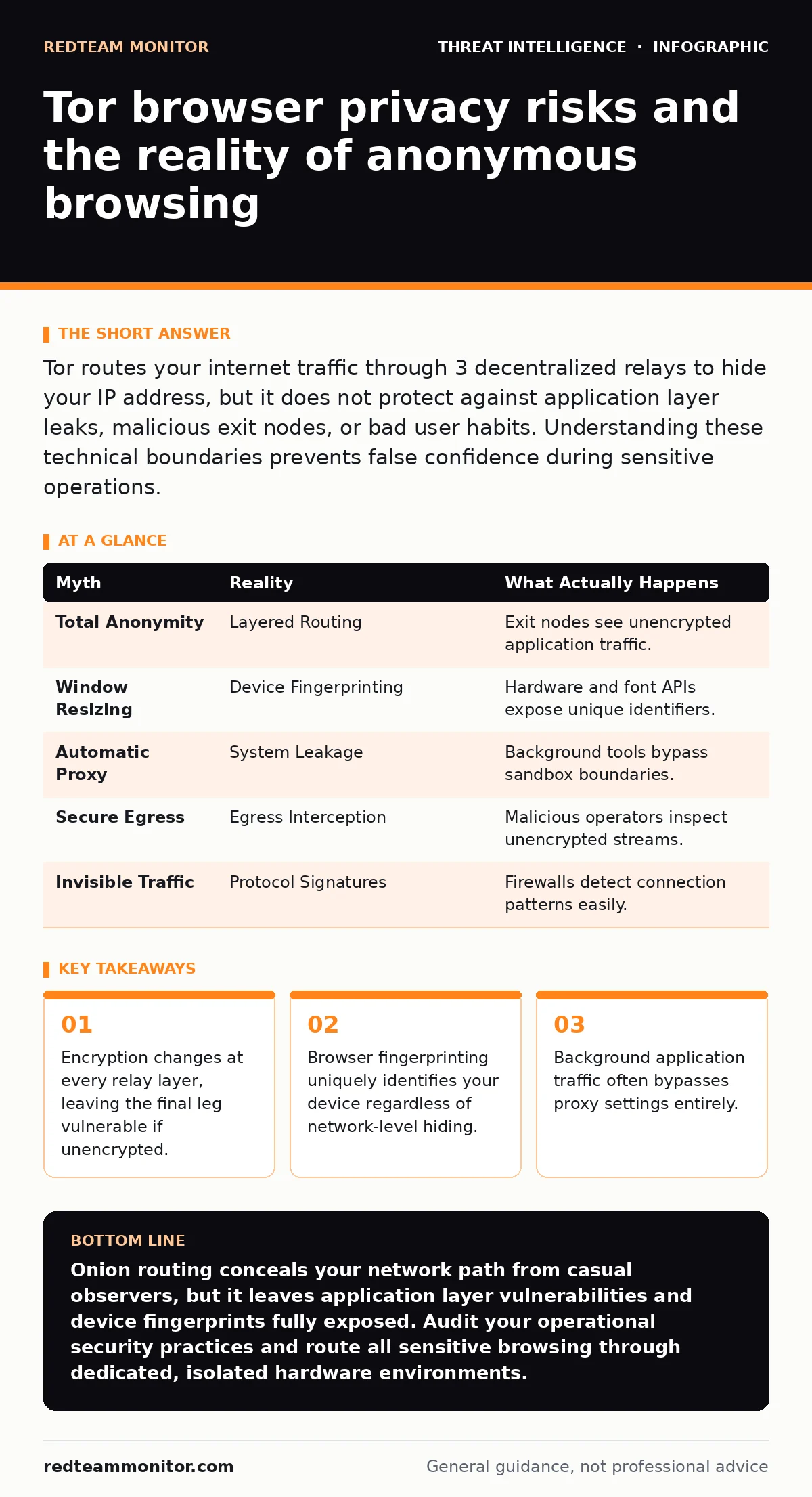
Tor routes your internet traffic through 3 decentralized relays to hide your IP address, but it does not protect against application layer leaks, malicious exit nodes, or bad user habits. Understanding these technical boundaries prevents false confidence during sensitive operations.
Myth: Tor hides your identity from everyone on the network path
Reality: Tor protects your origin and destination from single-point observation by splitting your connection across 3 distinct relays, yet the final node in the chain sees unencrypted application data. Traffic leaves the last relay in plain text unless the target server enforces transport layer security. Local network administrators see that you connect to an entry node, while destination servers see the IP address of the exit node instead of your own. This architecture prevents any single observer from knowing both your identity and your destination simultaneously.
Myth: Changing the browser window size prevents device fingerprinting
Reality: Browser fingerprinting extracts unique hardware and software configurations, making window resizing largely ineffective against modern tracking scripts. Web applications query canvas rendering APIs, installed fonts, and hardware acceleration capabilities to construct a persistent identifier that follows you across sessions. The network layer anonymity provided by onion routing offers zero defense against application layer telemetry collection. When you log into personal accounts or solve standard captchas, you immediately link your temporary browsing session to your permanent identity.
Myth: Background applications respect your proxy settings automatically
Reality: Standard operating system processes and helper utilities frequently bypass proxy configurations and leak your real IP address directly to local networks. Operating systems handle DNS requests and helper tool traffic outside the application sandbox, causing leaks that reveal your true location. Analysts investigating initial access brokers often discover that compromised endpoints leaked internal infrastructure details through misconfigured helper tools while attempting anonymous web browsing. Proper containment requires running traffic through a dedicated routing operating system that forces all packets through the network interface without exception.
Myth: Exit nodes are secure zones free from active interception
Reality: Malicious actors operate exit relays to inspect, modify, or inject content into unencrypted traffic streams passing through the final leg of the circuit. Because the exit node translates onion-wrapped packets back into standard web requests, operators with malicious intent can harvest credentials or downgrade secure connections to plain text. You mitigate this risk by treating any unencrypted connection exiting the network as untrusted territory. Security teams tracking state-sponsored campaigns often observe sophisticated adversaries monitoring these egress points for unencrypted authentication tokens.
Myth: Tor traffic is completely undetectable by network monitors
Reality: Enterprise firewalls and local internet service providers easily detect Tor usage through predictable connection patterns, even if they cannot read the encrypted payload inside the packets. The protocol requires establishing TLS connections to public directory authorities and relay nodes, creating a distinct statistical signature that stands out from normal web browsing. Advanced security systems flag these connection attempts immediately, meaning the network usage itself becomes an indicator of interest. Hiding your activity requires blending in with normal encrypted traffic rather than relying solely on specialized routing protocols.
| Myth | Reality | What Actually Happens |
|---|---|---|
| Total Anonymity | Layered Routing | Exit nodes see unencrypted application traffic. |
| Window Resizing | Device Fingerprinting | Hardware and font APIs expose unique identifiers. |
| Automatic Proxy | System Leakage | Background tools bypass sandbox boundaries. |
| Secure Egress | Egress Interception | Malicious operators inspect unencrypted streams. |
| Invisible Traffic | Protocol Signatures | Firewalls detect connection patterns easily. |
See also: Implement Firewalls: A Step-by-Step Guide for Network Security · Computer Worms Explained: How Self-Replicating Malware Spreads
Myth: JavaScript execution is safe if you set security sliders to maximum
Reality: Disabling complex script execution reduces vulnerability surface area, but zero-day browser exploits still compromise endpoints through memory corruption flaws. When sophisticated adversaries deploy browser exploits, they achieve arbitrary code execution that bypasses application sandbox boundaries and extracts local system files. You protect against these catastrophic failures by treating the underlying hardware as compromised whenever you browse untrusted content. Real-world threat operations often leverage browser vulnerabilities to pivot into local networks, making isolation environments essential for high-risk investigations.
Key takeaways
- Encryption changes at every relay layer, leaving the final leg vulnerable if unencrypted.
- Browser fingerprinting uniquely identifies your device regardless of network-level hiding.
- Background application traffic often bypasses proxy settings entirely.
Onion routing conceals your network path from casual observers, but it leaves application layer vulnerabilities and device fingerprints fully exposed. Audit your operational security practices and route all sensitive browsing through dedicated, isolated hardware environments.
Frequently asked questions
Does clearing browser cookies protect against Tor tracking?
Clearing cookies removes stored state between sessions, but browser fingerprinting and network timing analysis still link your activities together.
Can my internet service provider see the websites I visit while using Tor?
Your service provider sees only that you are connecting to an entry relay, but they cannot see your destination or the content of your traffic.
Why do some websites block connections coming from the anonymity network?
Web administrators block these connections to prevent automated scraping, credential stuffing, and malicious attacks originating from known exit nodes.
Is it safe to download files while browsing through onion routes?
Downloading files is technically possible, but downloaded documents often execute background scripts or make direct network connections that leak your real IP address.
How this guide was produced: written by the RedTeam Monitor editorial team with AI assistance, checked against the public references listed below, and reviewed when the facts change. See our editorial policy or report an error.