Detect Initial Access Brokers in Logs and Network Traffic
Initial access brokers leave distinct digital fingerprints in credential logs and external communication patterns that standard alerts often miss because they mimic legitimate administrative activity.
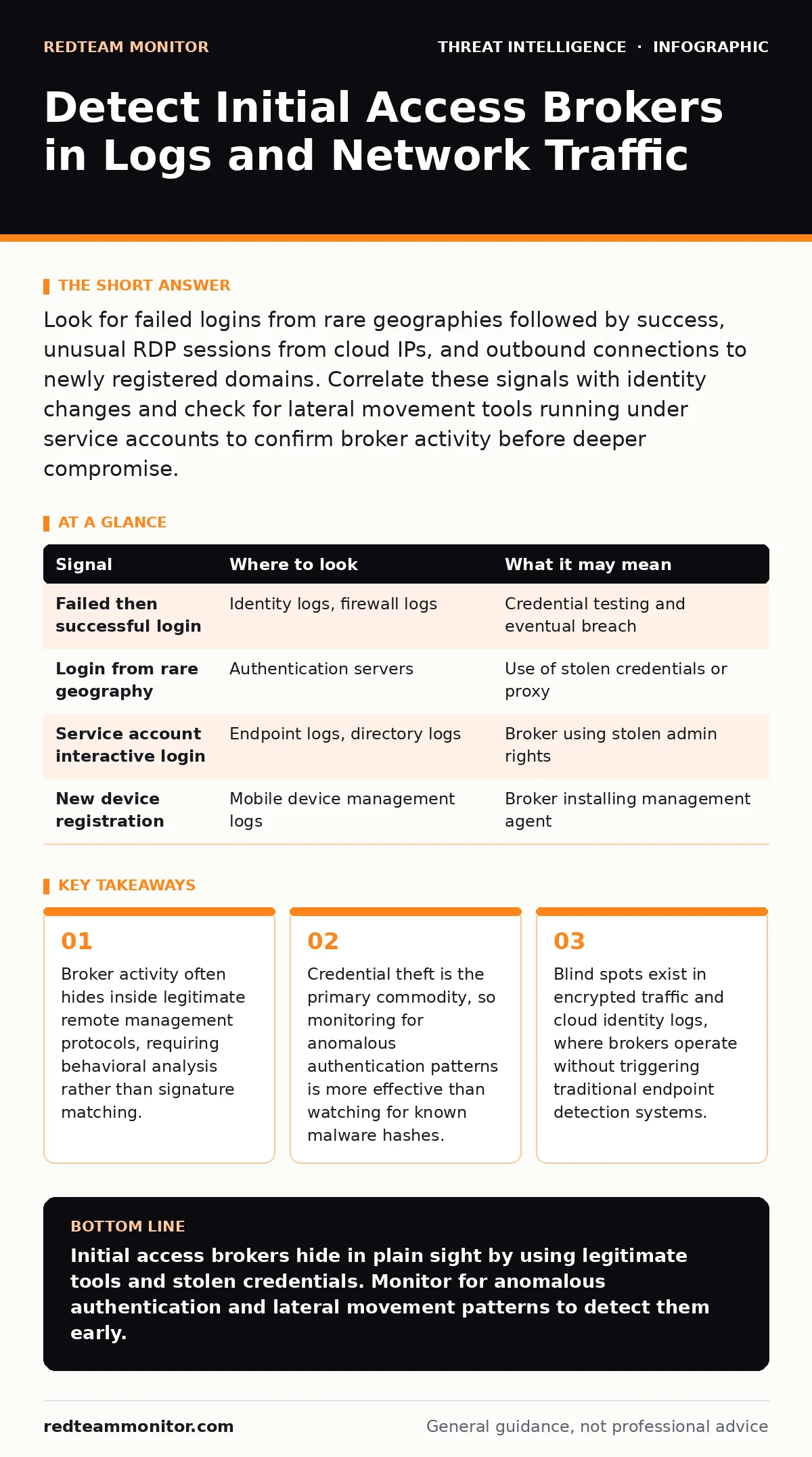
Look for failed logins from rare geographies followed by success, unusual RDP sessions from cloud IPs, and outbound connections to newly registered domains. Correlate these signals with identity changes and check for lateral movement tools running under service accounts to confirm broker activity before deeper compromise.
The Broker Business Model
Initial access brokers are intermediaries in the cybercrime economy. They specialize in gaining entry into corporate networks and selling that access to ransomware groups or data theft operators. They do not typically deploy payload software themselves. Instead, they focus on maintaining a foothold long enough to demonstrate the value of the access. This separation of duties means their tools are often cleaner and less noisy than those used by downstream attackers. You must detect them based on how they move and what they collect, not on what they install.
Authentication Anomalies
Brokers rely heavily on stolen credentials. They test these credentials against your directory services. Look for sequences of failed logins followed by a successful one, especially from source IP addresses that have never connected to your network before. Pay attention to the time of day. Logins occurring outside of business hours for specific service accounts are a strong indicator. Check for logins from geographic regions where your organization has no physical presence or remote workers. If a service account used for database backups suddenly logs in from a residential IP address in a foreign country, investigate immediately.
| Signal | Where to look | What it may mean |
|---|---|---|
| Failed then successful login | Identity logs, firewall logs | Credential testing and eventual breach |
| Login from rare geography | Authentication servers | Use of stolen credentials or proxy |
| Service account interactive login | Endpoint logs, directory logs | Broker using stolen admin rights |
| New device registration | Mobile device management logs | Broker installing management agent |
Remote Access Patterns
Once inside, brokers need to control systems. They often use Remote Desktop Protocol or similar remote management tools. These tools are legitimate, which makes them difficult to block. The key is to monitor for usage patterns that deviate from the norm. A server that usually receives only automated updates should not have an interactive remote session. Look for remote sessions originating from cloud infrastructure providers. Attackers frequently rent virtual machines to launch attacks, leaving a trail of cloud IP addresses. If you see multiple remote connections from different cloud IP ranges in a short period, it suggests a broker is testing access points.
Lateral Movement Indicators
Brokers move laterally to find high-value targets. They use built-in system tools to avoid detection. This is known as living-off-the-land attacks. Look for commands like PowerShell, WMI, or PsExec running on unexpected systems. These tools are common, so you cannot block them entirely. Instead, monitor for their use in conjunction with credential dumping tools. If you see a process searching for memory segments containing passwords, or if you see the extraction of the Security Account Manager file, a broker is likely active. Correlate this activity with the identity of the user account running the tool. Service accounts should not be executing interactive commands.
Network Communication Signatures
Brokers must communicate with their operators or downstream buyers. This communication often happens over standard protocols like HTTPS or DNS. They may use domain generation algorithms to create random domain names for command and control. Monitor for DNS queries to newly registered domains. If your network is querying a domain that was registered less than a week ago, it is suspicious. Also, look for beaconing behavior. This is regular, periodic communication with an external IP address. Even if the traffic is encrypted, the timing and volume of data can reveal a hidden channel. Compare this against your normal baseline for each host.
See also: Malware Families Explained: Why Small Teams Need Specific Defense · Endpoint Detection and Response: Benefits, Limits, and Real Value
Identity and Privilege Changes
Brokers often escalate privileges to gain better access. They may add new users to administrative groups or enable disabled accounts. Monitor your directory logs for changes to group membership. If a standard user account is added to the local administrators group on a server, it is a critical alert. Also, watch for the creation of new service accounts. Brokers create these accounts to maintain persistence without triggering alerts on compromised user accounts. These new accounts often have generic names and weak passwords. Check for accounts that are created and then immediately used to log in from an external source.
Common Blind Spots
Many detection efforts fail because they focus on endpoints alone. Brokers often operate from within the network using compromised internal devices. They may not download any malware, making endpoint detection and response solutions less effective. Another blind spot is encrypted traffic. If you do not inspect TLS traffic, you cannot see the content of the broker's communications.
However, inspecting all traffic raises privacy concerns and performance costs. You must balance security with operational efficiency. Focus on metadata analysis rather than full decryption where possible. Finally, cloud identity logs are often overlooked. Brokers may compromise cloud accounts separately from on-premises networks. Ensure you are collecting logs from all identity providers, including SaaS applications.
Integrating Threat Intelligence
To detect brokers, you need context. Operational threat intelligence provides details on the tactics and indicators used by current broker groups. Integrate this intelligence into your security information and event management system. This allows you to correlate your internal logs with external threat data. You can also use open-source intelligence (OSINT) to find leaked credentials that match your users. If you find your employee's password on a public forum, assume it is compromised. Reset the password and monitor for logins using that credential. This proactive approach helps you stop brokers before they gain access.
RELATED GUIDES:
- MITRE ATT&CK Navigator
- threat intelligence feeds
- open-source intelligence (OSINT)
- attacker persistence techniques
Key takeaways
- Broker activity often hides inside legitimate remote management protocols, requiring behavioral analysis rather than signature matching.
- Credential theft is the primary commodity, so monitoring for anomalous authentication patterns is more effective than watching for known malware hashes.
- Blind spots exist in encrypted traffic and cloud identity logs, where brokers operate without triggering traditional endpoint detection systems.
Initial access brokers hide in plain sight by using legitimate tools and stolen credentials. Monitor for anomalous authentication and lateral movement patterns to detect them early.
Frequently asked questions
How do I distinguish a broker from a legitimate remote admin?
Look at the source IP and time. Legitimate admins usually connect from known locations during work hours. Brokers often use cloud IPs or rare geographies at odd hours.
Should I block all remote desktop traffic?
No, this breaks operations. Instead, whitelist authorized sources and alert on any session from an unlisted IP or an unusual user account.
What is the best tool for detecting credential theft?
Identity and Access Management logs are the primary source. Correlate these with endpoint logs to see if credential dumping tools were executed.
Can I detect brokers using only firewall logs?
Firewall logs show network connections but not what happens inside. You need endpoint and identity logs to see the broker's actions and credential usage.
How this guide was produced: written by the RedTeam Monitor editorial team with AI assistance, checked against the public references listed below, and reviewed when the facts change. See our editorial policy or report an error.