
How Secrets Managers Work: Mechanism, Limits, and Hidden Costs
Secrets managers do not encrypt data at rest by default; they shift the risk from storage to the authentication protocol and the client-side runtime environment.
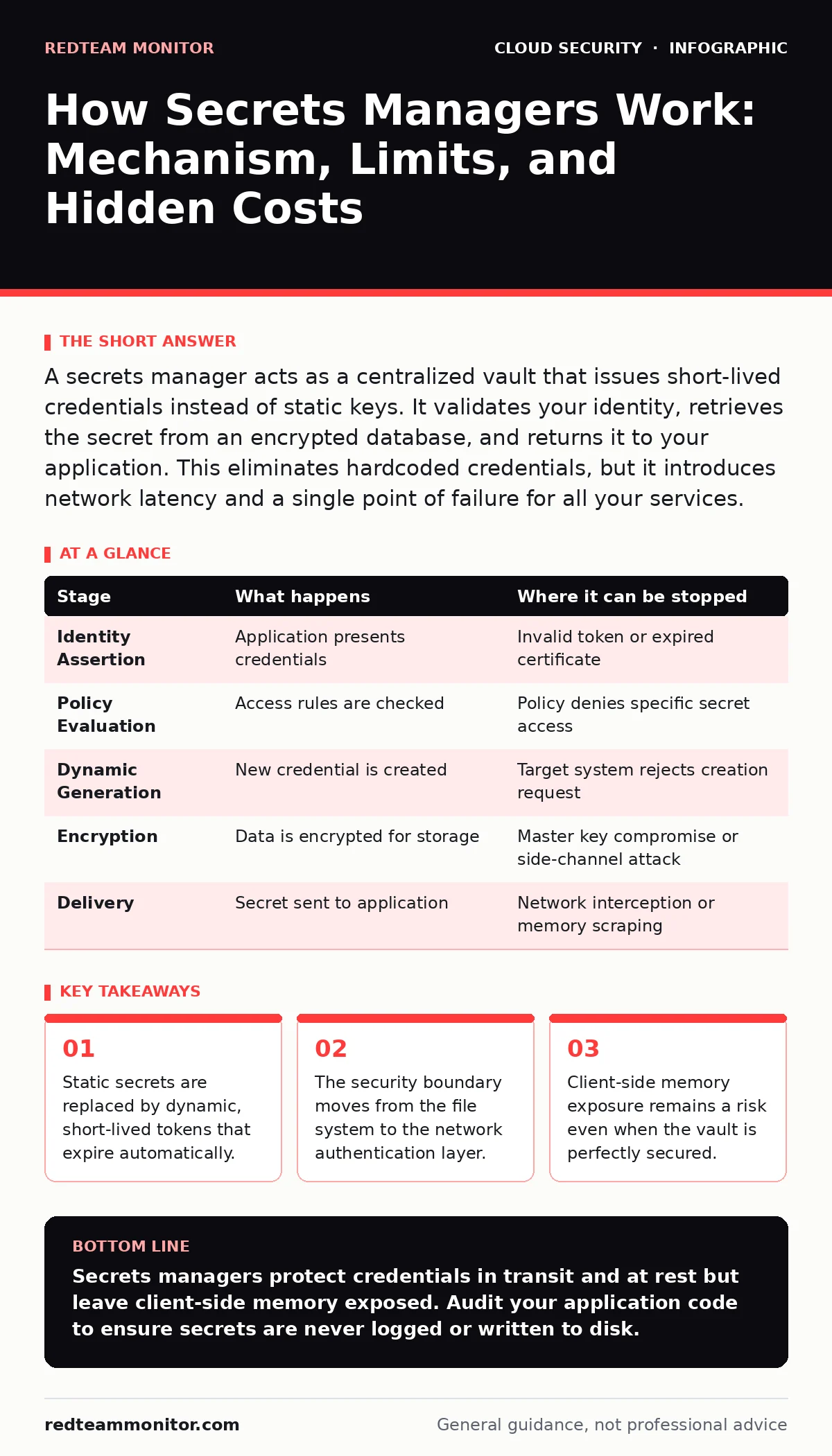
A secrets manager acts as a centralized vault that issues short-lived credentials instead of static keys. It validates your identity, retrieves the secret from an encrypted database, and returns it to your application. This eliminates hardcoded credentials, but it introduces network latency and a single point of failure for all your services.
The Shift from Static to Dynamic Credentials
Hardcoding credentials in source code or configuration files is a persistent failure mode. When a key is static, it remains valid until a human manually rotates it. This creates a long window of exposure if the key leaks. A secrets manager changes this model by treating secrets as transient resources. You request a credential when you need it, and the system destroys it shortly after.
This approach requires a fundamental change in how applications are built. Your code no longer reads a file on disk. It makes a network request to a service that holds the truth. This introduces latency and dependency, but it removes the risk of stale credentials lingering in logs or version control history.
### Stage 1: Identity Assertion
The process begins when your application starts or needs to access a protected resource. The application must prove who it is to the secrets manager. This is not a username and password check. It is a machine-to-machine authentication event.
Most modern systems use identity providers to handle this step. Your application might present a security token or a certificate issued by a cloud provider. The secrets manager validates this token against the identity provider. If the token is expired, malformed, or issued to an untrusted entity, the request fails immediately. This step ensures that only authorized code can request secrets.
### Stage 2: Policy Evaluation
Once identity is established, the secrets manager checks what that identity is allowed to do. Policies define the scope of access. They specify which secrets a particular application can read, write, or delete.
This evaluation happens before any data is retrieved. If the policy does not explicitly allow the requested action, the system denies the request. This is a critical control point. A misconfigured policy here can grant access to production databases from a development environment. The policy engine operates independently of the storage layer, adding a layer of logical security on top of physical security.
### Stage 3: Dynamic Secret Generation
For many sensitive resources, the secrets manager does not retrieve a pre-existing key. It generates a new one on the fly. This is common for database credentials or API tokens.
The secrets manager connects to the target system, such as a database, and creates a new user with specific permissions. It sets a short expiration time for this user. It then returns the new username and password to your application. This means every time your application restarts, it gets a different set of credentials. If an attacker steals these credentials, they are useless after a few minutes.
### Stage 4: Encryption and Storage
For secrets that cannot be dynamic, such as TLS certificates or symmetric encryption keys, the secrets manager stores them. These secrets are encrypted before they are written to disk. The encryption keys are managed separately from the data itself.
This separation is vital. Even if an attacker gains access to the storage backend, they cannot read the secrets without the master encryption keys. The secrets manager handles the decryption process in memory. The plaintext secret never touches the disk. This reduces the risk of exposure from backup tapes or disk images.
See also: Implement Single Sign-On: A Step-by-Step Rollout Plan · Stop Denial-of-Wallet Attacks: Response and Recovery Steps
### Stage 5: Delivery and Lifecycle
The secrets manager returns the secret to the requesting application over a secure channel. This transfer happens over encrypted network protocols. The secret is placed in the application's memory.
From this point, the secrets manager has limited control. The application is now responsible for using the secret securely. If the application logs the secret, writes it to a temporary file, or exposes it via a debug endpoint, the protection is lost. The lifecycle ends when the secret expires or the application terminates. The secrets manager may also track usage to detect anomalies.
| Stage | What happens | Where it can be stopped |
|---|---|---|
| Identity Assertion | Application presents credentials | Invalid token or expired certificate |
| Policy Evaluation | Access rules are checked | Policy denies specific secret access |
| Dynamic Generation | New credential is created | Target system rejects creation request |
| Encryption | Data is encrypted for storage | Master key compromise or side-channel attack |
| Delivery | Secret sent to application | Network interception or memory scraping |
The Hidden Costs and Limits
Secrets managers are not a silver bullet. They introduce complexity that can become a liability. The most significant risk is the client-side environment. If your server is compromised, the attacker can extract secrets from memory. The secrets manager protects the vault, not the machine receiving the secret.
Network dependency is another constraint. If the secrets manager is unavailable, your applications cannot start or function. This creates a single point of failure for your entire infrastructure. You must design for high availability and cache secrets locally where possible, accepting the trade-off of slightly longer exposure windows.
Integration with zero trust network access principles is often necessary to secure the communication between applications and the vault. Without proper network segmentation, an attacker inside your network can potentially intercept requests or impersonate services.
Managing the Client-Side Risk
You must assume that the runtime environment is hostile. Secrets should be passed to applications via environment variables or secure memory, not command-line arguments or log files. Many languages and frameworks have built-in support for this, but developers often ignore it for convenience.
Regularly audit your applications for secret leakage. Look for logs that contain sensitive data. Check for temporary files that are not cleaned up. Use tools that scan memory dumps for known secret patterns. This practice complements cloud vulnerability management by addressing configuration errors that automated scanners might miss.
Integration with Broader Security
Secrets managers work best when integrated with other security controls. For instance, using single sign-on for human access to the secrets manager console reduces password fatigue and enforces multi-factor authentication. This ensures that only authorized personnel can manage policies and view static secrets.
In cloud environments, secrets managers often integrate with identity and access management services. This allows for fine-grained control based on resource tags or roles. It also simplifies rotation and auditing. However, this integration increases the attack surface. A compromise in the identity provider can lead to a compromise of all secrets.
Conclusion of Mechanism
The secrets manager shifts the burden of security from storage to authentication and lifecycle management. It eliminates static credentials, reduces the impact of leaks, and provides an audit trail. However, it does not protect against compromised endpoints or misconfigured policies. You must secure the entire chain, from the vault to the application memory.
Key takeaways
- Static secrets are replaced by dynamic, short-lived tokens that expire automatically.
- The security boundary moves from the file system to the network authentication layer.
- Client-side memory exposure remains a risk even when the vault is perfectly secured.
Secrets managers protect credentials in transit and at rest but leave client-side memory exposed. Audit your application code to ensure secrets are never logged or written to disk.
Frequently asked questions
Can a secrets manager prevent insider threats?
It limits exposure by providing short-lived credentials and detailed audit logs, but it cannot stop a trusted insider from using valid credentials maliciously.
Do I need a secrets manager for small projects?
Yes, because small projects often lack rigorous code review processes, making hardcoded credentials a likely and dangerous occurrence.
How do secrets managers handle rotation?
They can automatically update secrets in the vault and notify applications to fetch new credentials, eliminating manual rotation tasks.
What happens if the secrets manager goes down?
Applications that cannot connect will fail to start or operate, highlighting the need for high-availability setups and local caching strategies.
How this guide was produced: written by the RedTeam Monitor editorial team with AI assistance, checked against the public references listed below, and reviewed when the facts change. See our editorial policy or report an error.