
Insider Threats in Cyber Security: Detection and Control
Most breaches originate from compromised credentials rather than external hackers, making identity verification the primary defense layer against data loss.
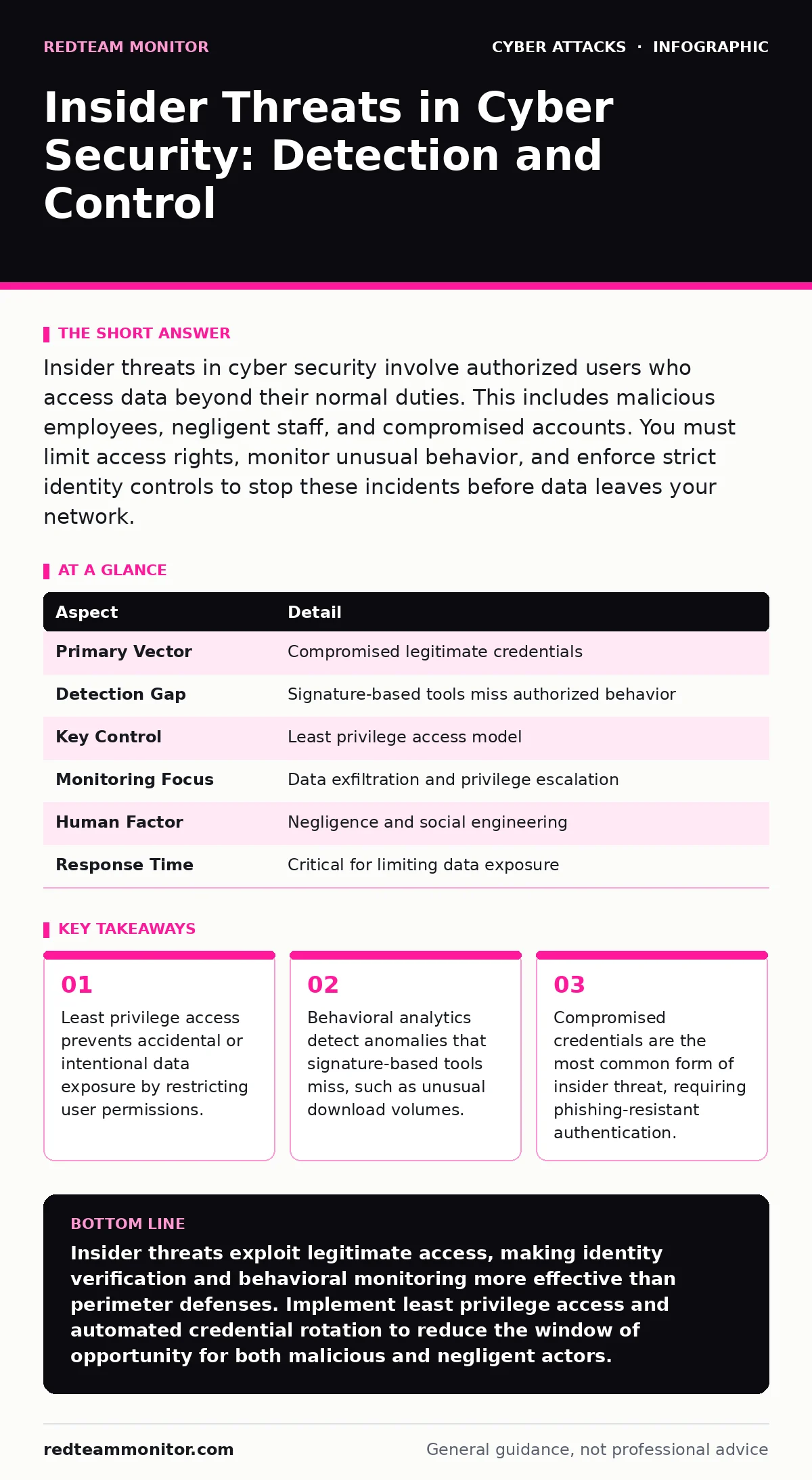
Insider threats in cyber security involve authorized users who access data beyond their normal duties. This includes malicious employees, negligent staff, and compromised accounts. You must limit access rights, monitor unusual behavior, and enforce strict identity controls to stop these incidents before data leaves your network.
Understanding the Insider Threat Model
Insider threats in cyber security refer to risks that originate from within the organization. These individuals possess legitimate access to systems, networks, or data. The threat does not require a breach of the perimeter. The attacker already has a key. Imagine a librarian who can check out any book. If that librarian decides to steal rare volumes, the library locks cannot stop them. They only stop people without cards. You must trust the system that checks the card, not the person holding it.
The model splits into three categories. Malicious insiders act with intent to harm. Negligent insiders cause damage through carelessness or error. Compromised accounts occur when external attackers hijack legitimate credentials. This last category is the most frequent. Attackers use stolen passwords to look like normal users. Your security tools see a valid login from a known IP address. They do not see an intruder. They see a colleague.
| Aspect | Detail |
|---|---|
| Primary Vector | Compromised legitimate credentials |
| Detection Gap | Signature-based tools miss authorized behavior |
| Key Control | Least privilege access model |
| Monitoring Focus | Data exfiltration and privilege escalation |
| Human Factor | Negligence and social engineering |
| Response Time | Critical for limiting data exposure |
How Insider Threats Operate in Practice
The mechanism relies on trust. Systems grant permissions based on identity. If the identity is valid, the system complies. An insider threat exploits this compliance. They do not need to break in. They need to move laterally. Suppose an accountant needs access to billing records. The system grants that access. The attacker then uses that access to find administrative tools. They escalate privileges. They copy files to external storage. They disable logging. The system records these actions as normal operations.
This process is quiet. There are no failed login attempts. There are no port scans. There is no malware signature. The traffic looks like business as usual. The only anomaly is the volume or timing. A user who usually logs in during business hours suddenly accesses files at 3 AM. A user who usually downloads small reports suddenly transfers gigabytes of data. These are the signals. You must configure monitoring to catch these deviations. Standard firewalls do not filter internal traffic by default. You need internal segmentation. See firewalls for details on segmenting network zones to limit lateral movement.
Who Faces the Greatest Risk
Every organization with digital assets faces this risk. The impact scales with data sensitivity. Financial institutions hold transaction records. Healthcare providers store patient histories. Technology firms protect intellectual property. The common thread is trust. Organizations that rely on implicit trust fail. They assume employees will not abuse access. They assume partners will not leak data. They assume contractors will not copy code.
The risk increases with remote work. Physical security boundaries disappear. Users connect from home networks. Devices are shared. Personal and professional data mix. The perimeter is everywhere. You cannot secure a device you do not own. You cannot monitor a connection you do not control. You must verify the user, not the location. Identity becomes the new perimeter. See phishing-resistant authentication to understand how to verify identity without relying on passwords alone.
What People Usually Get Wrong
Organizations often focus on malicious intent. They hire background check firms. They install cameras. They watch for disgruntled employees. This is a narrow view. Most data loss comes from negligence. A user clicks a malicious link. They install spyware. The spyware captures their session. The attacker now acts as the user. This is an insider threat. The user did not intend harm. They were careless. The attacker exploited the carelessness.
Another error is relying on perimeter defenses. Attackers who compromise credentials bypass the perimeter. They are inside. Perimeter tools look outward. They do not look inward. You need internal visibility. You need to know what users do after they log in. You need to know where data goes. You need to know who accesses what. See session hijacking for details on how attackers take over active user sessions without needing passwords.
Building Effective Detection Controls
Detection requires baseline behavior. You must know what normal looks like. Then you flag deviations. Behavioral analytics tools build this baseline. They track login times, file access patterns, and data transfer volumes. They learn over time. When a user deviates, the tool alerts. These alerts require tuning. Too many false positives cause alert fatigue. Security teams ignore warnings. Too few misses the threat. You must refine the rules.
Privileged Access Management (PAM) is critical. Admin accounts have broad powers. They can disable security controls. They can access all data. PAM solutions restrict these accounts. They require approval for use. They record all actions. They provide just-in-time access. This limits the window of opportunity. An attacker who steals an admin credential must act quickly. The system will lock the account or require re-authentication. See API abuse to understand how exposed interfaces can be exploited by insiders with technical skills.
See also: Responding to Password Spraying: Containment and Recovery Steps · SSO vs MFA: How to Choose Identity Controls That Actually Work
Implementing Prevention Strategies
Prevention starts with least privilege. Users get only the access they need. Nothing more. Nothing less. Review permissions regularly. Remove access when roles change. Automate this process. Manual reviews miss changes. Turnover is high. People leave. Accounts remain active. These orphaned accounts are targets. Attackers use them because they are rarely monitored.
Segregation of duties prevents single-point failures. No one user should be able to approve and execute a transaction. Two keys are needed. This stops malicious insiders from acting alone. It stops negligent insiders from causing irreversible damage. You must design workflows that enforce this. Technical controls support the policy. Database rights, file permissions, and application roles must align. See drive-by downloads for context on how external compromises lead to internal threats.
Responding to Insider Incidents
Response must be fast. Data exfiltration happens quickly. Once data leaves, it is gone. You must detect the attempt early. Isolate the account. Revoke access. Preserve logs. Do not delete data. You need evidence. Investigate the scope. What files were accessed? What data was copied? Where did it go? Notify legal and compliance teams. Determine if regulatory reporting is required.
Post-incident review is vital. How did it happen? Was it negligence? Was it malice? Was it a compromised account? Fix the root cause. If it was negligence, improve training. If it was malice, improve controls. If it was compromise, improve authentication. Continuous improvement is the only path. Threats evolve. Controls must evolve with them. See baiting attacks to understand how social engineering tricks users into compromising their own security.
Long-Term Resilience and Culture
Security is a culture. Policies alone do not work. People must understand why. They must see the value. They must feel responsible. Training must be practical. Use realistic scenarios. Show the impact. Explain the consequences. Make security part of the workflow, not a hurdle. When security slows work, people bypass it. Design for usability. Friction creates risk.
Monitor the human factor. Burnout leads to errors. Stress leads to mistakes. Support your team. Provide clear channels for reporting concerns. Anonymous reporting helps. People may see threats but fear retaliation. Create a safe environment. Trust is built on transparency. You must trust your team to do the right thing. You must also verify that they did.
Key takeaways
- Least privilege access prevents accidental or intentional data exposure by restricting user permissions.
- Behavioral analytics detect anomalies that signature-based tools miss, such as unusual download volumes.
- Compromised credentials are the most common form of insider threat, requiring phishing-resistant authentication.
- Separation of duties ensures no single user can complete a high-risk transaction without oversight.
Insider threats exploit legitimate access, making identity verification and behavioral monitoring more effective than perimeter defenses. Implement least privilege access and automated credential rotation to reduce the window of opportunity for both malicious and negligent actors.
Frequently asked questions
How do I distinguish between a negligent user and a malicious insider?
Intent is hard to prove technically. Focus on the outcome. Both cause data loss. Investigate the root cause to determine if training or stricter controls are needed.
Can automated tools detect all insider threats?
No. Tools detect anomalies. They cannot determine intent. Human analysis is required to interpret alerts and investigate suspicious behavior effectively.
Should I monitor all employee activity?
Monitor access to sensitive data and privileged actions. Mass surveillance of all activity raises privacy concerns and creates too much noise to be useful.
How often should I review user access rights?
Review access rights continuously. Automate de-provisioning when employment ends. Conduct quarterly audits for privileged accounts to ensure compliance.
How this guide was produced: written by the RedTeam Monitor editorial team with AI assistance, checked against the public references listed below, and reviewed when the facts change. See our editorial policy or report an error.