
SSO vs MFA: How to Choose Identity Controls That Actually Work
Single sign-on reduces password fatigue but increases the blast radius of a compromised session token, requiring strict lifecycle management.
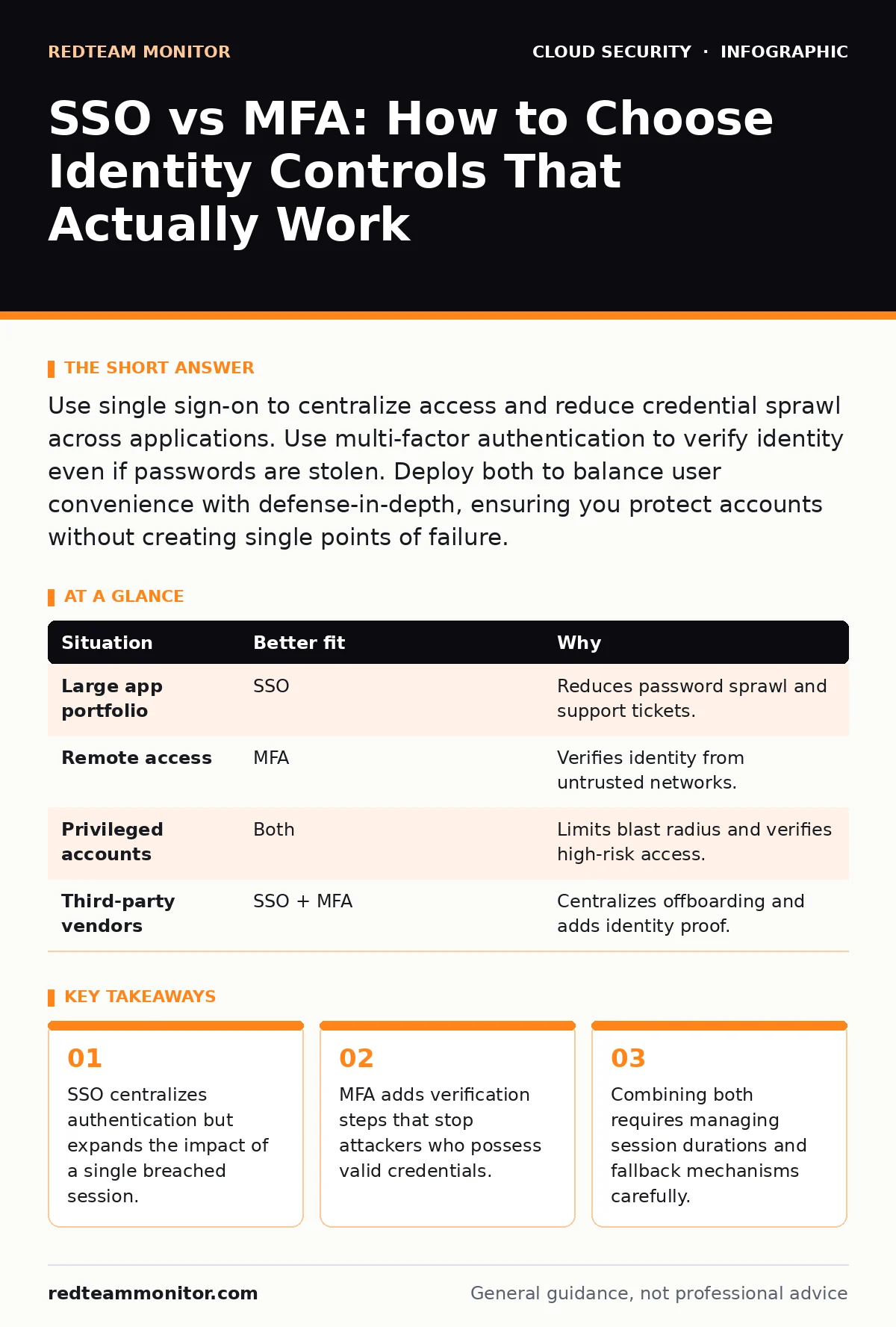
Use single sign-on to centralize access and reduce credential sprawl across applications. Use multi-factor authentication to verify identity even if passwords are stolen. Deploy both to balance user convenience with defense-in-depth, ensuring you protect accounts without creating single points of failure.
Centralization Versus Verification
Single sign-on (SSO) allows you to authenticate once to access multiple applications. It replaces individual usernames and passwords for each service with a single session token. This reduces the number of credentials you must remember and manage. However, it concentrates risk. If an attacker compromises your SSO session, they gain access to every linked application.
Multi-factor authentication (MFA) requires two or more proofs of identity. These proofs usually come from three categories: something you know, something you have, and something you are. MFA does not reduce the number of passwords. It adds a layer that verifies you are the legitimate account holder. This stops attackers who have stolen passwords through phishing or data leaks.
The Cost of Friction
Every security control introduces friction. Friction is the resistance users feel when completing a task. High friction leads to workarounds. Users might write passwords on sticky notes or reuse credentials across personal and work accounts. SSO reduces friction by eliminating repeated logins. It creates a smoother experience for legitimate users.
MFA increases friction by adding steps. Entering a code or approving a notification takes time. If the MFA process is clumsy, users may ignore it or seek bypasses. Imagine a developer who needs instant access to a server. If MFA requires a physical token they left at home, they may disable it or ask an admin to whitelist their IP. This creates a security gap.
Session Lifespan and Scope
SSO relies on session tokens. These tokens prove you have already authenticated. The lifespan of this token determines how long you stay logged in without re-authenticating. A long-lived token is convenient but risky. If your device is lost, the token remains valid until it expires. You must implement strict session timeouts.
MFA is typically a one-time event per login or session start. It does not continuously verify your identity. Once MFA passes, you enter a session. That session is then protected by the SSO token or the application’s own cookie. This means MFA protects the entry point, not the duration of use. You need other controls to monitor activity during the session.
Situational Fit Analysis
Not every scenario requires the same balance. Some environments prioritize speed and access. Others prioritize containment and verification. The table below outlines which control fits specific operational needs.
| Situation | Better fit | Why |
|---|---|---|
| Large app portfolio | SSO | Reduces password sprawl and support tickets. |
| Remote access | MFA | Verifies identity from untrusted networks. |
| Privileged accounts | Both | Limits blast radius and verifies high-risk access. |
| Third-party vendors | SSO + MFA | Centralizes offboarding and adds identity proof. |
The Danger of Single Points
SSO creates a single point of failure. If the identity provider goes down, no one can log in. This is an availability risk. You must ensure the identity provider is resilient. Redundancy and failover plans are necessary. You cannot rely on a single vendor without a backup plan.
MFA can also create a single point of failure. If you rely solely on SMS for verification, and the mobile network is down, you are locked out. Or if an attacker intercepts SMS, they bypass MFA. This is why SMS is no longer considered secure for high-risk accounts. You need backup methods. Hardware tokens or backup codes provide resilience.
See also: Zero Trust Network Access: Seven Practices for Secure Cloud Identity · Least Privilege for Small Teams: Cut Risk Without Slowing Work
Using Both Together
SSO and MFA are not alternatives. They are complementary. SSO handles the "who are you" at scale. MFA handles the "prove it" at critical moments. Deploying both is the standard for modern security. You use SSO to manage access to hundreds of apps. You use MFA to verify identity when logging in to the SSO provider.
This combination creates a layered defense. The attacker must breach the MFA to get the SSO token. Then they must steal the token to access apps. This raises the bar significantly. You must manage the integration carefully. Ensure MFA triggers at the right times. Do not prompt for MFA on every single action, as this causes fatigue. Trigger it on new devices, unusual locations, or sensitive actions.
Key takeaways
- SSO centralizes authentication but expands the impact of a single breached session.
- MFA adds verification steps that stop attackers who possess valid credentials.
- Combining both requires managing session durations and fallback mechanisms carefully.
Frequently asked questions
Can I use SSO without MFA?
Technically yes, but it is highly risky. SSO concentrates access into one token. Without MFA, a stolen password gives full access to all linked services. Most frameworks require MFA for SSO deployments.
Does SSO replace the need for unique passwords?
No. SSO still requires a primary credential to start the session. That credential must be strong. If the master password is weak, SSO amplifies the damage. Use a secrets manager to handle application credentials separately.
What happens if my MFA device is lost?
You must have a recovery process. This usually involves backup codes or an alternative verification method. Without a recovery plan, you risk permanent lockout. Ensure your identity provider supports multiple recovery channels.
How does this relate to cloud security?
Cloud environments rely on identity as the perimeter. Proper SSO and MFA configuration prevents cloud account hijacking. It ensures that only verified users can access cloud resources, reducing the risk of data exfiltration.
How this guide was produced: written by the RedTeam Monitor editorial team with AI assistance, checked against the public references listed below, and reviewed when the facts change. See our editorial policy or report an error.