Identity Theft Prevention Checklist for Technical Users
Most identity theft occurs through credential reuse and weak recovery flows, not through direct system breaches or sophisticated malware campaigns targeting your device.
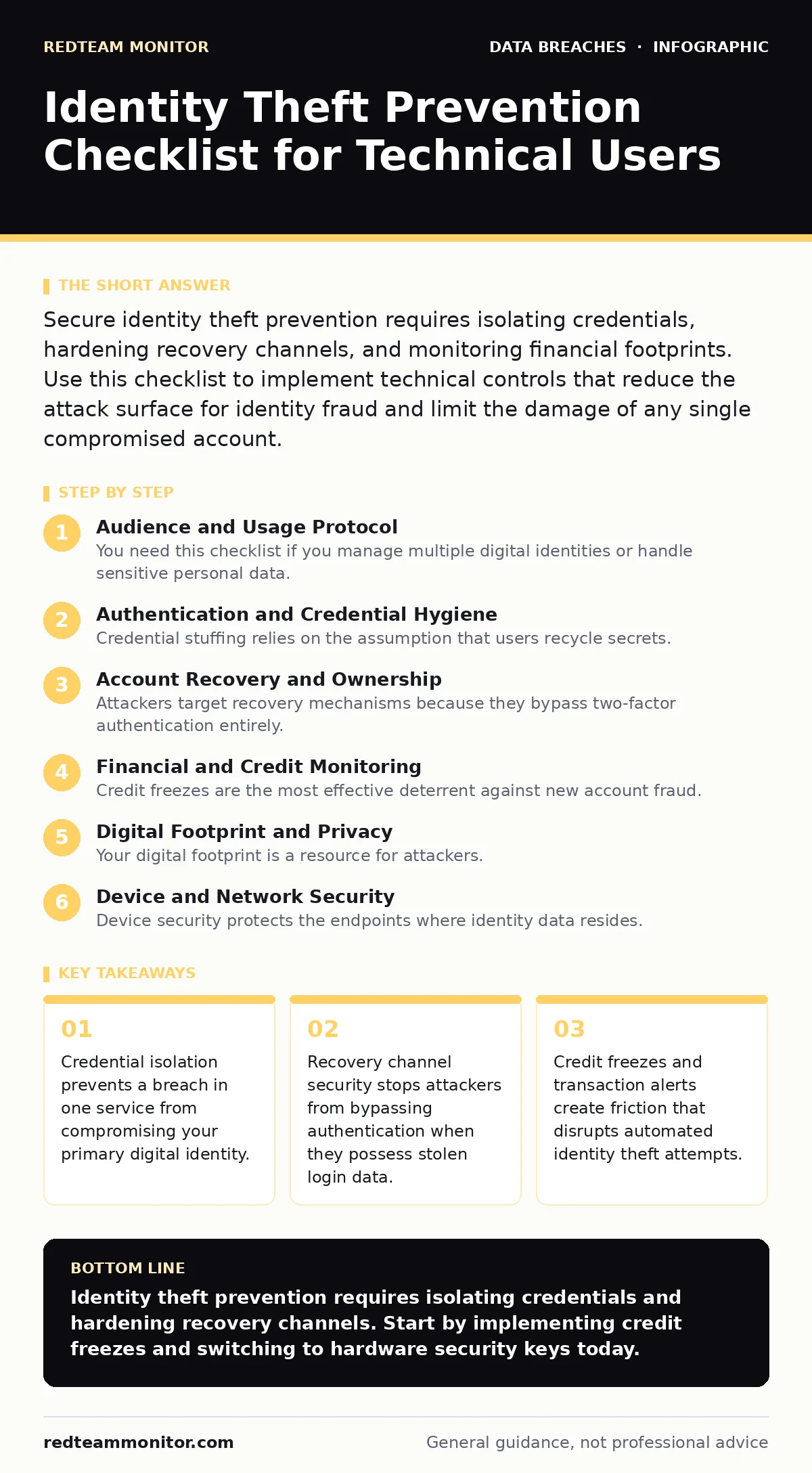
Secure identity theft prevention requires isolating credentials, hardening recovery channels, and monitoring financial footprints. Use this checklist to implement technical controls that reduce the attack surface for identity fraud and limit the damage of any single compromised account.
Audience and Usage Protocol
You need this checklist if you manage multiple digital identities or handle sensitive personal data. Security operations teams often overlook personal identity hygiene, assuming professional protocols suffice. Personal accounts lack enterprise-grade monitoring and incident response capabilities. This list provides specific technical controls to harden your digital footprint. Review each item quarterly. Update settings when you change devices or service providers. Do not skip items assuming they are low risk. Compromised low-value accounts often serve as stepping stones to high-value targets.
Authentication and Credential Hygiene
- Use a dedicated password manager: Unique passwords prevent credential stuffing attacks from other breaches.
- Enable hardware security keys: USB or NFC keys resist phishing and man-in-the-middle attacks better than software tokens.
- Disable SMS-based two-factor authentication: SIM swapping allows attackers to intercept codes sent via cellular networks.
- Review active sessions regularly: Terminating unknown sessions limits the window of access after a credential leak.
- Avoid password reuse across domains: A breach in one service exposes accounts sharing the same secret key.
Credential stuffing relies on the assumption that users recycle secrets. When you use unique passwords, an attacker gains nothing from a leaked database except access to that single account. Hardware keys add a physical barrier that remote attackers cannot bypass without physical possession of the device. This aligns with principles found in guides on credential dumps, where leaked data is immediately actionable only if secrets are shared.
Account Recovery and Ownership
- Register multiple recovery email addresses: Redundant contact methods prevent a single point of failure in account ownership.
- Verify recovery phone numbers manually: Automated systems may accept invalid numbers, locking you out during a crisis.
- Store recovery codes offline: Printed or air-gapped codes prevent remote theft of account reset capabilities.
- Monitor for unauthorized recovery changes: Alerts on contact updates signal an ongoing takeover attempt.
- Use a separate email for primary accounts: Isolating critical services reduces impact if your main email is compromised.
Attackers target recovery mechanisms because they bypass two-factor authentication entirely. If you lose access to your primary email, your backup must be secure. Many users store recovery codes in the same password manager as their credentials. This creates a single point of failure. If the manager is breached, the attacker resets all accounts. Keeping recovery methods distinct ensures that compromising one layer does not grant full control. This separation of duties is critical for maintaining ownership.
Financial and Credit Monitoring
- Place credit freezes with all bureaus: Freezing your file stops new accounts from being opened in your name.
- Set transaction alerts for all cards: Real-time notifications help you detect unauthorized activity immediately.
- Monitor credit reports quarterly: Regular checks reveal discrepancies that automated systems might miss.
- Opt out of prescreened offers: Reducing the flow of credit data limits exposure to mail theft and fraud.
- Use virtual card numbers for online purchases: Single-use cards limit the damage if a merchant is breached.
Credit freezes are the most effective deterrent against new account fraud. They require the attacker to contact you directly to lift the freeze, adding friction to the crime. Transaction alerts provide visibility into existing account abuse. Virtual cards isolate your primary financial data from merchant databases. This approach complements strategies discussed in data leaks guides, where merchant breaches often expose payment details. By using disposable credentials, you ensure that leaked data is useless after one transaction.
Digital Footprint and Privacy
- Audit social media privacy settings: Public profile data aids social engineering and identity verification attacks.
- Remove personal data from people-search sites: Data brokers aggregate information that attackers use to answer security questions.
- Disable location sharing on apps: Geolocation data helps attackers confirm your identity and timing of activities.
- Use alias emails for non-critical services: Pseudonyms protect your primary contact information from harvesting.
- Review app permissions regularly: Over-privileged apps can access contacts, photos, and messages without your knowledge.
Your digital footprint is a resource for attackers. Every piece of public information helps them answer security questions or build a profile for social engineering. People-search sites sell your address, phone number, and relatives' names. Attackers use this data to impersonate you during customer support calls. Removing this data reduces the accuracy of their profiles. This aligns with medical identity theft prevention, where attackers need detailed personal history to forge insurance claims.
See also: Password Reuse Prevention Checklist for Secure Identity Management
Device and Network Security
- Enable full-disk encryption: Encryption protects data if your device is physically stolen or lost.
- Keep operating systems updated: Patches fix vulnerabilities that allow remote code execution and data theft.
- Use a firewall on home networks: Firewalls block unsolicited inbound connections from the internet.
- Disable Bluetooth when not in use: Bluetooth signals can be intercepted or used for proximity-based attacks.
- Separate guest network for IoT devices: Isolating smart devices prevents them from accessing sensitive data.
Device security protects the endpoints where identity data resides. Full-disk encryption ensures that stolen hardware does not yield readable data. Updates close known security holes. Firewalls and network segmentation limit lateral movement if a device is compromised. These measures reduce the risk of stolen session tokens, as encrypted connections and updated software mitigate many interception techniques. Proper network hygiene ensures that compromised smart devices cannot reach your primary workstation.
Incident Response Preparation
- Create a digital emergency kit: Pre-written statements and account lists speed up fraud resolution.
- Identify fraud contact numbers: Having direct lines to banks and bureaus reduces delay during a crisis.
- Back up identity documents securely: Digital copies of ID cards help prove ownership during account recovery.
- Know your rights under privacy laws: Understanding legal recourse helps you demand data removal from brokers.
- Practice recovery procedures annually: Drills ensure you remember steps when under stress from a breach.
Preparation reduces the impact of identity theft. When you have a plan, you react faster. A digital emergency kit includes copies of ID, a list of accounts, and fraud reports. This reduces the time spent gathering information while the attack is ongoing. Understanding cyber insurance limitations is also relevant, as many policies exclude personal identity theft losses. Knowing what is covered helps you prioritize response efforts effectively.
Integration with Broader Security
- Monitor for dark web exposure: Check if your credentials appear in known credential dumps.
- Review backup data exposure risks: Ensure personal backups are encrypted and stored securely.
- Consider digital forensics for severe cases: Professional analysis helps trace the source of identity compromise.
- Understand breach dwell time implications: The longer an attacker stays, the more damage they cause.
- Evaluate medical identity theft risks: Healthcare data is highly valuable and often overlooked in personal security.
Identity theft is part of a larger security ecosystem. Monitoring for leaked credentials helps you act before an attacker uses them. Understanding how long attackers remain undetected (breach dwell time) emphasizes the need for proactive monitoring. Personal security practices should mirror enterprise standards. By integrating these checks, you create a resilient defense against identity fraud. This holistic approach ensures that no single failure leads to catastrophic identity loss.
Key takeaways
- Credential isolation prevents a breach in one service from compromising your primary digital identity.
- Recovery channel security stops attackers from bypassing authentication when they possess stolen login data.
- Credit freezes and transaction alerts create friction that disrupts automated identity theft attempts.
Identity theft prevention requires isolating credentials and hardening recovery channels. Start by implementing credit freezes and switching to hardware security keys today.
Frequently asked questions
How do I know if my identity has been stolen?
Look for unexpected credit inquiries, denied loan applications, or unfamiliar transactions on bank statements.
Can two-factor authentication stop identity theft?
It significantly reduces risk by adding a second verification step, but it does not protect against phishing or SIM swapping.
Should I freeze my credit if I apply for loans frequently?
You can temporarily unfreeze your credit with specific bureaus for the application period, then refreeze immediately after.
What is the difference between identity theft and data breaches?
Data breaches expose information; identity theft is the fraudulent use of that exposed information to impersonate you.
How this guide was produced: written by the RedTeam Monitor editorial team with AI assistance, checked against the public references listed below, and reviewed when the facts change. See our editorial policy or report an error.