
How Zero-Day Malware Works: The Mechanics of Unknown Threats
Zero-day malware bypasses defenses by exploiting unknown flaws, making signature-based detection useless until the vulnerability is patched and signatures are updated.
Zero-day malware exploits software vulnerabilities that vendors do not yet know about or have not patched. It operates without a known digital signature, allowing it to evade traditional antivirus tools. Defenders stop it by limiting execution rights, monitoring for abnormal behavior, and isolating suspicious processes before they can establish persistence or spread.
The Anatomy of an Unknown Threat
Zero-day malware targets a software flaw that the vendor has not yet discovered or patched. The term "zero-day" refers to the number of days the public or vendor has known about the vulnerability. Since the fix does not exist, defenders cannot rely on traditional updates to block the attack. The malware uses this window of exposure to execute code that the system expects to be legitimate.
This type of threat differs from standard malware because it lacks a known fingerprint. Traditional security tools compare files against a database of known bad actors. When the code is new, the database is empty. The attacker relies on this gap to gain initial access. Understanding the mechanics of this bypass helps you design defenses that do not depend on prior knowledge of the threat.
Stage 1: Discovery and Weaponization
The process begins when an attacker identifies a vulnerability in a widely used application. They then craft a specific payload designed to trigger that flaw. This payload is the weaponized exploit. It must be precise because even a small change in the code can cause the exploit to fail or crash the application.
The attacker tests this combination in a controlled environment. They ensure the exploit works reliably across different system configurations. This stage requires deep technical knowledge of the software’s memory management or input handling. The goal is to create a tool that converts a harmless input into executable code.
Stage 2: Delivery and Initial Access
Once the exploit is ready, the attacker needs a way to get it onto your system. Common methods include phishing emails with malicious attachments or drive-by downloads from compromised websites. The delivery mechanism must trick the user or the system into executing the payload.
For example, a document might contain a macro that triggers the exploit when opened. Or a web browser might process a specially crafted image that overflows a memory buffer. The key is that the user performs an action they believe is safe. This stage highlights the limitation of perimeter defenses. Firewalls often allow these connections because they use standard protocols and ports.
Stage 3: Execution and Privilege Escalation
After the payload lands, it executes within the context of the vulnerable application. If the exploit works, the malware gains control of the application’s processes. It often tries to elevate its privileges to gain administrative rights. This allows it to modify system settings and install additional components.
Privilege escalation is critical for the attacker’s long-term goals. Without admin rights, the malware is limited in what it can change. It might try to dump credentials from memory or inject code into higher-privilege processes. This phase is often silent. There are no obvious signs of infection because the malware is operating within expected system boundaries.
Stage 4: Persistence and Lateral Movement
With elevated privileges, the malware establishes persistence. It creates scheduled tasks, modifies registry keys, or installs new services to ensure it survives reboots. This step ensures the attacker retains access even if you disconnect from the network.
Next, the malware may scan the internal network for other targets. It looks for shared folders, weak credentials, or other vulnerable systems. This lateral movement expands the breach beyond the initial entry point. It transforms a single compromised host into a widespread incident. This behavior mirrors how computer worms spread, but with more targeted intent.
Stage 5: Data Exfiltration or Disruption
The final stage depends on the attacker’s objective. If the goal is financial gain, the malware may encrypt files and demand payment, similar to ransomware. If the goal is espionage, it may steal sensitive data and send it to a remote server.
The malware uses encrypted channels to communicate with command and control servers. This hides the traffic from casual network monitoring. The attacker may wait days or weeks before triggering the final payload. This delay makes it harder to correlate the initial infection with the eventual data loss.
Mapping the Attack Lifecycle
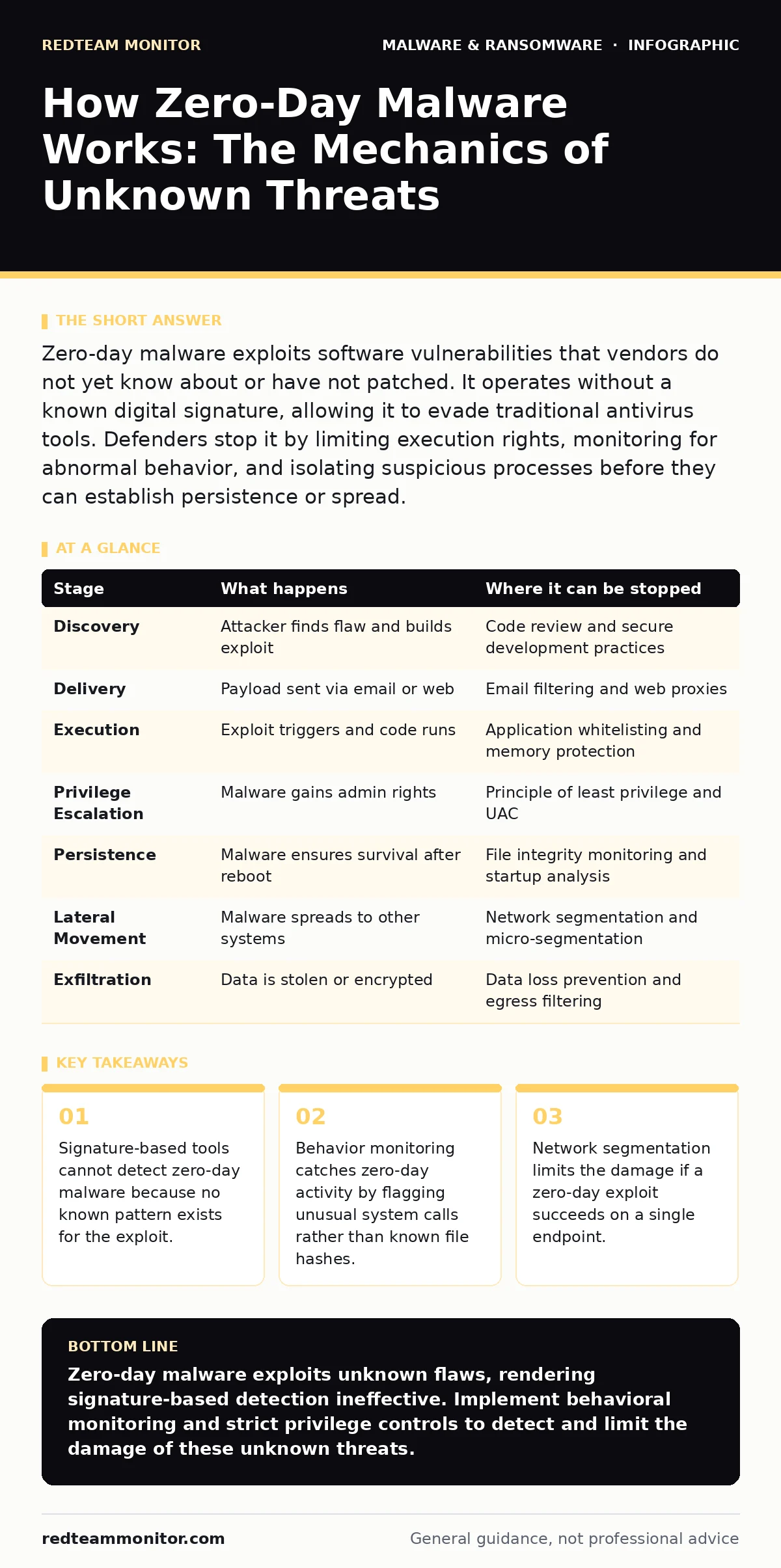
Understanding each stage helps you identify where detection is possible. While you cannot patch the vulnerability before the attacker finds it, you can monitor for the behaviors associated with each phase. The table below outlines the key actions and detection points.
| Stage | What happens | Where it can be stopped |
|---|---|---|
| Discovery | Attacker finds flaw and builds exploit | Code review and secure development practices |
| Delivery | Payload sent via email or web | Email filtering and web proxies |
| Execution | Exploit triggers and code runs | Application whitelisting and memory protection |
| Privilege Escalation | Malware gains admin rights | Principle of least privilege and UAC |
| Persistence | Malware ensures survival after reboot | File integrity monitoring and startup analysis |
| Lateral Movement | Malware spreads to other systems | Network segmentation and micro-segmentation |
| Exfiltration | Data is stolen or encrypted | Data loss prevention and egress filtering |
Applying Behavioral Defenses
Since signature-based detection fails against zero-day malware, you must rely on behavior analysis. This involves monitoring system calls, process creation, and network connections for anomalies. Endpoint detection and response (EDR) tools excel at this by recording detailed activity logs.
You should configure these tools to alert on specific high-risk behaviors. For instance, a web browser launching a command shell is highly suspicious. Or a document editor modifying system registry keys. These actions are rare in normal operations. By focusing on behavior, you catch the attack regardless of the specific exploit used.
The Limits of Automation
No automated tool can catch every zero-day exploit. Some attacks are designed to mimic normal user behavior closely. They execute slowly to avoid triggering heuristic alerts. This is known as living off the land. The malware uses built-in system tools to perform malicious actions.
This limitation means human analysis remains necessary. Security teams must review alerts and investigate suspicious patterns. You should also consider the trade-offs of strict controls. Overly restrictive policies can hinder productivity. Finding the right balance requires understanding your specific environment and risk tolerance.
Reducing the Attack Surface
The most effective defense against zero-day malware is reducing the number of potential entry points. This means removing unnecessary software and disabling unused features. Every application you install is a potential target.
Regularly update your systems to patch known vulnerabilities. This does not stop zero-days, but it prevents attackers from using easier, known exploits. Combine this with strict access controls. Users should only have the permissions they need to do their jobs. This limits the damage if an exploit does succeed.
Key takeaways
- Signature-based tools cannot detect zero-day malware because no known pattern exists for the exploit.
- Behavior monitoring catches zero-day activity by flagging unusual system calls rather than known file hashes.
- Network segmentation limits the damage if a zero-day exploit succeeds on a single endpoint.
Zero-day malware exploits unknown flaws, rendering signature-based detection ineffective. Implement behavioral monitoring and strict privilege controls to detect and limit the damage of these unknown threats.
Frequently asked questions
Can antivirus software detect zero-day malware?
Traditional antivirus relies on known signatures, so it cannot detect zero-day malware by definition. However, modern solutions with heuristic or behavioral analysis may flag suspicious activity associated with the exploit.
How long does a zero-day vulnerability remain unpatched?
The duration varies widely. Some vulnerabilities are patched within days of discovery, while others may remain open for months or years if the vendor is unaware or the fix is complex.
What is the difference between a zero-day exploit and zero-day malware?
A zero-day exploit is the code or technique used to take advantage of an unknown vulnerability. Zero-day malware is the malicious software payload delivered by that exploit to achieve the attacker’s goals.
Is network segmentation effective against zero-day attacks?
Yes, network segmentation limits the lateral movement of malware. Even if a zero-day exploit compromises one system, segmentation prevents it from easily accessing other parts of the network.
How this guide was produced: written by the RedTeam Monitor editorial team with AI assistance, checked against the public references listed below, and reviewed when the facts change. See our editorial policy or report an error.