Detect Exposed Kubernetes Dashboards Before Attackers Do
Unauthenticated dashboard access often bypasses network controls, giving attackers direct control over cluster resources without triggering standard intrusion alerts.
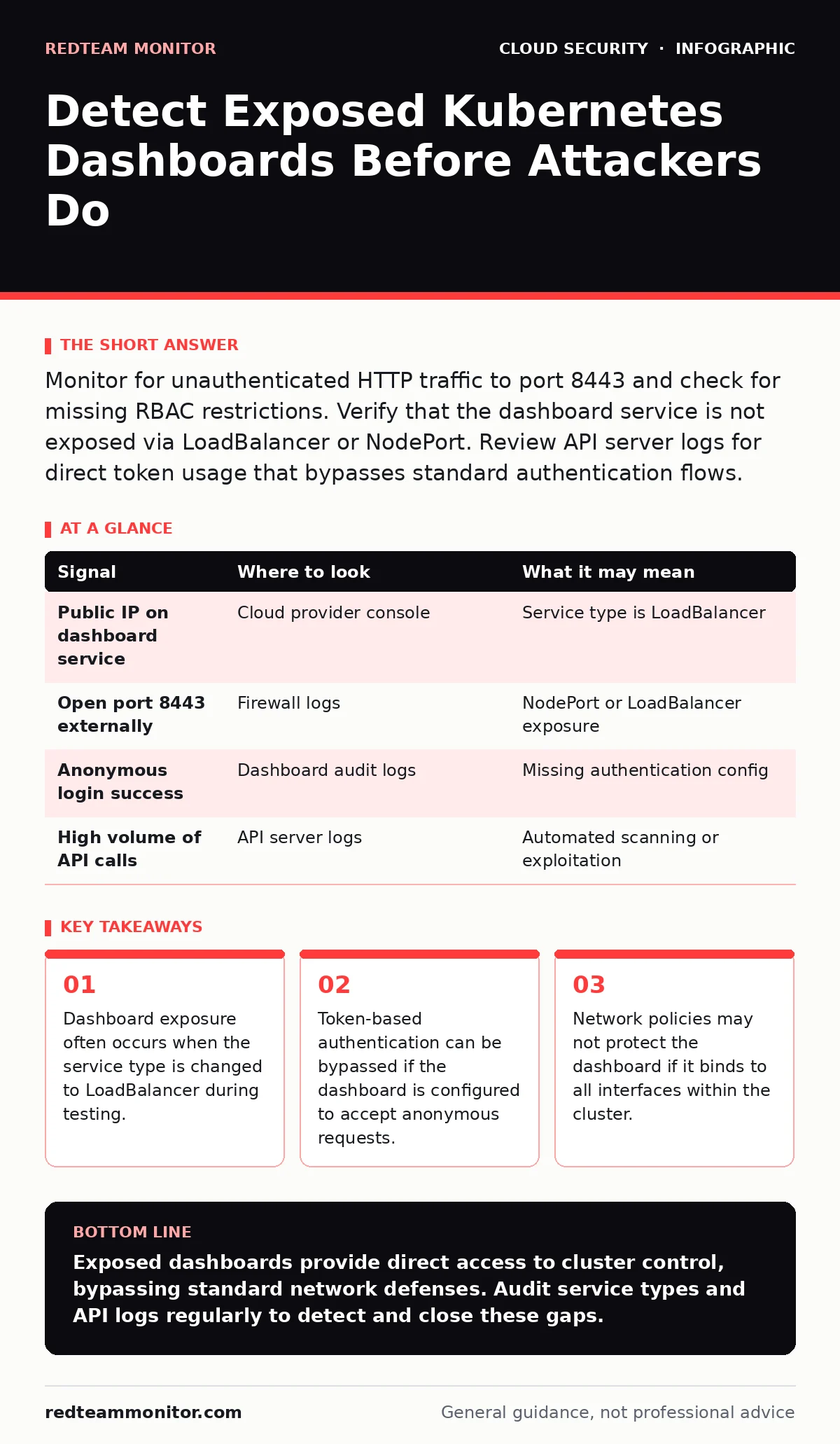
Monitor for unauthenticated HTTP traffic to port 8443 and check for missing RBAC restrictions. Verify that the dashboard service is not exposed via LoadBalancer or NodePort. Review API server logs for direct token usage that bypasses standard authentication flows.
The Hidden Attack Surface of Dashboards
Kubernetes dashboards provide a visual interface for managing cluster resources. When misconfigured, they become a high-value target for attackers. The danger lies in the direct access they grant to the API server. An exposed dashboard can allow an adversary to spawn containers, read secrets, and escalate privileges. This exposure often happens quietly, without obvious signs of compromise. You must look beyond standard firewall logs to find these gaps.
Network Configuration Errors
The most common cause of exposure is a misconfigured service type. Developers often change the dashboard service type to LoadBalancer for easy access during testing. This action creates a public IP address for the dashboard. If this change is not reverted, the dashboard remains accessible from the internet. Another risk is using NodePort, which exposes the service on every node’s IP address. This widens the attack surface significantly. You should audit all services with these types regularly. Check if any service named kubernetes-dashboard uses these exposure methods.
| Signal | Where to look | What it may mean |
|---|---|---|
| Public IP on dashboard service | Cloud provider console | Service type is LoadBalancer |
| Open port 8443 externally | Firewall logs | NodePort or LoadBalancer exposure |
| Anonymous login success | Dashboard audit logs | Missing authentication config |
| High volume of API calls | API server logs | Automated scanning or exploitation |
API Server Log Analysis
The Kubernetes API server logs every request made to the cluster. These logs are your primary source for detecting unauthorized access. Look for requests originating from unexpected IP addresses. Pay attention to requests that do not include valid authentication tokens. The dashboard often uses a static token for authentication. If you see repeated requests using the same token from multiple sources, it may be compromised. Also, watch for requests that bypass the standard authentication webhook. This indicates a configuration error in the dashboard itself.
Authentication Bypass Indicators
The dashboard can be configured to skip authentication entirely. This is a dangerous setting that allows anyone with network access to log in. Check the dashboard deployment configuration for the --disable-auth flag. If this flag is present, the dashboard is wide open. Even with authentication enabled, weak token management poses a risk. Tokens are often stored in secrets within the cluster. If these secrets are not protected, attackers can extract them. You should verify that the dashboard requires valid bearer tokens for every request. Disable any option that allows anonymous access.
Behavioral Anomalies in Cluster Activity
An exposed dashboard often leads to unusual activity within the cluster. Attackers use the interface to create new pods or services. Look for pods that start without a clear owner or label. These orphaned pods may be backdoors left by an intruder. Also, monitor for new network policies that allow traffic from anywhere. Attackers often modify policies to maintain access. Check for containers running with elevated privileges. These containers can access the host filesystem and other sensitive resources. Any sudden change in resource usage should be investigated.
See also: Service Mesh Security Misconceptions That Weaken Your Defense · Implement Single Sign-On: A Step-by-Step Rollout Plan
Common Blind Spots in Detection
Many teams miss dashboard exposure because they focus on external perimeter defenses. They assume that if the cluster is internal, it is safe. This assumption fails when the dashboard is exposed via a cloud load balancer. Another blind spot is the use of internal DNS names. Attackers inside the network can use these names to reach the dashboard. You must treat the dashboard as a public-facing service until proven otherwise. Regular audits of service configurations are necessary. Do not rely on default settings for security.
Integrating with Broader Security Practices
Securing the dashboard is part of a larger strategy. You should integrate dashboard monitoring with your cloud vulnerability management processes. This ensures that known issues are patched promptly. Additionally, consider how this fits into your zero trust network access framework. The dashboard should require strong authentication and authorization. Limit access to specific IP ranges or users. This reduces the risk of unauthorized access. Regular reviews of access policies are necessary to maintain security.
Tools for Continuous Monitoring
Several tools can help you detect exposed dashboards. Network scanners can identify open ports and services. Configuration management tools can enforce secure settings. You can use policy engines to prevent the creation of public services. These tools provide continuous monitoring and alerting. They help you detect changes before they become critical. Integrate these tools with your security operations center. This ensures that alerts are reviewed and acted upon quickly. Automation reduces the risk of human error in configuration.
Key takeaways
- Dashboard exposure often occurs when the service type is changed to LoadBalancer during testing.
- Token-based authentication can be bypassed if the dashboard is configured to accept anonymous requests.
- Network policies may not protect the dashboard if it binds to all interfaces within the cluster.
Exposed dashboards provide direct access to cluster control, bypassing standard network defenses. Audit service types and API logs regularly to detect and close these gaps.
Frequently asked questions
How do I know if my Kubernetes dashboard is exposed?
Check if the dashboard service has a public IP address or is accessible on a NodePort. Test access from an external network to confirm exposure.
Can I secure the dashboard without disabling it?
Yes, by restricting access via network policies, using strong authentication, and ensuring the service type is ClusterIP.
What is the risk of an exposed dashboard?
Attackers can gain full control over the cluster, including reading secrets, creating pods, and escalating privileges.
How often should I audit dashboard configurations?
Audit configurations every time changes are made to the cluster and perform regular automated scans for drift.
How this guide was produced: written by the RedTeam Monitor editorial team with AI assistance, checked against the public references listed below, and reviewed when the facts change. See our editorial policy or report an error.