
Backup Data Exposure: 6 Myths That Leave Your Archives Open
Backup systems often bypass primary security controls, creating a silent channel for data exfiltration that standard monitoring tools fail to detect.
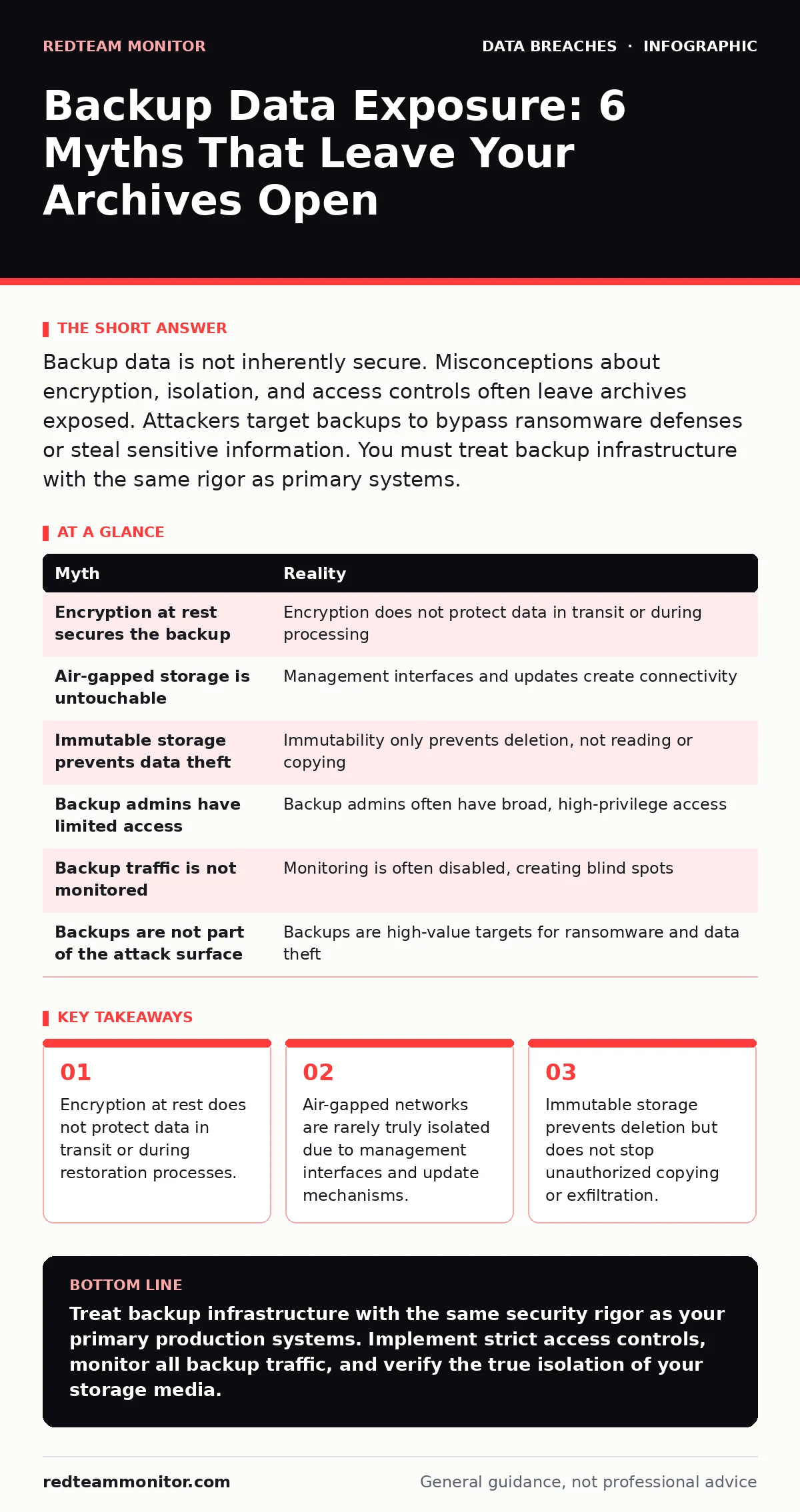
Backup data is not inherently secure. Misconceptions about encryption, isolation, and access controls often leave archives exposed. Attackers target backups to bypass ransomware defenses or steal sensitive information. You must treat backup infrastructure with the same rigor as primary systems.
Myth: Encryption At Rest Secures The Backup
Reality: Encryption at rest protects data only while it sits on disk. It does not secure data during the backup window, during transmission to secondary storage, or while the system processes the backup job.
When a backup agent reads files from the primary server, it decrypts them to create the archive. This process exposes the data in memory and across the network. If an attacker compromises the backup agent or the network segment, they can capture the data before it is encrypted again.
Many organizations assume that because the backup file is encrypted, the data is safe. This assumption fails when the encryption keys are stored on the same infrastructure or accessible via the same management console. An attacker with access to the backup management interface can often retrieve the keys or initiate a restore to a compromised endpoint.
You must treat the backup agent as a privileged component. Restrict its network access to only the necessary primary servers and the backup repository. Monitor the agent for unusual behavior, such as high CPU usage during non-scheduled times.
Myth: Air-Gapped Storage Is Untouchable
Reality: True air-gapping is rare in modern environments. Most "air-gapped" systems are connected to management networks, receive software updates, or are accessible via remote console interfaces.
Attackers do not need physical access to compromise an air-gapped system. They can exploit vulnerabilities in the management software, the firmware, or the update mechanism. If the backup system receives updates from the internet, it is not air-gapped. If it is monitored by a central dashboard accessible via the corporate network, it is not air-gapped.
The concept of an air gap is often a policy label rather than a technical reality. You must verify the physical and logical isolation of your backup media. Check for any network interfaces, even if they are disabled. Review the update process to ensure it does not require a live connection.
Consider the lifecycle of the backup media. If tapes or drives are moved between locations, they may be exposed to less secure environments. Track the physical location of all backup media. Implement tamper-evident seals and regular audits.
See our guide on digital forensics to understand how investigators trace attacks that bypassed network isolation.
Myth: Immutable Storage Prevents Data Theft
Reality: Immutability prevents deletion or modification of data for a set period. It does not prevent an attacker from reading, copying, or exfiltrating the data.
An attacker with read access to an immutable bucket can download the entire contents. They do not need to delete the data to cause harm. They can steal sensitive information, intellectual property, or personally identifiable information. Immutability protects against ransomware that encrypts or deletes files, but it offers no protection against data theft.
You must control read access to immutable storage as strictly as write access. Use role-based access control to limit who can view or download backup data. Monitor access logs for unusual download patterns. Alert on large data transfers to external IPs.
Combine immutability with network segmentation. Place immutable storage in a restricted zone with no direct internet access. Require multi-factor authentication for any administrative access.
Myth: Backup Administrators Have Limited Access
Reality: Backup administrators often have broad privileges to ensure comprehensive coverage. This includes access to all directories, databases, and application configurations.
This level of access is necessary for the backup software to function. However, it creates a high-value target for attackers. If a backup administrator account is compromised, the attacker gains access to the entire data estate. They can read any file, extract database contents, or modify backup configurations.
Standard identity governance often excludes backup accounts from regular rotation or review. These accounts may be service accounts with long-lived credentials. You must apply the same security controls to backup accounts as you do to user accounts. Use privileged access management solutions to monitor and record all actions.
Rotate credentials regularly. Implement just-in-time access for administrative tasks. Ensure that backup administrators do not share accounts. Each action should be attributable to a specific individual.
See our guide on credential dumps to learn how attackers harvest and reuse these high-privilege credentials.
Myth: Backup Traffic Is Not Monitored
Reality: Security information and event management systems often filter out backup traffic to reduce noise. This creates a blind spot where attackers can move laterally or exfiltrate data.
Backup jobs generate large volumes of data transfer. Monitoring this traffic can overwhelm SIEM systems. As a result, many organizations disable alerts for backup-related IP addresses or ports. Attackers exploit this by masquerading as backup traffic or using the backup channel to exfiltrate data.
You must distinguish between legitimate backup traffic and malicious activity. Define baseline behavior for backup jobs, including timing, volume, and destination. Alert on deviations from this baseline. Monitor for backup jobs running at unusual times or transferring data to unexpected destinations.
Use network segmentation to isolate backup traffic. Ensure that backup servers cannot initiate connections to external networks. Restrict outbound traffic to only the necessary update servers and management consoles.
See also: Password Reuse Prevention Checklist for Secure Identity Management · Least Privilege for Small Teams: Cut Risk Without Slowing Work
Myth: Backups Are Not Part Of The Attack Surface
Reality: Backup systems are part of the attack surface. They contain copies of sensitive data and often have weaker security controls than primary systems.
Attackers target backups to bypass ransomware defenses. If they can encrypt or delete the backups, they increase the pressure to pay the ransom. They also target backups to steal data that may have been deleted from the primary systems. The backup repository is a treasure trove of historical data.
You must include backup systems in your vulnerability management program. Patch the backup software and the underlying operating system regularly. Apply the principle of least privilege to all components. Conduct regular security assessments of the backup infrastructure.
Treat the backup environment as a critical asset. Protect it with the same rigor as the production environment. This includes firewalls, intrusion detection systems, and endpoint protection.
See our guide on initial access brokers to understand how attackers gain initial footholds in enterprise networks.
| Myth | Reality |
|---|---|
| Encryption at rest secures the backup | Encryption does not protect data in transit or during processing |
| Air-gapped storage is untouchable | Management interfaces and updates create connectivity |
| Immutable storage prevents data theft | Immutability only prevents deletion, not reading or copying |
| Backup admins have limited access | Backup admins often have broad, high-privilege access |
| Backup traffic is not monitored | Monitoring is often disabled, creating blind spots |
| Backups are not part of the attack surface | Backups are high-value targets for ransomware and data theft |
Key takeaways
- Encryption at rest does not protect data in transit or during restoration processes.
- Air-gapped networks are rarely truly isolated due to management interfaces and update mechanisms.
- Immutable storage prevents deletion but does not stop unauthorized copying or exfiltration.
- Backup administrators often possess excessive privileges that bypass standard identity governance.
Treat backup infrastructure with the same security rigor as your primary production systems. Implement strict access controls, monitor all backup traffic, and verify the true isolation of your storage media.
Frequently asked questions
How do I know if my backups are encrypted?
Check your backup software configuration and storage platform settings. Verify that encryption is enabled for both data at rest and data in transit. Ensure that keys are managed separately.
Can attackers delete immutable backups?
No, they cannot delete or modify immutable backups within the retention period. However, they can read and copy the data if they have access.
Should I air-gap my backups?
True air-gapping is difficult to maintain. Instead, focus on strict network segmentation, limited management access, and regular security audits of the backup infrastructure.
How often should I test my backups?
Test backups regularly to ensure they are restorable. Include security checks in your testing process to verify that access controls and encryption are functioning correctly.
How this guide was produced: written by the RedTeam Monitor editorial team with AI assistance, checked against the public references listed below, and reviewed when the facts change. See our editorial policy or report an error.