
How Attacker Persistence Works: The Step-by-Step Mechanics
Persistence relies on the operating system’s trust in its own configuration files, turning standard administrative features into reliable backdoors that survive reboots and credential changes.
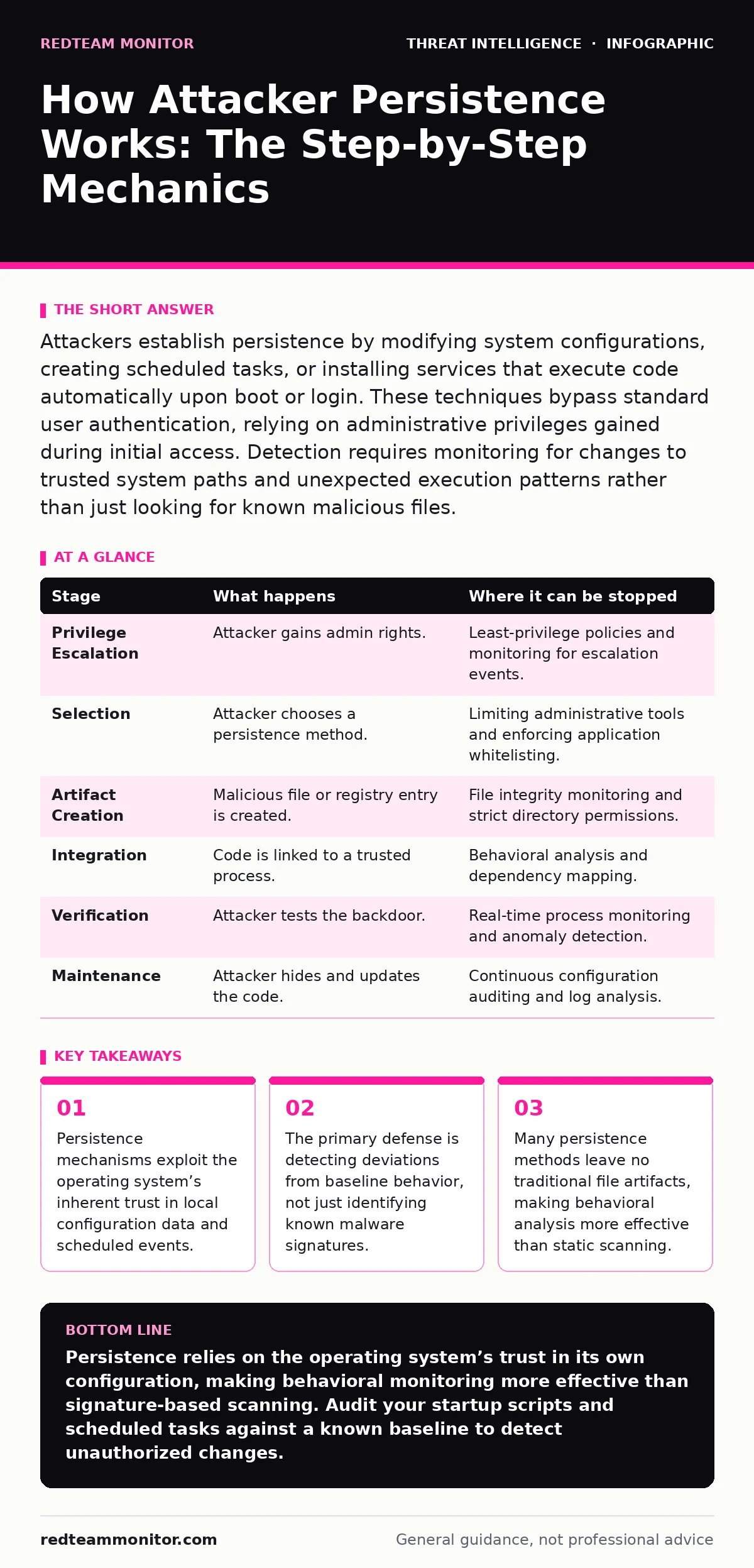
Attackers establish persistence by modifying system configurations, creating scheduled tasks, or installing services that execute code automatically upon boot or login. These techniques bypass standard user authentication, relying on administrative privileges gained during initial access. Detection requires monitoring for changes to trusted system paths and unexpected execution patterns rather than just looking for known malicious files.
The Logic of Staying Power
Initial access is only the beginning of an intrusion. If an attacker cannot return after a reboot or a password change, the compromise is temporary. Persistence is the set of techniques used to maintain access to a system across interruptions. The attacker’s goal is to embed their presence into the operating system’s normal startup or login sequence.
This process relies on a fundamental asymmetry. The operating system trusts its own configuration files and scheduled tasks implicitly. When the system reads a startup script or a registry key, it executes the contents without asking for permission. Attackers exploit this trust by inserting their code into these trusted locations.
Imagine a scenario where an attacker gains administrative rights once. They do not need to hack the system again. They simply place a small script in a folder the system checks every time it starts. This is the core mechanic of persistence: hijacking the system’s reliability against itself.
### Stage 1: Privilege Escalation
Before persistence can be established, the attacker must have the authority to modify system-wide settings. Standard user accounts cannot alter startup scripts or install services. The attacker first escalates privileges to an administrator or root level.
This stage relies on vulnerabilities in the software or misconfigurations in user rights. Once elevated, the attacker has the keys to the kingdom. They can now write to protected directories and modify system registries. Without this step, all subsequent persistence attempts will fail due to permission errors.
The interruption point here is strict least-privilege enforcement. If the initial compromise occurs with low-level credentials, the attacker struggles to plant persistent backdoors. Monitoring for unexpected privilege escalations can stop the chain before it begins.
### Stage 2: Selection of Mechanism
The attacker chooses a persistence method based on the environment and the desired stealth level. Common choices include scheduled tasks, system services, or startup folder modifications. Each method has trade-offs regarding detection risk and reliability.
Scheduled tasks are popular because they are a standard administrative tool. They allow the attacker to specify exactly when and how often their code runs. This mimics legitimate system maintenance jobs, making them harder to distinguish from normal activity.
System services are more robust. They run in the background, independent of user logins. This means the attacker has access even if no one is logged into the machine. However, installing a service often creates more visible artifacts in the system logs.
### Stage 3: Artifact Creation
The attacker creates the actual file or entry that will trigger the execution. This might be a PowerShell script, a compiled binary, or a simple batch file. The content is often minimal, designed to download further tools or establish a command-and-control channel.
In the case of registry-based persistence, the attacker modifies a key in the Windows Registry. The Registry is a hierarchical database that stores low-level settings for the operating system. By adding a value to a run key, the system executes the specified program every time a user logs in.
This stage relies on the attacker’s ability to write to specific paths. If directory permissions are correctly set, the attacker cannot place their files in trusted locations. This is where file integrity monitoring becomes critical, as it detects unauthorized changes to critical system files.
### Stage 4: Integration into Trust Chain
The attacker links their artifact to a trusted process. This is the most delicate step. The code must be associated with a system component that the security software ignores or trusts.
For example, an attacker might modify a legitimate system service to launch their malicious payload. This is known as DLL hijacking. The system loads the legitimate application, which in turn loads the malicious library. The security software sees the legitimate application running and ignores the malicious code hidden inside.
This technique exploits the complexity of modern software. Applications have many dependencies. Attackers hide in the noise of these dependencies. Detecting this requires understanding which libraries an application should load and flagging deviations from that baseline.
See also: Using Autonomous System Numbers to Map Attacker Infrastructure · Signature Based vs Anomaly Detection: How They Differ in Practice
### Stage 5: Execution and Verification
The attacker tests the persistence mechanism. They reboot the system or log out and back in to ensure the code executes as expected. This verification step confirms that the backdoor is functional.
If the execution fails, the attacker may try a different method. They might switch from a scheduled task to a startup script. This trial-and-error process can generate noise in the logs, providing an opportunity for detection.
The interruption point here is behavioral analysis. Security tools that monitor for unusual process spawning can catch the test execution. If the system detects a known application launching an unknown script, it can block the execution and alert the team.
### Stage 6: Long-Term Maintenance
Once established, the persistence mechanism requires maintenance. The attacker must ensure their code survives system updates, patches, and security scans. They may use encryption or obfuscation to hide the payload from static analysis.
This stage relies on the attacker’s patience and technical skill. They must stay one step ahead of the defense. If the security team patches the vulnerability used for initial access, the attacker still has their backdoor. This is why persistence is so dangerous; it survives the fix of the initial flaw.
Monitoring for changes to critical system files and configurations is the primary defense. Any unexpected modification to startup scripts, scheduled tasks, or system services should be investigated immediately.
| Stage | What happens | Where it can be stopped |
|---|---|---|
| Privilege Escalation | Attacker gains admin rights. | Least-privilege policies and monitoring for escalation events. |
| Selection | Attacker chooses a persistence method. | Limiting administrative tools and enforcing application whitelisting. |
| Artifact Creation | Malicious file or registry entry is created. | File integrity monitoring and strict directory permissions. |
| Integration | Code is linked to a trusted process. | Behavioral analysis and dependency mapping. |
| Verification | Attacker tests the backdoor. | Real-time process monitoring and anomaly detection. |
| Maintenance | Attacker hides and updates the code. | Continuous configuration auditing and log analysis. |
The Hidden Cost of Trust
The biggest challenge in detecting persistence is that the techniques rely on legitimate system features. You cannot simply block scheduled tasks or registry edits, as they are necessary for system operation. This creates a blind spot.
Security teams often focus on known malware signatures. Persistence mechanisms rarely match these signatures. They use standard tools and scripts. This is why living-off-the-land attacks are so effective; they use the system’s own tools against it.
To counter this, you must shift from signature-based detection to behavioral analysis. Look for what is unusual, not just what is known to be bad. A PowerShell script running from a temporary folder is suspicious. A scheduled task created by a non-admin user is an anomaly.
Integrating Intelligence
Understanding persistence requires context. You need to know what normal looks like for your environment. This is where threat intelligence feeds become valuable. They provide data on common techniques and indicators of compromise.
However, static intelligence is not enough. You need to apply this knowledge to your specific environment. This is the role of purple teaming. By simulating attacks, you can test your detection capabilities against real-world persistence techniques.
Canary tokens can also be deployed in sensitive directories. These are digital tripwires that alert you when accessed. If an attacker tries to read a sensitive configuration file, the token triggers an alert, revealing their presence.
Conclusion of Mechanics
Persistence is not a single technique but a strategy. It exploits the trust inherent in operating systems. By understanding the stages from privilege escalation to long-term maintenance, you can identify where to interrupt the process.
The key is to monitor for changes, not just for malware. Every modification to a startup script, scheduled task, or system service is a potential backdoor. Treat these changes with suspicion and investigate them thoroughly.
Key takeaways
- Persistence mechanisms exploit the operating system’s inherent trust in local configuration data and scheduled events.
- The primary defense is detecting deviations from baseline behavior, not just identifying known malware signatures.
- Many persistence methods leave no traditional file artifacts, making behavioral analysis more effective than static scanning.
Persistence relies on the operating system’s trust in its own configuration, making behavioral monitoring more effective than signature-based scanning. Audit your startup scripts and scheduled tasks against a known baseline to detect unauthorized changes.
Frequently asked questions
How do I detect if a scheduled task is malicious?
Look for tasks that run scripts from unusual locations, have generic names, or were created by non-administrative users. Compare the task’s behavior against your baseline of normal system activity.
Can antivirus software stop persistence techniques?
Traditional antivirus software often misses persistence because it relies on known signatures. Persistence mechanisms use legitimate system tools, which are not flagged as malware. Behavioral analysis is required for detection.
What is the difference between persistence and lateral movement?
Persistence ensures the attacker can return to a compromised system. Lateral movement involves moving from one system to another within the network. Persistence is about staying; lateral movement is about expanding.
How often should I audit my system configurations?
Audits should be continuous. Use automated tools to monitor for changes to critical system files and configurations in real-time. Manual audits should be conducted regularly to verify the automated tools are working correctly.
How this guide was produced: written by the RedTeam Monitor editorial team with AI assistance, checked against the public references listed below, and reviewed when the facts change. See our editorial policy or report an error.