
Fix Common EDR Mistakes: Stop Blind Spots and False Positives
Most endpoint detection failures stem from ignoring silent kernel events and treating alerts as noise rather than structured signal for investigation.
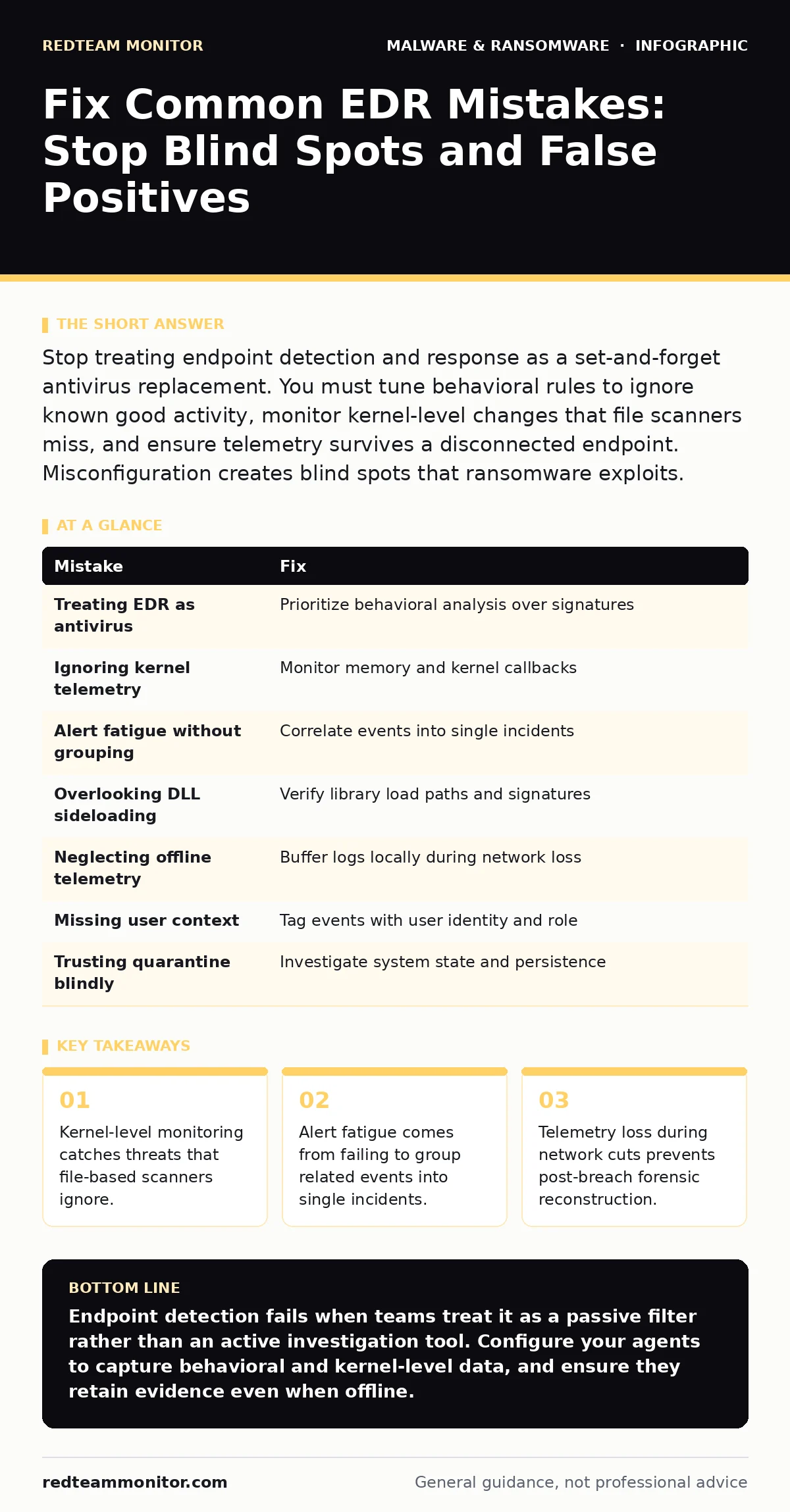
Stop treating endpoint detection and response as a set-and-forget antivirus replacement. You must tune behavioral rules to ignore known good activity, monitor kernel-level changes that file scanners miss, and ensure telemetry survives a disconnected endpoint. Misconfiguration creates blind spots that ransomware exploits.
Mistake 1: Treating EDR as a Next-Gen Antivirus
Many teams deploy endpoint detection and response agents with the expectation that they will automatically block every known malware variant. This mindset leads to heavy reliance on signature matching and file reputation databases. You ignore the behavioral capabilities that define the technology.
Why it hurts:
Signature-based detection fails against novel code. If your agent only looks for known bad files, it misses zero-day malware that has never been seen before. Attackers use polymorphic code to change their digital fingerprint with each infection. Your endpoint remains vulnerable because the agent is waiting for a match that does not exist.
The fix:
Configure your agents to prioritize behavioral analysis over static file hashing. Define what normal process execution looks like for each host type. Flag deviations from this baseline, such as a web browser spawning a command shell. This approach catches unknown threats by their actions rather than their appearance.
Mistake 2: Ignoring Kernel-Level Telemetry
File integrity monitoring and process tree analysis are standard features. However, many configurations neglect kernel-level events. The kernel is the core part of the operating system that manages hardware and memory. It runs with the highest privilege level.
Why it hurts:
Advanced threats often operate below the file system layer. They may inject code directly into memory or hook kernel drivers to hide their presence. If your agent only watches file creation and process starts, it misses these silent manipulations. An attacker can reside in memory indefinitely, evading standard scans. This is a common tactic in sandbox evasion, where malware delays execution until it detects a full operating system environment.
The fix:
Enable memory inspection and kernel callback monitoring. Look for unauthorized modifications to system structures. Detect when a legitimate process is hijacked to execute malicious code. This visibility reveals threats that leave no file on disk.
Mistake 3: Alert Fatigue Without Incident Grouping
Endpoint agents generate thousands of events daily. Without proper correlation, each event becomes a separate alert. Security analysts drown in noise. They start ignoring alerts because most are benign.
Why it hurts:
When every process start is an alert, you lose the signal. A ransomware attack involves dozens of small actions. If they arrive as separate notifications, you miss the pattern. The threat actor completes their objective before anyone notices the aggregate behavior. This fragmentation turns a manageable incident into a crisis.
The fix:
Implement logic that groups related events into single incidents. A process spawning a child process, which then modifies a file, should be one story. Define rules that correlate network connections with local file changes. This reduces noise and highlights the full attack chain.
Mistake 4: Failing to Monitor DLL Sideloading
Legitimate applications often load helper files called dynamic-link libraries. Attackers exploit this by placing a malicious file with the same name in a trusted directory. The legitimate application loads the bad file thinking it is safe.
Why it hurts:
This technique bypasses many security controls. The malicious code runs with the privileges of the trusted application. Standard file scanners may not flag the file if it is signed or if the name is legitimate. Your endpoint detection system might see a trusted program running and assume safety. This is a primary vector for DLL sideloading attacks.
The fix:
Monitor the path from which libraries are loaded. Alert when a process loads a library from an unexpected directory. Verify the digital signature of every loaded component. Do not trust the parent process blindly. Check the origin of every module it executes.
Mistake 5: Overlooking Offline Telemetry Storage
Endpoint agents must collect data even when the endpoint loses network connectivity. Many default configurations drop telemetry if the connection to the management server is lost.
Why it hurts:
Ransomware often disconnects the victim from the network to prevent backup synchronization. If your agent stops logging during this window, you lose the evidence of the initial compromise. You cannot reconstruct the attack timeline. This gap allows attackers to erase their tracks effectively. You are blind to the most critical phase of the breach.
The fix:
Ensure agents buffer telemetry locally when offline. Set a minimum storage quota for event logs on the endpoint. Configure the agent to transmit stored data as soon as connectivity returns. This preserves the forensic trail even during a network outage.
See also: Dumpster Diving Detection: Log Signals and Physical Blind Spots · How Credential Dumps Work: From Memory to Exfiltration
Mistake 6: Neglecting User Context in Alerts
Technical alerts often lack user identity information. They report process IDs and file paths but ignore who initiated the action.
Why it hurts:
Without user context, you cannot distinguish between a compromised account and a malicious insider. You also cannot prioritize alerts based on the sensitivity of the user's role. A service account acting strangely is more dangerous than a standard user. Missing this data slows down investigation and response. You waste time correlating logs manually.
The fix:
Enforce authentication logging on all endpoints. Ensure the agent tags every event with the user SID. Map these IDs to readable names in your dashboard. Filter views by user role to spot anomalies. This context turns raw data into actionable intelligence.
Mistake 7: Assuming Antivirus Quarantine is Enough
Many teams believe that quarantining a file stops the threat. They move the file to a safe location and assume the incident is over.
Why it hurts:
Quarantine only removes the file from its original location. It does not clean the system state. The malware may have already created persistence mechanisms, such as registry keys or scheduled tasks. It may have already exfiltrated data. Relying on antivirus quarantine leaves the endpoint vulnerable to reinfection. You must verify the system is clean.
The fix:
Treat quarantine as an alert, not a resolution. Investigate the process tree that led to the detection. Check for related changes in the registry and task scheduler. Reimage the endpoint if you cannot verify its integrity. Do not trust a system that has hosted known malware.
| Mistake | Fix |
|---|---|
| Treating EDR as antivirus | Prioritize behavioral analysis over signatures |
| Ignoring kernel telemetry | Monitor memory and kernel callbacks |
| Alert fatigue without grouping | Correlate events into single incidents |
| Overlooking DLL sideloading | Verify library load paths and signatures |
| Neglecting offline telemetry | Buffer logs locally during network loss |
| Missing user context | Tag events with user identity and role |
| Trusting quarantine blindly | Investigate system state and persistence |
Key takeaways
- Kernel-level monitoring catches threats that file-based scanners ignore.
- Alert fatigue comes from failing to group related events into single incidents.
- Telemetry loss during network cuts prevents post-breach forensic reconstruction.
Endpoint detection fails when teams treat it as a passive filter rather than an active investigation tool. Configure your agents to capture behavioral and kernel-level data, and ensure they retain evidence even when offline.
Frequently asked questions
How do I reduce false positives in my EDR alerts?
Tune your rules to exclude known benign applications and processes. Use allowlists for trusted software paths. Group related events to avoid alerting on every minor step.
Can EDR detect ransomware before it encrypts files?
Yes, if configured to monitor behavioral patterns. Look for rapid file renaming, volume shadow copy deletion, and unusual process injection. These actions often precede encryption.
Does EDR replace the need for endpoint isolation?
No. EDR detects and alerts. Isolation stops lateral movement. You need both. Use EDR to identify the threat and isolation to contain it while you investigate.
How often should I update EDR detection rules?
Review and update them regularly. Attackers change their methods frequently. Static rules become obsolete quickly. Integrate threat intelligence feeds to stay current.
How this guide was produced: written by the RedTeam Monitor editorial team with AI assistance, checked against the public references listed below, and reviewed when the facts change. See our editorial policy or report an error.